-
Problems with NFS-Server from Knoppix 3.7 CD
Hi,
I want to boot from my Knoppix-CD and then start up a NFS-Server and mount a directory from my Knoppix-CD
over NFS on another system.
After booting from Knoppix-CD i created a simple /etc/exports-file:
/home/knoppix *(ro,sync)
Then i started portmapper and nfs-kernel-server, which both are preinstalled on the Knoppix-CD:
Code:
/etc/init.d/portmap start
/etc/init.d/nfs-kernel-server start
Finally i tried to mount that export from the other system:
Code:
mkdir /mnt/nfs
mount -t nfs -o nolock Knoppix_IP:/home/knoppix /mnt/nfs
But all i got is this error:
Code:
mount: RPC: Unable to receive; errno = Connection refused
mount: nfsmount failed: Bad file descriptor
mount: Mounting Knoppix_IP:/home/knoppix on /mnt/nfs failed: invalid argument
I have another Knoppix-System as HD-install. Following the above steps on this system works as it should.
I tried to export different directories than /home/knoppix but that brought no success.
The filesystem of the Live-CD resides on a ramdisk. Could there be an issue with accessing directories over NFS on a ramdisk? Had anybody success starting an NFS-Server from the CD?
Thanks in advance,
karl sand
-
NFS-Server-problem solved
Finally i solved that issue by myself 
Just for for anybody who runs into the same problems, here is what i did.
The problem however was an authentication issue. Both, the portmap daemon and rpc.mountd
are linked against the tcp_wrapper library. That means to get them working properly you have to
specify all allowed hosts in the /etc/hosts.allow file. By default all hosts of the local domain
should be granted access to all services. The client-system that i use is a host in the local network but
not administrated by DNS, thus its domainname is considered invalid by the tcp_wrapper.
I added the following lines to the default Knoppix /etc/hosts.allow
file:
Code:
# additional lines in /etc/hosts.allow
portmap: 192.168.2.*
mountd: 192.168.2.*
Note: You have to use the daemon names, even if the binary-names are different! 192.168.2.0/255.255.255.0 is my local network.
After doing so, everything works fine.
-
...  there is still problem.
It is not possible to use the /home/knoppix dir in my exports-file. (the same with /ramdisk/home/knoppix)
When i use the rootdir / it works, but it is still not possible to access the ramdisk over nfs.
when i mount the / on the client i can see the /ramdisk dir and can change to the dir but when
i do ls -l: it seems to contain nothing... i'm still confused...
Similar Threads
-
By giacco in forum Hardware & Booting
Replies: 3
Last Post: 01-10-2006, 10:47 PM
-
By wiccaan in forum General Support
Replies: 0
Last Post: 06-06-2005, 04:07 AM
-
By Coffee-OD in forum Hardware & Booting
Replies: 6
Last Post: 03-31-2005, 10:43 PM
-
By smartin in forum Hardware & Booting
Replies: 3
Last Post: 05-05-2004, 06:40 PM
-
By shimsham in forum General Support
Replies: 0
Last Post: 04-22-2004, 01:22 AM
 Posting Permissions
- You may not post new threads
- You may not post replies
- You may not post attachments
- You may not edit your posts
-
Forum Rules

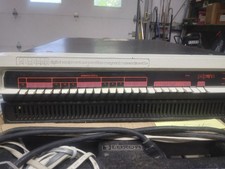
DEC PDP 11/05 or 11/10 system complete, H900 box, vintage, Digital Equip Corp
$3509.00

DEC T2053-DE MS65A-DA 128MB VAX 6000 Memory Board Gold Scrap Vintage
$69.99

Vintage DEC VT100 Series Terminal (Powers On)
$499.99

Vintage DEC Digital Starion 200 Desktop PC Powers On Boots To BIOS NO HDD - DW
$269.99
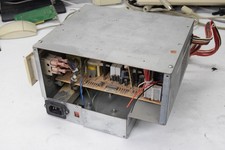
Vintage Tandy 4000 DEC 316 Computer Power Supply PSU - TESTED WORKING
$69.99

VINTAGE DEC LA34/ LA100 SERIES KEYBOARD W/NUMERIC PAD 70-17864-01C
$140.00

Vintage DEC LK201 Digital Equipment Corporation (DEC) LK201-AA Computer Keyboard
$149.99
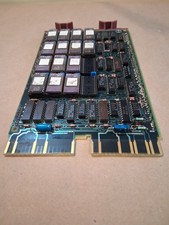
Vintage DEC Digital M8048 5013995C PDP-11 LSI 11 ROM (B3)
$149.99
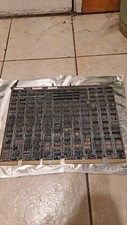
DEC DIGITAL VINTAGE M7477
$100.00

Vintage DEC/Mostek memory systems MK 8015 AA-00 6805-08015 1100 REV C(B7)
$279.99



 Reply With Quote