-
Junior Member
registered user
Simplify your triple boot the easy way.
Partitoning your drive should actually be far simpler than this. Knoppix will definitely need an ext2 or 3 file system, above and beyond that you can simply use FAT32 for both Windows ME and XP. I'm not sure whether the Knoppix installer will give you the option to install around other operating systems or not. So, in your case I would start fresh, beginning with Knoppix as the first install. First, just set up a partition on your hard drive 2 -3 GB should be fine. Format your partition, then run the Knoppix installer. Even if you used a simple partition manager like Fdisk. The Knoppix installer should rewrite that partition. After installing Knoppix, install Windows ME to 'free space', and no you don't need a partition for a second OS. The Windows installer will give you the option to overwrite or install to freespace. Choose free space, and finish that install. Next of course comes the Windows XP install. Again use free space, as well as use FAT32 for your XP file system. If you use FAT32 then not only will Win ME be able to have read/write access the XP portion of your harddrive, but Knoppix will as well. However, neither WinME or XP will be able to access the Knoppix portion. Anyway once XP is done installing when you reboot you should see a menu asking you which OS you want to boot to. In the event that you don't see all of your operating systems, locate (in the XP portion) boot.ini. Boot.ini is the text file that produces the menu options for multiple booting. I don't remember the line that needs to be in there as I've always used GRUB myself. If necessary just look on the forum or Google it... Good luck.
"The true warrior knows that there are no enemies but himself, and those that appear before him as enemies are merely pale reflections of his own dark self" - Anonymous
 Posting Permissions
- You may not post new threads
- You may not post replies
- You may not post attachments
- You may not edit your posts
-
Forum Rules


OPNsense pfSense 8-Core Atom C3758 2.2GHz 8GB DDR4 64GB SSD 8x NIC QAT AES VPN
$115.00

Ubuntu Server 26.04.1 LTS Bootable USB Flash Drive – Latest September 2026
$12.99

1U Rackmount PC Intel Core i5-2520M 8GB RAM 500GB HDD Ubuntu Linux Server
$109.99
OPNsense pfSense 8-Core Atom C3758 2.2GHz 8GB DDR4 512GB SSD 8x NIC QAT AES VPN
$128.00

All New Ubuntu 26.04 LTS Linux Bootable USB Flash Drive
$15.95

Start9 Server Pure 32GB 4TB Intel i7 Node StartOS — Box + PSU
$649.00
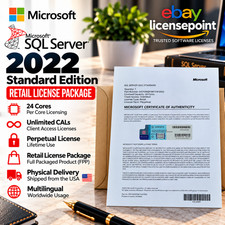
Microsoft SQL Server 2022 Standard 24 Core unlimited CAL Retail License Package
$199.00

ESET Server Security (File Security) | Variant Item | Download Version
$136.15

SQL Server 2022 Enterprise 96 Core License & DVD Unlimited CALs with CoA
$284.99

Sun Enterprise e450 400mhz cpu(x4), 4gb ram, 9gb HD w/spud most complete on ebay
$500.00



 Reply With Quote