-
problems with partitioning
Hi guy, first i just want to say, i really hate sounding like a troll or a lamer. but this is eating me alive.
i am following the instructions to install knoppix on the hd, and i get to the point where i am partitioning the hd.
tell me what i am doing wrong.
create first partition at the beginning on the hd (primary partition) size 1gig (yes i am nuts) type linux swap.
then create another primary partition size 17 gig, type linux
then i do the linux partition as bootable, then i do a write on it.
then quit
but it keeps telling me that i didnt meet the requirements.
so what am i doing wrong?
please let me know
-
Re: problems with partitioning
Let's see... I seem to remember a year ago or so being stuck in a situation where the knoppix-installer said I didn't meet the requirements. I think I solved it (funny how quickly we forget) by NOT formatting my partitions ext3. I either reformatted everything in ext2, or just let knoppix-installer do it automatically.
Sorry if this doesn't help; in short, I just remember something about ext3 being a problem, and ext2 being the solution.
-
Senior Member
registered user
As many times as I've partitioned, petitioned, and gone through perdition, when I installed Knoppix to HD earlier this week I forgot to explicitly tell knopiix-installer to associate / with the one non-swap partition I was giving it.
But surely you're more careful than I was, right? 
-- Ed
-
me, rool new at this.
but i managed to get it to install with the
sudo knoppix-installer
i got past the requirements, with
512mb ext3 AND 'active'
256mb linux-swap
9gb ext2
the ext3 at the front
plus set it active, like in fdisk for fat32
-
I just used my same Knoppix cd.....
mind it hadn't quite finished booting into the dektop screen, so I was using one of the tty screens
the
sudo knoppix-installer
was using the cfdisk program for the fdisking part.
it looks nothing like the program I used earlier on the other computer.
was it maybe the not quite booted up system or did I use a different command to what I think I used.
========
tty screen knoppix-installer uses cfdisk
kdm screen uses qtparted.....
but also, while the "alert, partitions not correct" part looks the same...
the qtparted prog is new to me. I wonder what changed /....
the cfdisk doesn't seem to show differences between linux partition types.
looking for ext2 / ext3
setting a partition active
Similar Threads
-
By bullshit in forum Hdd Install / Debian / Apt
Replies: 0
Last Post: 04-01-2006, 03:10 PM
-
By goober in forum Hdd Install / Debian / Apt
Replies: 2
Last Post: 10-01-2004, 03:49 AM
-
By Kowood in forum Hdd Install / Debian / Apt
Replies: 13
Last Post: 09-19-2004, 08:08 PM
-
By bob58 in forum Hdd Install / Debian / Apt
Replies: 3
Last Post: 05-28-2004, 02:09 AM
-
By Buttersoft in forum The Lounge
Replies: 6
Last Post: 02-20-2004, 03:51 PM
 Posting Permissions
- You may not post new threads
- You may not post replies
- You may not post attachments
- You may not edit your posts
-
Forum Rules


INTEL XEON E5-2680V4 SR2N7 2.40GHZ CPU
$11.00

Dell Precision Tower 7810 Xeon E5-2630 v3 @ 2.40GHz , 32GB Ram, NO HDD, NO OS
$239.99

Dell EMC PowerEdge R440 Xeon silver 4215 2.5GHz 16 GB ram 2x 550W PSU No HDD
$275.00

Dell Precision T7820 2x Xeon Silver 4114 2.20GHz 950W No RAM GPU HDD 4x SATA
$350.48

Dell Precision T5820 Workstation 3.70GHz W-2135 No RAM/ GPU/ HDD/ OS
$179.98

Intel Xeon E5-2699 V4 2.20GHz 55M 22-CORES LGA2011-3 Server Processor 145W SR2JS
$84.49

Intel Xeon E5-2690 v4 SR2N2 14 Core 2.6GHz 35MB LGA2011-3 CPU *km
$15.99

Intel Xeon E3-1230 v3 SR153 3.3GHz Quad Core LGA 1150 CPU Processor
$14.49

Lenovo ThinkStation P520c Intel Xeon W-2133 6-Core 3.60GHz -NO RAM/ HDD/ GPU/ OS
$127.54
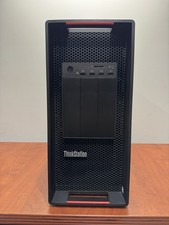
LENOVO THINKSTATION P920 XEON GOLD 6128 3.4GHz 32GB RAM 1TB SSD Windows 11 Pro
$1550.00



 Reply With Quote