
How did you go about making the floppy.Originally Posted by yoffedavid


How did you go about making the floppy.
I found the solution by using: Smart Boot Manager
I downloaded and installed to the boot partition (C:\) the Smart Boot Manager ver:3.6.4 and I select to boot from the CD-ROM
and the knoppix strted to run...
But, I had another problem: the Knoppix cd was running the configuration , and stop at the Knoppix background, and mouse.
I couldn't do anything more.
My P.c: Intel Pentium 100 MHZ, 64 MB RAM, Video card: ARK 1 MB RAM, HD: 3 GB free
M$-Windows 98, M$-Office 97 working O.K.
Howdy yoffedavid,
Smart Boot Manager can run from a floppy as well ..., should just be a case of doing a "raw" copy to a floppy disc, changing the boot sequence to A, whatever ... inserting the floppy. The only problem that seems to crop up there, is the cdrom option choice going missing. Which happens to me sometimes. Someone on another board suggested that some modern cdroms are to quick for some bioses, that is, they fire up, then down, when the power is turned on, before SBM can get a chance to probe for them. But just keying the "eject" tray to fire it up while SMB is booting solves that.
So ... how come the floppy method didn't work ?, can't be your bios or SMB, as their working from a hdd install ?
On the freeze,
Have a look at the "Cheat Codes", there in a text file on the CD.
> knoppix opt opt opt opt=xxx opt=xxx etc <enter>
Look over the options and turn off every thing you don't need. A prompt should come up after the initial CD splash screen. You may just be having some sought of HW freeze (just quessing there).
>>
My P.c: Intel Pentium 100 MHZ, 64 MB RAM, Video card: ARK 1 MB RAM, HD: 3 GB free
>>
I haven't got the disc handy at present to have a good look, but look for some option that can enable a "text" mode session. It sounds like your specs may be a bit low for a full graphical LiveCD session.
I'll try and look into that, but someone else more knowing should be able to be more definite there ..., i'd be surprised if there wasn't a text mode option.
Possibly one of the "vga=xxx" settings woulds do that.
(/usr/src/linux/Documentation/fb/vesafb.txt)
-- | 640x480 800x600 1024x768 1280x1024
----+-------------------------------------
256 | -769 -- 771 -- 773 -- 775
32k | -784 -- 787 -- 790 -- 793
64k | -785 -- 788 -- 791 -- 794
16M | -786 -- 789 -- 792 -- 795
There all positive decimal values, the dashes are just to force this My Opera dosen't deal with white space very well, if there's more than one space in a row. It will just wrap all over the place. Thus the dashes.
Hope thats not to muck yack for a quess
jm
 Posting Permissions


RAM-HOL-SAM60CPU RAM USB-C Powered Dock for Samsung Tab Active5 - 3 - 2
$81.99

Samsung Galaxy Tab Active 3/ 64 gig/WIFI
$85.00
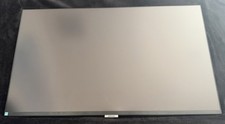
Samsung LS32A700NWNXZA 4K UHD LED Monitor 32" A700 Series with HDR, Black
$200.00

Samsung 2.5" 870 EVO SSD SATA III 250GB 500GB 1TB Internet Solid State Drive Lot
$90.00
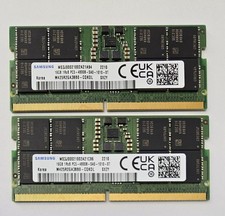
Samsung 32GB Kit (2x16GB) DDR5-4800B SODIMM MEMORY 1Rx8 M425R2GA3BB0-CQKOL
$319.99

RAM-HOL-SAM52CPU RAM USB-C Powered Dock Samsung Tab Active4 Pro & Tab Active Pro
$81.99

Cell Phone Smartphone Computer repair banner poster sign iphone Samsung
$89.99

RAM-GDS-SKIN-SAM54-NG-1 RAM Mounts IntelliSkin® Next Gen for Samsung Tab Active4
$93.99
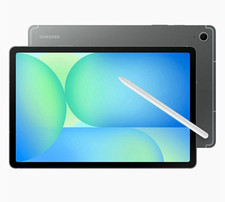
Samsung Galaxy Tab S10 FE 5G SM-X528U Tablet, 10.9" WUXGA+, Samsung Exynos 1580
$300.00
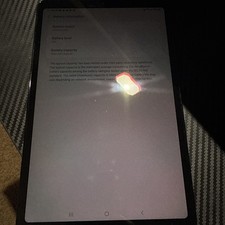
Samsung Galaxy Tab A SM-T307U 8.4" WiFi+ Sprint/Tmobile 32gb
$49.99

 Reply With Quote