-
Senior Member
registered user

Originally Posted by
Harry Kuhman
Originally Posted by
foamrotreturns
....There's probably not another way to do it.
Sure there is. Type the DEL key or whatever gets you into BIOS setup. Open the CD drive, insert the disk, go get a cup of coffee, do whatever you want, when you are ready to boot just leave the BIOS and all will be fine.
I thought of that, but when you go into BIOS, regardless of if you make changes or not, it will still reboot the computer. The same function as Ctrl+Alt+Del.
-
Administrator
Site Admin-
Originally Posted by
foamrotreturns
I thought of that, but when you go into BIOS, regardless of if you make changes or not, it will still reboot the computer. The same function as Ctrl+Alt+Del.
One problem that was stated as being an issue with Ctrl-Alt-Del is that you might have to do it multiple times before you got the CD ready, which could be a serious problem, either Windows starts or you end up scratching a CD. Entering the BIOS gives you all the time that you want. There may also be other options, some BIOS's (like my HP notebook) have a key that you can hit to change just the boot order, and another to try to boot from the network. I don't believe these options do a full restart when you select or exit them, but would give you the time needed to swap in a CD.
-
I am very grateful to all those responded and gave their suggestions. I thank them, especially Mr. Harry Kuhman. I tried the Smart Boot Manager, but as I am not having any DOS boot floopy, could not install from XP command prompt. May be I should get a freeDOS disk or Ultimate Boot CD, one of these days.
Entering into BIOS seems to work for me and I am not seeing the blue screen before opening the CD case, which is what I want.
I once again thank this Forum Members for being such interactive and supportive.
Similar Threads
-
By Josh83 in forum MS Windows & New to Linux
Replies: 3
Last Post: 05-04-2005, 11:44 AM
-
By Barton71 in forum General Support
Replies: 4
Last Post: 03-05-2005, 06:03 PM
-
By ahnaqsh in forum General Support
Replies: 2
Last Post: 12-01-2004, 05:32 AM
-
By banevere in forum Hardware & Booting
Replies: 0
Last Post: 02-22-2004, 08:31 AM
-
By dermatas in forum General Support
Replies: 2
Last Post: 07-23-2003, 08:50 PM
 Posting Permissions
- You may not post new threads
- You may not post replies
- You may not post attachments
- You may not edit your posts
-
Forum Rules


Vintage 2010 VIA WM 8650 7 inch Android 2.2 Mini Tablet pc (MID) collectible/pts
$25.00
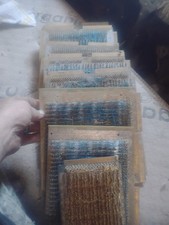
Title:Rare Vintage Magnetic Core Memory Board Plane – Retro Computing Collectibl
$2000.00
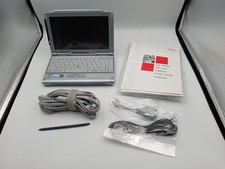
VINTAGE UMPC Fujitsu Lifebook P1120 8.9" Touchscreen Crusoe 800MHz - Windows XP
$349.95

Vintage eMate 300 Computer System Rare Kids Laptop Newton Operating System
$349.99
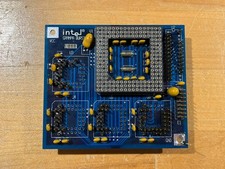
Intel GRAMPA BURST 168-pin 486 CPU Interposer/Testing Adapter Board Vintage
$289.99

Vintage 5.25" (5 1/4) diskettes (16 diskettes in total) + RARE Boeing software
$80.00
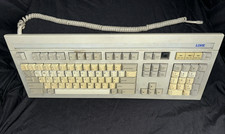
Vintage Link Terminal Mechanical Keyboard Alps Black Switches 840352-30
$139.95
Vintage Apple Extended Keyboard II M3501 Mechanical ADB - Tested & Working
$54.99

Apple Mac OS9 Cloth Banner Think Different 64 x 24 inches NEW ORIGINAL Vintage
$99.99
Vintage Apple Macintosh M0110 Keyboard with Coiled Cable & M0100 Mouse Bundle
$180.00



 Reply With Quote