

 Reply With Quote
You could insall a boot manager like XOSL or Smart Boot Manager to your hard disk MBR.


I am a newbie. Ihave knoppix3.7 and a hp windowsXP home PC. Everytime, I want to run knoppix, becoz I have to insert the CD, I have to start WinXP , insert the koppix cd and restart the computer. As my harddisk is a single NTFS partition, Iam not able to do hdd install. Tried stoopng the windows booting with pause/break key,but my keyboard is not getting detected.
Is there a way for this ?
Regards,
RSM
You could insall a boot manager like XOSL or Smart Boot Manager to your hard disk MBR.
... or check the Ultimate Boot CD
--GN
Thank you Harry and GN,
Let me try them and come back.
On first look, I may require some help though for installation of SBM as I am new to MBR and Linux.
XOSL requires DOS OS on FAT16/32 but I have only Windows XP . Do I have to install XOSL after erasing my XP and reinstal XP ?
RS
Thank you Harry and GN,
Let me try them and come back.
On first look, I may require some help though for installation of SBM as I am new to MBR and Linux.
XOSL requires DOS OS on FAT16/32 but I have only Windows XP . Do I have to install XOSL after erasing my XP and reinstal XP ?
RS
Maybe I'm missing something but what has the fact that you have only one, NTFS partition, to do with the impossibility of installing Knoppix? Get yourself something like PartitionMagic, create a new partition (actually 2 or 3) then install Knoppix there. Even fdisk can do the job.
And WinXP can be brought to a boot options menu by using the F8 key.
XOSL des not require a DOS OS or a FAT16/32 patrition. While the documentation that comes with XOSL prefers that XOSL co-exist with a Windows partition, I and others prefer to give it it's own partition (this helps if you want to reload partitions from image files). If you find that you do need a DOS os at first, such as to do the original disk partitioning, there are several free DOS systems available on the web that would make a handy addition to your tools. My advice is to give XOSL it's own partition; or just install SBM to the MBR.Originally Posted by rsmanyan
The three finger salute (ctrl-alt-del) should work during the early stages of the boot process (while the computer is still checking memory etc before it actually starts loading XP). You may have to repeat it a couple of times to give yourself enough time to get the CD in but it's better than waiting all through the XP boot.
Check out the post Need help (andrewg67, he was able to use QTparted to resize his NTFS partition without losing any data to do a HD install (but back up first, just in case).
Wait, are you trying to install to hard drive, or do you only want to run knoppix from the CD? If you're trying to do a HDD install, don't you think this should be in the HDD install forum?
BTW, I agree on the Ctrl+Alt+Del sequence to prompt the delay necessary to insert the CD. There's probably not another way to do it.
Sure there is. Type the DEL key or whatever gets you into BIOS setup. Open the CD drive, insert the disk, go get a cup of coffee, do whatever you want, when you are ready to boot just leave the BIOS and all will be fine.
 Posting Permissions


Seagate ST1000VM002 1TB 5900RPM 3.5" SATA 6GB/s HDD Video Hard Drive PC DVR
$24.99

Samsung T9 1TB External Portable SSD MU-PG1T0B -2000MB/s - Black
$179.00

Samsung T7 Shield 1TB Portable External SSD USB 3.2 Black MU-PE1T0S NEW SEALED
$219.99

Dell Latitude 14" Laptop Computer Intel i7 Up To 32GB RAM 1TB SSD Windows 11 Pro
$429.73
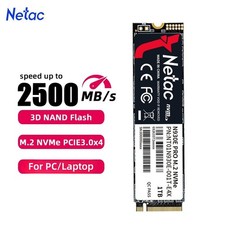
Netac 1TB M.2 2280 Internal SSD PCIe Gen3.0x4 NVMe Solid State Drive PC Laptop
$129.99

Acer Aspire 14" AI Copilot+PC Laptop Core Ultra 5 226V Gen 4 ARC 16GB 1TB Refurb
$438.51

Acer Aspire 16 16" Laptop Core Ultra 5 226V S2 16GB RAM 1TB SSD Arc Refurbished
$533.51

24x 1TB NVMe SSD Lot M.2 2280 PCIe Gen3/Gen4 Samsung PM9A1 PM981a WD SN720
$2352.00
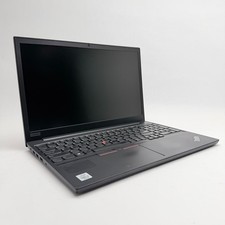
Lenovo Thinkpad E15 15.6" Laptop i5/i3 8GB RAM Up to 1TB SSD HDD Tested Working
$136.55

Dell Latitude 14" Laptop Computer Intel i5 Up To 32GB RAM 1TB SSD Windows 11 Pro
$375.05