

 Reply With Quote
You can install debs with: dpkg -i /path/packagename.deb


I've been trying, unsuccessfully, to configure my laptop's internal winmodem. It requires the SmartLink drivers. I've tried slmodem-2.9.10 from the SmartLink site, and versions 2.9.9 and 2.7.10 that I found on the net. They all compile and (apparently) install OK, but they don't work. (Knoppix 3.7/kernel 2.4)
I found a couple of SmartLink packages on the Debian site, and have downloaded them using the Windows side of my machine. I've moved them over to the Linux side, but find that I'm unable to make Apt recognize their existence.
I've read the Apt man pages and chapter 8 of the Debian/Progeny User's Guide. Nothing I've read indicates that Apt can be used for packages it doesn't download itself.
I tried writing the files to a CD-R, then using Apt-cdrom, but that routine comes back and tells me that I don't have a valid Debian disc in the drive.
I'm sort of at my wits end with this modem problem, and am just a hair away from scrapping Linux altogether. Any assistance would be greatly appreciated.
Many thanks,
Tom
You can install debs with: dpkg -i /path/packagename.deb
Many thanks, Marcus. I'll give it a try.
Best Regards,
Tom
Marcus,
That did it!
My modem now works, and I'm posting this from Linux. As they say in the Toyota commercial, "Man, what a feeling!"
FWIW, I'm running Kanotix 2005.1 on the HDD right now, which I installed last night in desperation. Now that it's working, I guess I'm going to try the same thing in Knoppix 3.7, kernel 2.4, which was running very nicely for me (other than the modem problem.)
In case anyone happens to search out this thread while looking for a solution to the modem problem on the Toshiba P25 laptop series, the solution is to install the Debian packages sl-modem-source-2.9.9a-I386.deb, then sl-modem-daemon-2.9.9a-i386.deb. After installing those, the modem came right up!
Thanks again, and Best Regards,
Tom
Well done. Modems are often tricky things in linux.
While you have kanotix you might want to stick with it 'cause it gives you less problems with a hd install than knoppix.
OTOH if you want to test if it can be done in knoppix, go ahead.
Markus,
Yes, I found that out. I uninstalled Kanotix, re-installed Knoppix, and installed the two modem .deb packages.
The modem didn't work under Knoppix kernels 2.4 or 2.6.
I re-installed Kanotix, installed the .deb packages, and my modem is up and running. I guess I'll stick with Kanotix.
Once again, many thanks!
Best Regards,
Tom
Hiya!
Wow, bummer.I guess I'll stick with Kanotix
I mean, it's good that you have a Linux that works!Too bad about Knoppix though.
Yeah, Winmodems.... I was a "telecom professional" and just can't see putting modems in software. Sure, lotsa stuff can be more flexibly implemented in software than hardware, and run faster as well.
But for the love of Pete, modem standards aren't going to change every 7 months, and the existing hardware can handle things just fine. I guess some things just gotta be made proprietary.
-- Ed
Hi, again, Ed,Originally Posted by mr_ed
Small world. I was a telecomm engineer fo a good part of my career.
I actually think sofware-defined modems are a great idea and, considering the computing horsepower we have at our fingertips in our modern PCs, "the right way" or at least "a good way" of implementing the system. Even more interesting than software-defined modems are software-defined radios, where the A/D and D/A stages are moving ever closer to the antenna. (You probably own at least one SDR right now, but probably call it by some mundane term, like "cell phone." <g>)
I agree that modem standards aren't going to be changing every six or seven months, but the opportunity to crank out a little better performance simply by replacing the driver/DSP software, rather than replacing hardware, is something we can't ignore. Even the folks who manufacture hardware modems think so; witness the "firmware upgradability" features available in some modems. What they're upgrading is the DSP routine. Essentially, a modern modem is a winmodem, with the PC's function replaced by a dedicated DSP processor.
So, the modern modem implementation is a simple hardware front end, with the acutal "modemming" done by DSP. The difference between a stand-alone modem and a winmodem is simply what and where the DSP processor resides.
And, of course, if and when standards change, a software-defined modem is well placed to implement those changes quickly and cheaply.
SDMs wouldn't be a problem for us if only the manufacturers would support Linux the way they support Windows. If that was the case, our laptop modem installs wouldn't be an issue at all - they'd just work automatically with each Linux install. Modems wouldn't be any more an issue than mice.
BTW, there's a pretty good book on DSP techniques available for free on the net: "The Scientists and Engineer's Guide to DSP." It's a good "under the hood" survey of some DSP techniques that's not math intensive, so thee and me can follow what the author has to say. It's available at http://www.dspguide.com . Careful, though - you can easily get hooked on this stuff!
Best Regards,
Tom
Thanx for the "K"nowledge Tom, and Marcus for the "fix"
 Posting Permissions


16GB KIT (2x8GB) DDR3 Gamer Desktop RAM PC3 MIXED BRANDS VIPER VENGEANCE FURY
$10.00

Netac DDR4 32GB 16GB DDR4 3200MHz UDIMM C16 Desktop Internal Memory RAM Kit
$99.99

MTC8C1084S1SC56BD1 Micron 16GB DDR5 1Rx8 PC5-5600B 5600Mhz SO-DIMM Memory
$149.99

A-Tech 8GB DDR3 1600 PC3-12800 Laptop SODIMM 204-Pin Memory RAM PC3L DDR3L 1x 8G
$21.68
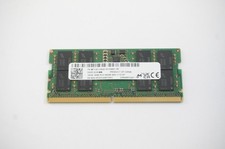
MTC8C1084S1SC56BD1-NF Micron 16GB DDR5 1Rx8 PC5-5600B 5600Mhz SO-DIMM Memory
$149.99

Major Brand 16GB (2x8GB) PC3-12800U DDR3-1600MHz DDR3-12800 DESKTOP RAM NON-ECC
$29.99
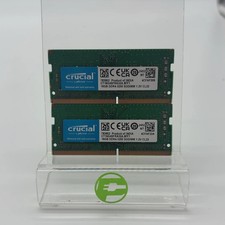
Crucial Laptop Ram 32GB (2x16GB) RAM DDR4 3200MHz CT16G4SFRA32A
$119.99

Samsung 32GB DDR4-2666V-2Rx4-RB2-12 RAM M393A4K40CB2-CTD6Q
$169.00

Corsair Vengeance DDR3 8GB 16GB 32GB 1866MHz PC3-14900 Desktop RAM Memory DIMM
$85.00
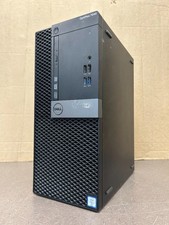
Dell Optiplex 7040 MT, i7-6700 3.40GHz, 16GB DDR4 RAM, NO HDD/OS #95
$65.00
