-
Booting issues
I have read the FAQ and the posts but I am still puzzled...!
I downloaded the Knoppix-3.7...iso files to my HD. Using roxio, I burnt the ISO files to CD-Rom (seems OK). Try to boot from it on a Dell D600 laptop= Fail and tried it on a clone PC Intel = Fail. So I decide to make a floppy but there is no "Knoppix directory" on the CD-Rom. I downloaded SBM and ran it from cmd, but I can't figure out what "backup" files I need to include (if any). I try to build a floppy with SBM without a backup file but the floppy won't boot..!
Questions:
Is there suppose to be only one ISO file on the CD-Rom?
If so, why many posts/FAQs indicate that a Knoppix directory should be present on the CD-Rom?
Can anyone list the content of the mkfloppy.bat file with the proper *.img file to boot the Knoppix Cd-Rom?
Thanks.
-
Administrator
Site Admin-
An ISO file is a disk image, a copy of the way the disk should look when burnt. If you look at the CD under windiows and just see one file, the iso, on the disk, then you burnt it improperly (and it cannot boot). If you look at it underwindows and see the entire directory structure (the one that is contained within the iso), then there is a good chance that you burnt it correctly, as long as you had a good download to start with (which the md5 checksum will confirm for you). Also may people are finding that disks burnt at high speed boot on some systems but not others; it is more reliable to burn the disc at a slow speed like 4x.
Another way to understand why you should see multiple files when you burn the iso is this: If you go into your burning software and create a CD, perhaps with hundreds of files and many directories (also know as folders), you can also save that compilation of files an an "image". Different software uses different extensions for thier own images and lay out the file somewhat differently, but these are disk images, just like an ISO file is. When you use the right feature to load or burn from the iso image you get all of the files back, in their proper places (including the stull that makes the CD bootable). When you just drag and drop it into your burning software you are just making a copy of the ISO, which is much different.
The Downloading Faq reached by the documentation link on the top of this page has more information.
-
Junior Member
registered user
My XP has built-in Roxio, and it will not burn ISO image. Instead, it burns a single data file, as described in the original post for this thread. One solution: Install Alex Feinman's 'ISO Recorder' (search Internet). Then right-click on ISO file, choose burn image to CD from context menu.
-
In Roxio use the command "Record Disk From Image" in the File menu. This will make a good boot CD.
The New Project/Bootable CD option (no emulation) gives the single large ISO file on the CD, which doesn't work.
Sorted. 
-
Administrator
Site Admin-
I got XP with my notebook. I knew XP included some burning software in it, but I never even considered using software from Microsoft to burn my CD's (that's crazy talk). It's not clear to me if the above post is talking about commercial Roxio or something built into XP. The extent of it impacting me in any case is only in how I might advise others to burn CDs. I bought burning software for the notebook and have no regrets.
If you have XP with no other burning software and can find an option to burn a bootable knoppix from an ISO, then good for you. Please post back if you have actually done so with sucess. But if not then there are still plenty of free or free trial burning software out there. I have a friend who just bought a DVD burner and found a lot of free software on the web that will support it for burning both CDs and DVDs. I don't recall the name at the moment but other threads have mentioned a small application for XP that will burn an ISO file (search the forums, it should not be hard to find with the XP and ISO keywords). And one can download a free 30 day trial of Nero from Ahead Software. This will certainly let you burn an ISO file (even burn it correctly if you follow the instructions rather than just guess how it should be done) and let you burn a copy of Knoppix from a good ISO. Once you have Knoppix working you may be able to burn other ISO files from that (although if you have only 1 CD drive this can be a problem unless you have enough memory to load all of Knoppix to RAM). Users with one CD drive may want to be sure to burn a copy of DSL in their 30 day free trial window. DSL takes only 50 meg and so can to loaded to RAM on almost all systems. It also includes burning software, so you should always be able to burn more ISO files once you have a DSL CD.
-
For the record, my post above concerns the commercial version of Roxio Creator Classic (version 6.0.0.017), which I happened to have already. Whether this menu option is available in trial or bundled versions I wouldn't know. The point I tried to make is that homing in on the option containing the word "bootable" in a file menu in this program doesn't mean it will work: quite the opposite. I wasted a couple of blank CDs finding this out for myself, hopefully somebody else with similar software won't have to.
In fact, there's useful information on several common CD burning programs in the README file here:
ftp://ftp.linux.ucla.edu/mandrake/
(Opens in Windows as a text file if you do 'right click/open with/Wordpad')
Similar Threads
-
By jelzimme in forum Hardware & Booting
Replies: 1
Last Post: 03-26-2007, 04:11 AM
-
By soiltriad in forum Hardware & Booting
Replies: 5
Last Post: 01-06-2007, 03:42 AM
-
By asearle in forum Hdd Install / Debian / Apt
Replies: 0
Last Post: 05-19-2005, 01:03 PM
-
By B4L1STA in forum Hardware & Booting
Replies: 2
Last Post: 02-24-2005, 01:41 AM
-
By econobeing5 in forum General Support
Replies: 23
Last Post: 10-03-2004, 12:18 AM
 Posting Permissions
- You may not post new threads
- You may not post replies
- You may not post attachments
- You may not edit your posts
-
Forum Rules


GIGABYTE A520M DS3H AC AMD AM4 Motherboard mATX
$59.99

GIGABYTE Z790 AORUS ELITE AX LGA 1700 Intel Z790 ATX Motherboard with DDR5
$119.99
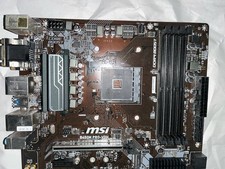
MSI B450M PRO-VDH MAX MicroATX AM4 DDR4 HDMI AMD Motherboard
$69.99

Corsair RMe RM850e 850W 80 Plus Gold Fully Modular Low Noise Certified Refurb
$56.99

GIGABYTE B365 HD3 LGA1151 Intel 9th Gen motherboard
$59.99

Asus Prime B660M-A AC D4 Motherboard Intel LGA 1700 14th 13th 12th Gen DDR4
$79.99

Intel H81 Motherboard M.2 NVMe LGA 1150 mATX w/ IO Shield (Random Slot Color)
$29.90

ASUS PRIME H410M-K LGA 1200 Intel 10th Gen H410 DDR4 USB3.2 Motherboard M-ATX
$59.99

Gigabyte GA-B85M-D3H Motherboard
$54.99

Dell XPS 8940 Desktop Motherboard Intel H470 LGA1200 DDR4 K3CM7 KV3RP 427JK
$154.99



 Reply With Quote