-

Originally Posted by
foamrotreturns
OK i think i'm getting the hang of this...
I'm going to run the ISO from an ext3 filesystem. it's located at /isos/whoppix on my (hd0,1) as well as the minirt26.gz and linux26 files. so here's what i've got in my menu.lst file for that entry:
title WHoppix Linux
root (hd0,1)
kernel /isos/whoppix/linux26
initrd /isos/whoppix/minirt26.gz
Is that all I need? i'd like to prevent writing to the HD at all costs - is there something I should be appending to the root line to make it mount the FS read only?
Yes, pretty close to that:
You need to add some "cheatcodes" after the kernel options and you probably want to use my minirt26_ntfs.gz even though you are not using the ntfs driver, because of the "bootfrom" cheatcode (required to boot from the iso file) which is not handled properly by the linuxrc file in the regular minirt26.gz.
So to summarize I will suggest something like this for your menu.lst:
title Whoppix 2.6-sp1 kernel 2.6 from hda2 ISO file
kernel (hd0,1)/isos/whoppix/linux26 ramdisk_size=100000 init=/etc/init lang=us apm=power-off nomce bootfrom=/dev/hda2/isos/whoppix/*.iso quiet noprompt (all on a signle line from the kernel ...)
initrd (hd0,0)/isos/whoppix/minirt26_ntfs.gz
boot
And as far as I remember, all partitions are read only by default and it is actually not that obvious to grant write access to the boot partition, where the kernel, initrd and iso file are located.
Cheers, Gilles
Similar Threads
-
By zero1 in forum Networking
Replies: 0
Last Post: 02-27-2007, 08:34 PM
-
By aashikan in forum Networking
Replies: 1
Last Post: 06-06-2005, 11:20 PM
-
By gonzo in forum General Support
Replies: 1
Last Post: 03-25-2005, 11:48 PM
-
By nicklaser in forum General Support
Replies: 0
Last Post: 11-03-2004, 07:38 AM
-
By mswarbrick in forum Customising & Remastering
Replies: 6
Last Post: 04-18-2003, 12:30 AM
 Posting Permissions
- You may not post new threads
- You may not post replies
- You may not post attachments
- You may not edit your posts
-
Forum Rules

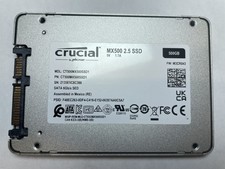
Crucial MX500 500GB 2.5" SATA III Internal SSD CT500MX500SSD1
$52.99

SSD 880EVO SATA III 2.5 4TB INTERNAL STATE DRIVE
$214.99
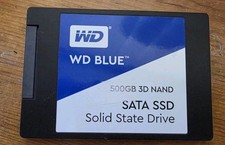
Western Digital Blue 3D NAND 500GB Internal 2.5" (WDS500G2B0A) SSD
$43.99
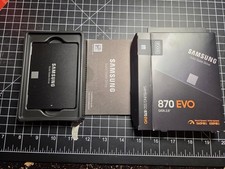
Samsung 870 EVO 500GB 2.5" SATA III Internal SSD V-NAND MZ-77E500
$85.00

Western Digital WD Blue 3D NAND 500GB 2.5in SATA III Internal SSD WDS500G2B0A
$41.99
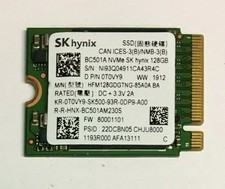
128GB SSD M.2 PCIE NVME Solid State Drive Mix Brand Samsung, WD, SK Hynix Kioxia
$16.59

Netac 2TB 1TB 512GB 256GB Internal SSD 2.5inch SATAIII Solid State Drive lot
$549.00

M.2 SATA SSD 2280 128GB 256GB 512GB major brands | Very Good health
$35.99

Samsung 860 EVO 250GB SSD MZ-76E250 2.5" SATA III Solid State Drive
$39.99

128TB External SSD Solid State Drive Hard Drive Disk PC Phones Mac Games Videos
$97.60



 Reply With Quote