-
Linux Newbie needs help!!!
So I burned the iso to disk and made a bootable CD and all. Now, when I start up from the disk, all I get is a command prompt. I tried typing knoppix and that didn't work and I tried "ls" and that didn't work either. What exactly am I supposed to type at this initial startup screen??
Thanks for the help,
ihate
-
startx?
hello,
don't understand what is your problem, you start up from the disk... the cdrom or hdisk?
you are in a command prompt, then you are not in X (graphic), then try startx...
do you have enough memory? how many memory?
i hope it can help you...
pat
-
Senior Member
registered user
command prompt
I may be wrong but I think I know what you did.You burned the iso and made it bootable with some program like nero and now you see a "[Dr-Dos] a:/" prompt or something dont you...
The iso is already bootable so all you do is to burn it you DO NOT need to set the burning program your using to "make bootable cd" or anything.If your using nero to butn (it's been over a year since i ran win/nero) you do something like close the wizzard go right to the main screen where you have the split window to drag/drop files then browse to the image and up at the top left of the window where it says "file,edit,whatever" just click "file" and on the menu that drops down click something like "burn image".If by any chance your running winxp then do yourself a favor and google for the free iso recorder power toy so you can just right click an iso and burn it.This link may also help http://www.petri.co.il/howto_write_iso_files.htm
If my guess is right and you made it a bootable cd then your burning app overwrote the Knoppix boot image with a free one from dr dos or something.
-
enter
"So I burned the iso to disk and made a bootable CD and all. Now, when I start up from the disk, all I get is a command prompt. I tried typing knoppix and that didn't work and I tried "ls" and that didn't work either. What exactly am I supposed to type at this initial startup screen?? "
Press ENTER
-
5. for english language type in "knoppix lang=us" without the quotes when you arrive at the text screen. the = is shift+0, atleast for me.
posted on another forum by dhtp
-
if you did what Tech2k said u did, then he has the fix for it. If you are getting a picture of the linux penguin and what not, then u are at the boot screen. all u need to do is hit enter if u downloaded the -EN iso. if u downloaded the -dE iso, type knoppix lang=us. thats all there is to iut.
Similar Threads
-
By Shaba1 in forum General Support
Replies: 13
Last Post: 09-21-2004, 01:41 AM
-
By dugtrio85 in forum MS Windows & New to Linux
Replies: 1
Last Post: 08-29-2004, 10:14 PM
-
By djtwok in forum General Support
Replies: 1
Last Post: 06-09-2004, 06:46 PM
-
By bighdaddy1 in forum General Support
Replies: 8
Last Post: 03-11-2004, 02:40 AM
-
By ThePatrioticDickhead in forum The Lounge
Replies: 1
Last Post: 01-11-2003, 09:04 PM
 Posting Permissions
- You may not post new threads
- You may not post replies
- You may not post attachments
- You may not edit your posts
-
Forum Rules

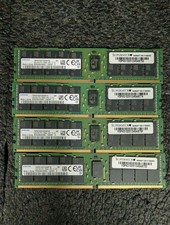
Lot 4 Samsung 64gb PC4-25600 2Rx4 DDR4-3200AA ECC RDIMM Reg Server Memory RAM
$3199.00

TF/SD Card Adapter Camera Reader Android Type-c For iPhone17 Pro Max Plusm lot
$573.98
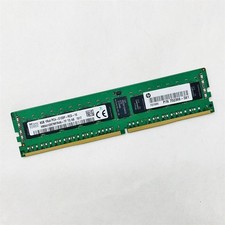
SK Hynix 8GB 1RX4 PC4-2133P-RC0-10 Registered Server RAM HMA41GR7MFR4N-TF TD AB
$34.99
Samsung 32GBX2 1Rx4 PC4-3200AA DDR4 ECC Server Memory M393A4G40AB3-CWEBQ 64GB EC
$370.00
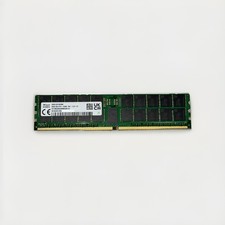
SK hynix 96GB DDR5-7200 EC8 RAM HMCGM4AKBRB449N AA Server Memory Module
$3699.99

USB 3.0 Flash Drive 32GB 64GB 128GB Memory Stick Thumb Stick Lot Pack
$826.09

Kingston 32GB 64GB 128GB 256GB USB 3.0 Flash Drive Thumb Memory Stick Pen lot
$285.90

A-Tech 8GB DDR3 1600 PC3-12800 Laptop SODIMM 204-Pin Memory RAM PC3L DDR3L 1x 8G
$21.68

RAMAXEL Lenovo 32GB LPDDR5X CAMM2 7500MHz Laptop RAM | UNTESTED
$445.00

SMART(Micron)SafeStor 32GB(1X32GB) 1RX4 NN4-3200AA(DDR4) HPE Server Memory
$159.98



 Reply With Quote