

 Reply With Quote
Which install? Which version are you using?
I've done a sucessful install of 3.6 to hard drive using knoppix-installer by booting up from the CD with the nodma cheatcode, waiting for everything to come up and running the installer from a shell.


Whenever I try to do a HD install with the debian install option enabled, no matter what I do it for some reason enables DMA for all drives, and that makes the whole system freeze when it tries to copy a new hardware config to somewhere, it freezes.
How can I stop this madness??
Which install? Which version are you using?
I've done a sucessful install of 3.6 to hard drive using knoppix-installer by booting up from the CD with the nodma cheatcode, waiting for everything to come up and running the installer from a shell.
ver 3.4, there's the full, beginner, and hardware detect choices, and it doesn't matter what (or how many times i type it) it just won't disable DMA!
and i want to try the full debian installation

Ideas only: try 3.6.
Try removing whatever needs nodma (you are booting with knoppix nodma?). This is likely to be a optical drive of some sort. You might even try substituting (borrow it) a drive of another make.
 Posting Permissions


USB 3.0 Flash Drive 32GB 64GB 128GB Memory Stick Thumb Stick Lot Pack
$826.09
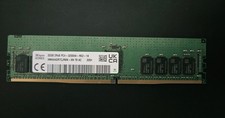
SK hynix 32GB PC4-25600 DDR4-3200 Memory - HMAA4GR7AJR8N-XN
$189.99

TF/SD Card Adapter Camera Reader Android Type-c For iPhone17 Pro Max Plusm lot
$573.98
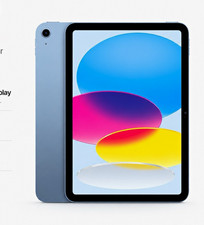
Apple iPad 11th Generation 10.9" 128GB (Wi‑Fi + 5G) Blue
$220.00
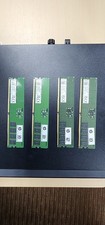
HP56U46BS8MD-16 DDR5 1x16GB DIMM Desktop 5600MHz (brand may vary) Lot of 28
$4700.00

NEW Kingston 8GB DDR4 2666MHz Desktop RAM KCP426NS8/8 PC4-21300
$30.00

USB 3.0 Micro SD SDHC TF Card Reader Memory Adapter for PC Laptop Camera lot
$3.75
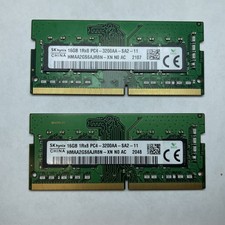
Lot of 2 SK Hynix HMAA2GS6AJR8N-XN 16GB DDR4 PC4-3200AA 1Rx8 Laptop SODIMM RAM
$354.99
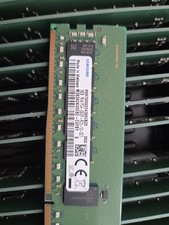
Lot Of 4 NEW SAMSUNG 16GB PC4-2933Y-RC2-12-DC1 Memory
$299.00

Wholesale 5/10/100PCS 1GB 2GB 4GB 8GB 16GB 32GB USB 2.0 Flash Drive Memory Stick
$378.00