

 Reply With Quote
Which install? Which version are you using?
I've done a sucessful install of 3.6 to hard drive using knoppix-installer by booting up from the CD with the nodma cheatcode, waiting for everything to come up and running the installer from a shell.


Whenever I try to do a HD install with the debian install option enabled, no matter what I do it for some reason enables DMA for all drives, and that makes the whole system freeze when it tries to copy a new hardware config to somewhere, it freezes.
How can I stop this madness??
Which install? Which version are you using?
I've done a sucessful install of 3.6 to hard drive using knoppix-installer by booting up from the CD with the nodma cheatcode, waiting for everything to come up and running the installer from a shell.
ver 3.4, there's the full, beginner, and hardware detect choices, and it doesn't matter what (or how many times i type it) it just won't disable DMA!
and i want to try the full debian installation

Ideas only: try 3.6.
Try removing whatever needs nodma (you are booting with knoppix nodma?). This is likely to be a optical drive of some sort. You might even try substituting (borrow it) a drive of another make.
 Posting Permissions


Fortinet FortiGate FortiWiFi 80F Network Security Firewall (FG-80F)
$83.99
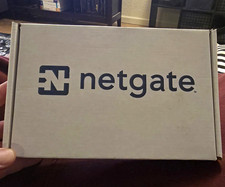
Netgate SG-1100 Security Gateway Appliance pfSense Plus Firewall - Open Box
$150.00

Zero Trace Pen: All-in-one Tor Network Anonymous Drive + Cryptocurrency Wallet
$147.00
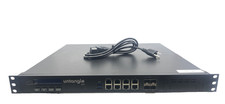
Untangle z12 NG Firewall Server Caswell CAR-3070
$329.99

Firewalla Firewall Appliance FWAP7DS w/ Power Adapter
$169.98
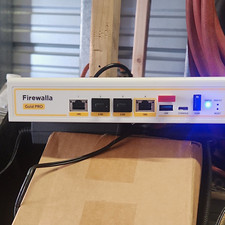
Firewalla Gold Pro Firewall Appliance, Preinstalled Network Security Device
$340.00
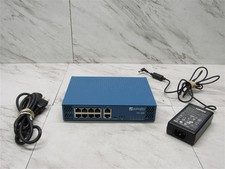
Palo Alto PA-220 Next-Gen Firewall 520-000309-00J
$40.00
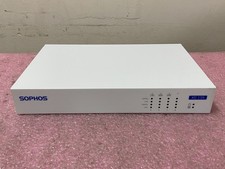
Sophos XG 135 Rev.2 Next-Gen Firewall | C1226*
$49.99

Cisco ASA 5506-X Network Security Firewall Appliance- No Adapter
$50.00
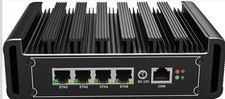
Complete Firewall - Opnsense - PFSense - N150 -DDR5 - 2.5 Gbe 4-port - US Seller
$449.99