

 Reply With Quote
Which install? Which version are you using?
I've done a sucessful install of 3.6 to hard drive using knoppix-installer by booting up from the CD with the nodma cheatcode, waiting for everything to come up and running the installer from a shell.


Whenever I try to do a HD install with the debian install option enabled, no matter what I do it for some reason enables DMA for all drives, and that makes the whole system freeze when it tries to copy a new hardware config to somewhere, it freezes.
How can I stop this madness??
Which install? Which version are you using?
I've done a sucessful install of 3.6 to hard drive using knoppix-installer by booting up from the CD with the nodma cheatcode, waiting for everything to come up and running the installer from a shell.
ver 3.4, there's the full, beginner, and hardware detect choices, and it doesn't matter what (or how many times i type it) it just won't disable DMA!
and i want to try the full debian installation

Ideas only: try 3.6.
Try removing whatever needs nodma (you are booting with knoppix nodma?). This is likely to be a optical drive of some sort. You might even try substituting (borrow it) a drive of another make.
 Posting Permissions


Fanxiang 1/2/5/10Pcs 2.5'' SATA SSD Lot 1TB 2TB 4TB 512GB 256GB TLC Internal SSD
$699.98

Dell Latitude 14" Laptop Computer Intel i7 Up To 32GB RAM 1TB SSD Windows 11 Pro
$397.48

Dell Latitude 14" Laptop Computer Intel i5 Up To 32GB RAM 1TB SSD Windows 11 Pro
$427.63
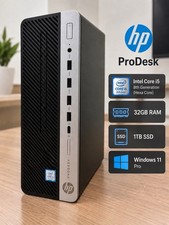
HP ProDesk Desktop Computer Intel Core i5 32GB RAM 1TB SSD Windows 11
$394.99

1TB Kingston DataTraveler Max DTMAX/1TB USB Type-C Flash Drive
$86.95

Acer Aspire 14" AI Copilot+PC Laptop Core Ultra 5 226V Gen 4 ARC 16GB 1TB Refurb
$438.51

Acer Aspire 16 16" Laptop Core Ultra 5 226V S2 16GB RAM 1TB SSD Arc Refurbished
$533.51

Netac 2TB 1TB 500GB Internal SSD M.2 NVMe PCIe3.0 Solid State Drive lot
$75.99

External Solid State Drive USB 3.2 Gen2, 1TB SSD External Hard Drive with C to A
$100.00

Dell Windows 11 Pro Desktop Computer PC Up To i7 8th Gen. 32GB RAM 4TB SSD/HDD
$319.98