-
Administrator
Site Admin-

Originally Posted by
tfoso
I have had a little read of the Documentation link, am not really sure what the "particularly in checking the md5 sum" is I thought you would just got into nero and burn a image from the iso file I downloaded?
Checking the md5 sum is important. If you skip it you might get away without doing it (if you do get away without doing it this time you might still have a bad iso file next time). I don't have the time to type all the details yet again, but follow what is in the documentation you have a link for. Or use the search feature on the top of the page, select the button that searches the Knoppix forum, and enter md5 as a search term. My feeling is if you can't be bothered to learn something as simple as checking an md5 sum then you really should not be using Linux anyway.
Originally Posted by
tfoso
My boradband connection is BT line, goes into a modem and then into my pc by usb.. I am unsure as to what "PPPoE software" is? firewall like zone alarm?
I'm still not real sure what you have or what a BT line is. Connecting by USB has been a problem for many people, it would be far far better to connect by ethernet if you have that option (and if you don't then I would say get a different provider, as you can't run a DSL/Cable router with the USB link, and they are manditory for safe use of the Internet in this age for high speed Windows users). PPPoE stands for Point to Point Protocol over Ethernet. It's used by most DSL providers to encapsulate the Internet packets that you send to them. Such DSL providers give you PPPoE software that you need to install on a Windows system to access their system, log in, and otherwise use the network (which you don't need if you use a DSL/Cable router, as these know about PPPoE and take care of that for you, you talk to the router with ordinary IP packets). So most DSL users without routers need to run PPPoE software. My understanding is that it is there on Knoppix, but I have no experience in using it (since I use a router I don't need it).
This has nothing to do with firewall software like Zonealarm. For windows I much prefer Tiny Personal Firewall (version 2.15, not the newer versions) or Kerio (I like an older version of Kerio much more than I like the newer ones but the newer ones are OK). One still needs a hardware firewall with Windows, a softwall firewall does not protect you from many known attacks.
Originally Posted by
tfoso
I am going to back up my machine before trying to use it, if i am not ment to write to an NTFS partition. what do i do when i want to install somthing? where do you intall it too.. and would it still be there after u run xp and then the CD again say the next day or somthing?
You can write to other partitions, like FAT, just not NTFS. Or you can put a Linux partition on your hard drive. When I first got my notebook (which came with XP and thus a NTFS partion) I quickly repartitioned it with one small NTFS partition and the rest of the disk as a FAT partition. Both Xp and Knoppix can write to the fat partition with no problem, and I only keep windows software that I have no reason to access with KNoppix on the NTFS partition.
Installing software is beyond what I'm prepared to write about in this forum. See the Documentation section from the link at the top of this page and read the forums, there is a lot of information posted. But understand that Knoppix is first and foremost a LIve CD, intended to run from CD (no matter what add-ons have been hacked in). If you decide that you want to move to Linux after trying Knoppix, you might be much better off installing a version of Linux that is intended for hard drive install.
Originally Posted by
tfoso
Really the only thing i will be doing is running it to test weather a webpage looks ok, So the only things i need it to have it running safely and to be able to connect to the net.
Which gets back to that USB interface, which may be a problem. Again, you might want to search the forums (particularly the networking forum, although some users haven't figured out which posts go where) for information on connecting to a broadband modem with a USB connection.
Similar Threads
-
By dumbnoobie in forum Hdd Install / Debian / Apt
Replies: 2
Last Post: 09-29-2006, 02:17 PM
-
By surfwax95 in forum MS Windows & New to Linux
Replies: 13
Last Post: 07-04-2005, 05:46 PM
-
By HackMaster in forum General Support
Replies: 7
Last Post: 05-23-2005, 11:50 AM
-
By shakejello in forum MS Windows & New to Linux
Replies: 1
Last Post: 01-18-2005, 05:12 PM
-
By Mustang64 in forum General Support
Replies: 4
Last Post: 11-24-2004, 08:13 PM
 Posting Permissions
- You may not post new threads
- You may not post replies
- You may not post attachments
- You may not edit your posts
-
Forum Rules


16GB KIT (2x8GB) DDR3 Gamer Desktop RAM PC3 MIXED BRANDS VIPER VENGEANCE FURY
$10.00

Netac DDR4 32GB 16GB DDR4 3200MHz UDIMM C16 Desktop Internal Memory RAM Kit
$199.99
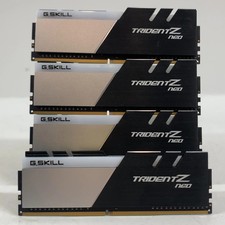
G.Skill Trident Z Neo Series 64GB (4x16GB) RAM DDR4 3200MHz F4-3200C16Q-32GTZN
$149.99
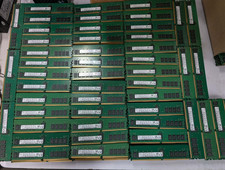
Lot 500 SK hynix 16GB 2Rx8 PC4-23400 DDR4-2933Y ECC Registered Server Memory RAM
$65000.00

Samsung 32GB DDR4-2666V-2Rx4-RB2-12 RAM M393A4K40CB2-CTD6Q
$169.00

A-Tech 8GB DDR3 1600 PC3-12800 Laptop SODIMM 204-Pin Memory RAM PC3L DDR3L 1x 8G
$21.68

Major Brand 16GB (2x8GB) PC3-12800U DDR3-1600MHz DDR3-12800 DESKTOP RAM NON-ECC
$29.99

G.SKILL FLARE X5 64GB (2 x 32GB) 6000 MT/s DDR5 (AMD EXPO + INTEL XMP) *CL30*
$785.00

RAMAXEL Lenovo 32GB LPDDR5X CAMM2 7500MHz Laptop RAM | UNTESTED
$445.00
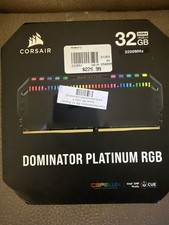
Corsair Dominator Platinum RGB 32GB (2x16GB) 3200MHz
$380.00



 Reply With Quote