-
Booting issues
Hello everyone:
I have been a fan of Knoppix for a very long time. However, I recently ran into some problems: after installing an old CD-ROM drive and 1 gig (woohoo, a whole gig!) hard drive in my computer from my old computer, I could no longer boot from the Knoppix CD (or any other bootable CD's). I have played around with the bios boot sequence with no luck. It just simply refuses to boot from the CD.
So my question is: what are my options for running Knoppix? One option I have read about is a "Poor man's install". I have also heard about "Floppy boots". I full HDD install really isn't an option for me because i have such limited hard disk space. The best option would be to fix the CD boot, but I'm not sure if this is possible (would removing the 2nd CD-ROM drive help?)
So what should I do in your opinion? Are there any other options for me? Any help is appreciated 
P.S. Sorry for a noob question 
-
Administrator
Site Admin-
If this computer used to boot from the same cd and cd drive fine and no no longer does, and if you have checked your BIOS boot order, then my guess would be that the drives are not jumpered right. While there are multiple ways to configure the system, I would suggest that the hard drive be on the primary controller. If there is only one hard drive it must be jumpered as master (or a few older drives had a jumpering option that had to be selected if ony one drive was used that differed fro the master setting) If you add a second hard drive it gets jumpered as slave and the first one must be master in that case. The CD dtrives should be on the second ide controler. The first one must be jumpered as master, the second one as slave. Never use the CS jumper setting.
You might also want to look into using Smart Boot Manager, but attend to the above first. SBM is not going to correct any jumpering or configuration problems.
-
Similar Threads
-
By jelzimme in forum Hardware & Booting
Replies: 1
Last Post: 03-26-2007, 04:11 AM
-
By soiltriad in forum Hardware & Booting
Replies: 5
Last Post: 01-06-2007, 03:42 AM
-
By asearle in forum Hdd Install / Debian / Apt
Replies: 0
Last Post: 05-19-2005, 01:03 PM
-
By jgagauth in forum Hardware & Booting
Replies: 5
Last Post: 03-08-2005, 10:57 AM
-
By econobeing5 in forum General Support
Replies: 23
Last Post: 10-03-2004, 12:18 AM
 Posting Permissions
- You may not post new threads
- You may not post replies
- You may not post attachments
- You may not edit your posts
-
Forum Rules


Genuine Apple OEM A2164 30W USB-C AC Power Adapter with USB-C Cable, Very Good
$20.59

OEM Apple Data Migration Toolkit for A1706 A1707 MacBook Pro PN 076-00236
$499.99
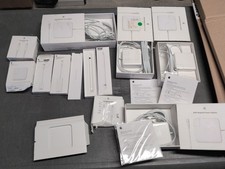
Lot Of Apple Cords And Accessories All OEM Genuine Apple Pencil, Magsafe Power
$109.99
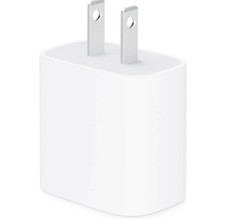
apple oem 20w charger usb-c power adapter
$9.99

OEM 45w T-Tip Power Adapter charger for Apple macbook air 2012-2017 A1436 A1466
$19.99

Genuine OEM Apple Power Adapter Extension Cable for MacBook Pro Air
$8.99

Genuine OEM Apple 60W MagSafe Power Adapter A1344 ~ FREE S/H
$12.99

OEM Genuine For Apple MacBook Air Magsafe 2 45W Power Adapter Charger A1436 NEW
$26.79

Genuine Apple Power Adapter Extension Cable 6FT White OEM MacBook MK122LL/A
$10.99
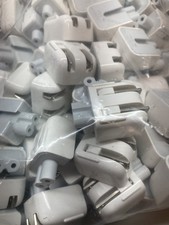
Genuine/OEM Apple Duckhead Two-Prong Plug - MagSafe AC Wall Adapter - Set of 25
$32.29



 Reply With Quote