

 Reply With Quote
some modems are incomatible with knoppix. They are known as winmodems as they only work with Windows....
johnb


Hi, I tried connecting to the internet with knoppix using the Live CD and have failed. Knoppix cannot detect an ethernet card(which I do not have, old computer) so I can't connect, but with windows I connect through the USB port. Knoppix recognizes my 2wire modem but I have no idea how to connect. If anyone knows anything I'd be glad if you helped.
Thanks,
Josh.
some modems are incomatible with knoppix. They are known as winmodems as they only work with Windows....
johnb
Are you sure it doesn't? You can use an ethernet cord with it too, but I use USB.
Originally Posted by Josh
Sounds like you understand where the problem is and what the solution is. In case you didn't know and couldn't be bothered to check, ethernet cards (which I used to pay $200 or more for) are now dirt cheap, usually around 5 bucks at many places, frequently free after rebate. If you want to keep trying to make the usb connection work and just gripe that that's what you use in Windows, well, good luck with that.
What I thought was that he meant USB only modems wouldn't work. If ethernet is only $5 then I guess I'll have to check into it. Now if only I could partition without formatting I'd install it...
I don't know about your equipment, from the way you were talking I understood that you were not using ethernet because you didn't have an ethernet card. You even said "You can use an ethernet cord with it too, but I use USB". Now you seem to be saying you thought the modem was USB only. You need to decide which of these is true. My ISP did try to stick me with a crap USB modem when I signed up, but I wasn't going to buy into the service that way - Not only do you want an ethernet connection for Linux, but you absolutely need one if you are going to run a DSL/Cable router, which provides an extremely important hardware firewall. I would never run a Windows system on a high speed connection without one. My advice would be to check the specs for your modem and see if it also supports an ethernet connection, or even look at it and see if there is one or more RJ-45 jacks on it (a telephone type jack with 8 tiny connectors inside). If you modem supports ethernet, use it. And also check if your modem has a built-in router, many new ones do. If not, consider getting an inexpensive dsl/cable router. It will protect your windows system and will make life much easier for you in may ways. And these devices have also become dirt cheap, there are a few on sale this week for $10 after rebate in the U.S. (I even saw one for $5 AR last Sunday, but that sale has expired).
 Posting Permissions


HP ProLiant MicroServer Gen8 G1610T @2.3 GHz, 16GB, 712317-001 NO HDD/OS
$199.00

Supermicro CSE-937 3U Storage Chassis No CPU No HDD No Ram Tested & Reset
$129.99

Supermicro 1U Network Server Appliance 16GB RAM 800GB SSD 6 LAN Ports Powers On
$450.00

Supermicro CSE-216 No CPU No Ram No HDD Tested & Reset
$149.99

HP PROLIANT TPS-W003 MICRO- SERVER TOWER Gen 8, 16G RAM
$195.00

Supermicro 1027GR-TSF 1U Rackmount Server 2x Xeon 2.3GHz 128GB DDR3
$219.99

Supermicro 2U X10DRU-i 2x E5-2680 v3 2.5ghz 32gb Ram 240gb SSD 2x GPU *READ*
$369.99
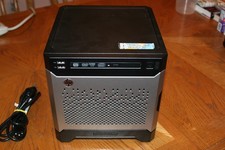
HP Proliant MicroServer Gen8, 4.5TB, (4) HDD, EXCELLENT COND.
$625.00

Nasuni NF-50 Supermicro Server, Atom CPU C2558, @ 2.40GHz, 8GB RAM-No HDD/OS/AC
$187.50

$280.00