

 Reply With Quote
Which install? Which version are you using?
I've done a sucessful install of 3.6 to hard drive using knoppix-installer by booting up from the CD with the nodma cheatcode, waiting for everything to come up and running the installer from a shell.


Whenever I try to do a HD install with the debian install option enabled, no matter what I do it for some reason enables DMA for all drives, and that makes the whole system freeze when it tries to copy a new hardware config to somewhere, it freezes.
How can I stop this madness??
Which install? Which version are you using?
I've done a sucessful install of 3.6 to hard drive using knoppix-installer by booting up from the CD with the nodma cheatcode, waiting for everything to come up and running the installer from a shell.
ver 3.4, there's the full, beginner, and hardware detect choices, and it doesn't matter what (or how many times i type it) it just won't disable DMA!
and i want to try the full debian installation

Ideas only: try 3.6.
Try removing whatever needs nodma (you are booting with knoppix nodma?). This is likely to be a optical drive of some sort. You might even try substituting (borrow it) a drive of another make.
 Posting Permissions

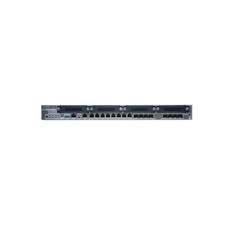
New Juniper SRX345-SYS-JB-2AC Junos Router Firewall Services Gateway 16GbE SFP
$570.65

Juniper EX2300 12-Port Gigabit PoE+ Managed Network Switch P/N: EX2300-C-12P
$149.99
Juniper QFX5100-48T-AFO 48-port 1G/10G RJ-45 ports 6 QSFP ports
$519.99

Juniper Networks EX2200-C 12T-2G 12 Port Gigabit Switch Compact + Cord Tested
$64.99

Juniper EX3400-48T-AFI Ethernet Network Switch 48x1GbE 4x10GbE SFP+ 2x40GbE QSFP
$139.00

Juniper EX2300-C-12P 12 Port Gigabit PoE+ 2x10G SFP+ Managed Compact Switch
$179.99

Juniper EX4100-F-12P Switch 12x 1GbE PoE 2x 10GbE Uplinks 4x 10GbE Stack Ports
$900.00

Juniper EX2300-C 12 Port Compact Gigabit Switch EX2300-C-12p Discounted Cosmetic
$71.87

Juniper EX3400-24P 24-Port PoE+ GbE + 4-Port 1/10Gb SFP Switch
$245.00

Juniper Networks EX2300-48P 48-Port Gigabit PoE Managed Ethernet Switch
$79.99