-
Is there a way to run knoppix from the harddisk with out ...
I want to run knoppix straight from my hd without having to dual boot, I prefer knoppix over windows and would rather not have it on my pc.Is it possible and if so can some one tell me how to do it.<---complete n00b.
Thanks.
-
Senior Member
registered user
For a Knoppix only system, simply wipe your HD, reformat your HD.
I would use three partitions:
One for Knoppix O/S format ext3 about 5 gig
One for swap about 500 meg format linux swap
rest for data format ext3
so that data is on a separate partition from the O/S to protect it in case of an O/S crash.
but you can just use 2...500 meg for swap & rest for Knoppix.
Then just do a Knoppix HD install with the command 'sudo knoppix-installer'.
If you use 3 partitions, once Knoppix is installed you can set up to either move your /home directory to your data partition or else leave /home where it is but put in a symlink to your data partition so that you can easy access it.
-
Senior Member
registered user
You do not need windows on your drive if you don't want it.
I ran that way ( sans win ) for a long time.
You could use qtparted to delete the windows partiton.
I assume you will save any files you want, and then you can
either use the extra space for /home or just add to your root partition.
You could give this link a read: http://pw1.netcom.com/~kmself/Linux/FAQs/partition.html
Once you have the drive formatted the way
you want you can install knoppix. Good luck!
-
Re: Is there a way to run knoppix from the harddisk with out

Originally Posted by
Dobez
I want to run knoppix straight from my hd without having to dual boot, I prefer knoppix over windows and would rather not have it on my pc.Is it possible and if so can some one tell me how to do it.<---complete n00b.
Thanks.
Here's what I did:
-use qtparted to create an ext3 partition for knoppix, and a linux-swap partition for swapping
-run knx2hd to install knoppix
-when asked if I want to install LILO on the MBR or the partition, choose PARTITION
-reboot
-edit my boot sequence in my BIOS to check the CD-ROM drive before checking any hard drives
-boot from the knoppix CD
-at the boot console, type "knoppix root=/dev/sda1 noinitrd ro", so that a) Knoppix will see /dev/sda1 as the hard disk installation to boot up, and b) so that knoppix won't initialise a ram disk and try to run from that
That's how i've been using knoppix for the past month or so: It's running from a hard disk partition, but I don't have to dual boot or mess around with the Master Boot Record or use LILO or anything, all I have to do is make sure the Knoppix CD is in the CDROM rive at boot up 
Similar Threads
-
By ku637 in forum General Support
Replies: 2
Last Post: 07-15-2005, 07:51 PM
-
By Pix21 in forum MS Windows & New to Linux
Replies: 0
Last Post: 02-12-2005, 03:15 PM
-
By xdream in forum General Support
Replies: 7
Last Post: 09-16-2004, 11:21 PM
-
By metavoid in forum General Support
Replies: 9
Last Post: 07-03-2004, 10:08 AM
-
By Panada in forum General Support
Replies: 9
Last Post: 04-12-2004, 02:08 PM
 Posting Permissions
- You may not post new threads
- You may not post replies
- You may not post attachments
- You may not edit your posts
-
Forum Rules


Amiga 1000 Computer w/ Monitor Keyboard Mouse Disc Drive Sidecar Expansion Discs
$950.00

Microbotics Starboard 2MB + SCSI Sidecar for Amiga 1000 Vintage Computer READ
$329.00

Amiga BASIC Spiral-Bound Manual Book, English, For Amiga Desktop Computer
$30.00

Amiga Emplant Emulator Card For Commodore Amiga 2000 4000 3000
$249.00

Commodore Amiga 4000 Motherboard Rev B - untested
$225.00
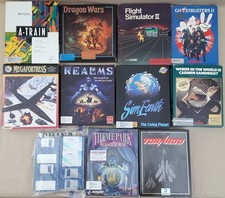
(10) BOXED Games for Commodore Amiga 500 600 1000 1200 2000 3000(T) 4000(T)
$329.98
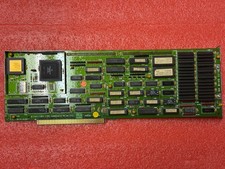
Amiga 2000 2630/CPU 68030 25Mhz
$300.00
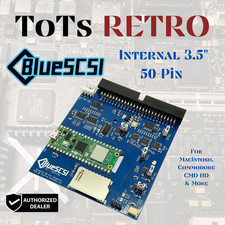
BlueSCSI v2 Internal 50-pin 3.5" SCSI Drive ,Wi-Fi,For Macintosh, Amiga, PC
$52.99

RGB2HDMI Amiga 500 UltraLong (Accelerator Friendly) HDMI Games, non-RTG A500
$50.00

68000 CPU Amiga 2000 Slot Adapter
$25.00



 Reply With Quote