-
Hard Drive Instalaton Question
Hi I just downloaded Knoppx and burn it into a CD. I'm outting the CD into the CD-ROM and when the computer boots, it takes me to the Knoppix Screen and a prompt that says boot: what command should i enter here do start installation? im a new knoppix user, Thank You
-
ok at the prompt i typed knoppix and it started the installation, this is the screen i now see:
welcome to the knoppix live linux-on-cd
scanning for usb/firewire devices.....done
enabling dma acceleration for: hda [samsung cd-r/rw sw-240b ]
accesing knoppix cdrom at /dev/scd0...
total memory found 2069420 kb
creating /ramdisk (dinamic size=1643708k) on shared memory......done
creating directories and symlinks on ramdisk.......done
startint init process
INIT: version 2.70-knoppix booting
runnig linux kernel 2.4.27
processor 0 is Intel (r) XEON (TM) CPU 1.80GHZ 798 MHZ, 512 kb cache
processor 1 is Intel (r) XEON (TM) CPU 1.80GHZ 798 MHZ, 512 kb cache
processor 2 is Intel (r) XEON (TM) CPU 1.80GHZ 798 MHZ, 512 kb cache
processor 3 is Intel (r) XEON (TM) CPU 1.80GHZ 798 MHZ, 512 kb cache
after this nothing happens, it jsut stays there......is there anything im doing wrong?? please help
-
What Knoppix version? You might want to take a look at the Knoppix cheat codes (I hate that notion - they are really boot options). You might try to boot the 2.6 kernel and see if it is progressing further (see the Knoppix.net Documentation link for details about the cheat codes.)
Thomas
-
it is version 3.7 what command could i use? thanks in davance
-
I'd first try "knoppix26"; maybe "acpi=off" will help, too.
Thomas
-
what does the acpi=off command do?? should i add that after knoppix26 or should i enter that command by itself? Thanks Thomas
-
i used the knoppix26 command and it did the same thing, i see screens below and then it stops and does nothing:
welcome to the knoppix live linux-on-cd
scanning for usb/firewire devices.....done
enabling dma acceleration for: hda [samsung cd-r/rw sw-240b ]
accesing knoppix cdrom at /dev/scd0...
total memory found 2069420 kb
creating /ramdisk (dinamic size=1643708k) on shared memory......done
creating directories and symlinks on ramdisk.......done
startint init process
INIT: version 2.70-knoppix booting
runnig linux kernel 2.4.27
processor 0 is Intel (r) XEON (TM) CPU 1.80GHZ 798 MHZ, 512 kb cache
processor 1 is Intel (r) XEON (TM) CPU 1.80GHZ 798 MHZ, 512 kb cache
processor 2 is Intel (r) XEON (TM) CPU 1.80GHZ 798 MHZ, 512 kb cache
processor 3 is Intel (r) XEON (TM) CPU 1.80GHZ 798 MHZ, 512 kb cache
-
Senior Member
registered user
how long did it stay there for. whats your cpu speed and how much ram have you got?
and are the specs of your hardware, vendor etc.
by this way knoppix does not install right away at boot. its a live cd meaning everything is ready for you to use no need to install anything to the hd.
you could try using differnt types of boot codes.
but that would all depend on your hardware
-
i feel ur downloading knoppix is corrupted
try redownload knoppix 3.7 and burn image again
it looks like it doesnt know what to do after checking processor type
all the best
by the way u have enough ram installed?

-
Administrator
Site Admin-

Originally Posted by
ramaswamyps
i feel ur downloading knoppix is corrupted
try redownload knoppix 3.7 and burn image again....
Sorry, but what awful advice! If someone has a corrupt burn, doing the above may very likely give them a corrupt burn again. The best advice is to follow the Downloading FAQ reached by the Documentation link at the top of this page. In short the steps that needed to be said but were missed in the above post would be: Download the ISO and and the md5 file and confirm that the ISO is good by running an md5 check program with the md5 file downloaded (this lets you know if you have a good or bad download, no guesswork involved). Then burn the disk again at slow speed, (such as 4x), not as fast as the burner will run.
I'm not sue if the CD is corrupt or not. But if it is then just repeating the same steps without checking the downloaded ISO makes no sense.
Similar Threads
-
By Greydog in forum Hdd Install / Debian / Apt
Replies: 2
Last Post: 01-22-2007, 02:19 AM
-
By StevoB in forum Hardware & Booting
Replies: 0
Last Post: 07-04-2005, 12:05 PM
-
By Genma in forum Hdd Install / Debian / Apt
Replies: 1
Last Post: 03-30-2005, 09:57 AM
-
By Phatmonkey in forum The Lounge
Replies: 1
Last Post: 06-30-2004, 09:44 PM
-
By punkass in forum General Support
Replies: 2
Last Post: 05-08-2004, 05:20 PM
 Posting Permissions
- You may not post new threads
- You may not post replies
- You may not post attachments
- You may not edit your posts
-
Forum Rules

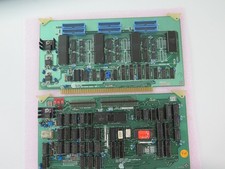
Vintage Rare California Computer Systems Boards for Altair IMSAI S-100 Systems
$245.00

MITS Altair Computer Notes June 1976
$90.00
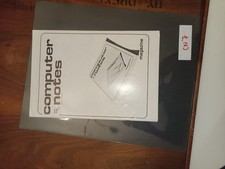
MITS Altair Computer Notes January/February 1977
$100.00
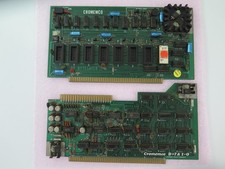
Vintage Rare Cromemco Boards for Altair IMSAI S-100 Systems
$225.00
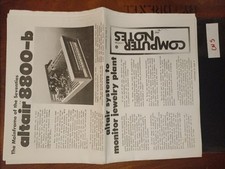
MITS Altair Computer Notes July 1976
$100.00
MITS 88 SIOB Serial-TT, An Single Serial I/O Port S-100Board For the Altair 8800
$189.95

MITS Altair Computer Notes May 1976
$140.00
MITS ALTAIR 680b Turnkey Computer
$2390.00

CP/M 86 1.1R 8086 Highmonitor 8 Inch Floppy Diskette 80s IMSAI Altair
$29.99

Intel 4004 IBM Mark 1 UNIVAC Cray-1 Babbage ENIAC Apple 1 Steve Jobs MITS Altair
$48.00



 Reply With Quote