-
Administrator
Site Admin-
This could be easy or a serious problem; you didn't give enough information. If you use Win XP then you likely have NTFS partitions. Knopix should never be used to write to an NTFS partition, it will corrupt it.
If you use a version of Windows that uses one of the FAT type of partitions then Knoppix can write to them fine. Knoppix normally only opens the drives as read only to prevent you from accidently harming your windows system. But you can over ride this read only feature. How to do so is below. Do not do this if you have NTFS partitions or if you do not know your partition type. Do no think that if Knoppix lets you change the access to read/write it is safe to do so, Knoppix will let you destroy an NTFS partition if you want to.
To change the access from read only to read/write either use the mount command (see man mount for details) or you can do it right from the desktop icon for the partition. Right click on the icon.for the disk parition, then from the Actions sub menu you can change the access from read only to read/write (or back again).
If you have NTFS partition do not do this. Consider adding another drive that you format with FAT partitions, or use a USB memory stick or other alternate storage device.
Similar Threads
-
By d1g1tal_ph3r3t in forum Customising & Remastering
Replies: 9
Last Post: 03-14-2007, 03:20 AM
-
By elbarto in forum MS Windows & New to Linux
Replies: 6
Last Post: 11-29-2004, 05:32 PM
-
Replies: 5
Last Post: 05-19-2004, 07:33 PM
-
By kev in forum General Support
Replies: 1
Last Post: 01-27-2004, 09:11 PM
-
By legal in forum Hdd Install / Debian / Apt
Replies: 0
Last Post: 01-15-2004, 04:33 PM
 Posting Permissions
- You may not post new threads
- You may not post replies
- You may not post attachments
- You may not edit your posts
-
Forum Rules


Dell PowerEdge M630 Blade Server 2x Xeon E5-2680 v4, 2F3MP , 4GDP5 ,R10KJ ,JVFVR
$95.20

Dell PowerEdge M640 Blade Barebone Server Dell P/N: HHB006 Tested Working
$149.99

Cisco UCS 5108 Blade Server Chassis Enclosure N20-C6508 4x PSU 8x Fans 2x Fabric
$174.99

Dell Poweredge VRTX 25Bay 2.5" 2x PERC 8, 2xCMC, I/O 1GB Pass Through, 4x PS
$578.08

Dell PowerEdge VRTX 2.5"x25 Bay Blade Enclosure 4x1600W + 4X M640 (4X Blades)
$1599.99

Dell PowerEdge M620 Blade Server 2x Xeon E5-2680v2 2.8ghz 20-Cores | 128GB
$149.99
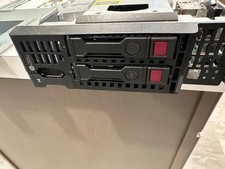
HP ProLiant BL460c Gen9 DUAL E5-2690v3 DDR4 ECC 2x CADDY NO DRIVES NO MEMORY/RAM
$30.00
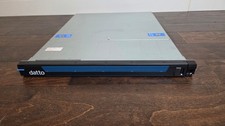
Datto S3P4000 4x 3.5" 1U Blade Rack Server Intel Xeon D-1541 @2.10GHz 48GB DDR4
$137.56

Dell PowerEdge M620 Blade Server 2x Xeon E5-2680v2 256GB DDR3 RAM NO HDD
$349.99
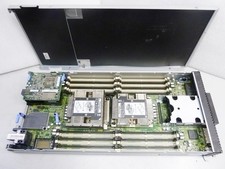
Lenovo ThinkSystem SN550 Blade | 7X16 | 01KP356 | Drives and RAM not included
$299.99



 Reply With Quote