-
Senior Member
registered user
To download from the net & store to HD:
Click on the 'hda1' icon. Konqueror will open showing hda1 (your C drive) in read only mode.
Right Click on the hda1 icon, select 'actions' & change read/write mode to read/write.
Using the same konqueror window, surf to where you want to download the file from & download the file. When asked where to same to, save directly to an address on your Cdrive which will be '/mnt/hda1/My_Documents(or whatever)'.
Should work.
If you have problems:
1. Konqueror won't surf. Shouldn't be a prob, you've already accessed the net from knoppix.
2. hda1 won't mount (ie you can't even read it): try mounting manually: in a terminal, 'sudo mount -rw /dev/hda1'. (You munst be root to mount stuff. sudo makes you root for one command). If it errors saying already mounted, unmount it: 'umount /dev/hda1' (umount is not a misprint, the command is umount not unmount) then try to remount it as above. It may need to be told where to mount: 'sudo mount -rw /dev/hda1 /mnt/hda1'. If there is no /mnt/hda1 folder, use /mnt/test.
I am assuming that this is a winME system as indicated, not winXP. Harry K is correct, you must not direct write to an NTFS filesystem like XP uses. But winME uses a vfat file format which is OK.
Similar Threads
-
By d1g1tal_ph3r3t in forum Customising & Remastering
Replies: 9
Last Post: 03-14-2007, 03:20 AM
-
By elbarto in forum MS Windows & New to Linux
Replies: 6
Last Post: 11-29-2004, 05:32 PM
-
Replies: 5
Last Post: 05-19-2004, 07:33 PM
-
By kev in forum General Support
Replies: 1
Last Post: 01-27-2004, 09:11 PM
-
By legal in forum Hdd Install / Debian / Apt
Replies: 0
Last Post: 01-15-2004, 04:33 PM
 Posting Permissions
- You may not post new threads
- You may not post replies
- You may not post attachments
- You may not edit your posts
-
Forum Rules


Netac DDR4 32GB 16GB DDR4 3200MHz UDIMM C16 Desktop Internal Memory RAM Kit
$99.99

16GB KIT (2x8GB) DDR4 Gamer Desktop RAM PC4 MIXED BRANDS
$65.00

A-Tech 8GB DDR3 1600 PC3-12800 Laptop SODIMM 204-Pin Memory RAM PC3L DDR3L 1x 8G
$21.68

RAMAXEL Lenovo 32GB LPDDR5X CAMM2 7500MHz Laptop RAM | UNTESTED
$445.00

Samsung 8GB DDR4 SO-DIMM PC4-3200AA 260-Pin RAM M471A1G44BB0-CWE Module
$29.25

Major Brand 16GB (2x8GB) PC3-12800U DDR3-1600MHz DDR3-12800 DESKTOP RAM NON-ECC
$29.99

DDR4 Laptop RAM 4GB 8GB 16GB 32GB 2400 2666 3200 Samsung Hynix
$30.00

MINT Micron Cisco 32GB PC4-2400T DDR4 2Rx4 RDIMM RAM MTA36ASF4G72PZ-2G3 LOT
$159.99
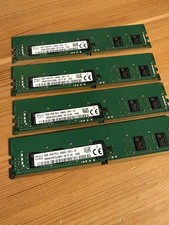
SK hynix 32GB (4x8GB) DDR4 PC4-2666V ECC DIMM 288-Pin RAM HMA81GR7AFR8N-VK 🔥
$125.00
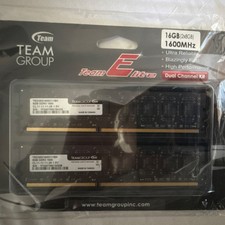
Team Group Team Elite DDR3-1600 DIMM 16GB (2x8GB) 240-Pin Desktop RAM
$35.00



 Reply With Quote