-
linux to linux shares
hello all.
most (if not all) of the posts in this forum are showing how to share from linux to windows or from windows to linux, however i am trying to replace all my systems with knoppix.
so i am at the stage where i need to replace my windows file server (not a server actually just a machine with a lot of disks and these disks are shared).
now i have scoured the net and this forum and as normal for a bloke, decided to ask for directions last!
so could someone let me know the easy way of sharing, read only and full control shares amongst my linux desktops on my lan.
all knoppix 3.7 and all hd installs.
thanks so much.
steve.
-
You could export your filesystems via NFS:
* create a map of directories you want to export (in /etc/exports; for the format of that file
see man exports; it's simple and the man page has some examples)
* make sure the portmapper (/sbin/portmap) is running (at least needed on the clients)
* start the NFS daemon - /etc/init.d/nfs-kernel-server start; this will start the daemons
rpc.nfsd and rpc.mountd
* on the client side you can now mount the exported directories: mount host:/exported/dir /mount/point
* if all works well you might want to add the mounts to your /etc/fstab file.
Happy experimenting 
Thomas
-
thanks thomas.
i tried this, i followed all the nfs advice and guidelines i could find on the internet and was (finally!) able to get an exported folder on the client.
however the main snag i hit was that the folder was read only, even though i used all the rw options and tricks i could find.
i think it was down to the exports file entries and having to remove old ones using exportfs -u however i looked down another route in the end.
in the end i hit on a way to do this, i simply accessed my samba shares (these shares are from a liunx box and designed to be accessed by windows clients) by doing smb://host_name from konqueror and then seeing the folders i needed access to, then entering a line in my /etc/fstab file like this...
//host_name/share_name /mount/point smbfs user,auto 0 0
and now i can add a device to the desktop and access the shares like i wanted to.
i know there are going to be nfs experts and purists out there going "oh my god, he did what?" and i have read how samba is only for windows etc, however i only need it for my lan, security isn't an issue, its a very simple network model and it works and nfs isn't without its issues either from what i can gather on the net.
also time is a premium to me.
the main reason i never used this solution before and tried getting my head around nfs in the first place is because if you only do the first part (smb://host_name from konqueror) then when you access a file in the share it downloads it first to a tmp folder before playing, in the case of a video that can take some time, however once i added the line in fstab and made the device then i could access the share like a normal windows share and the file is played from the share rather than a tmp folder.
i guess this is down to it being mounted.
anyway, thanks for the help, onwards and upwards.
steve.
Similar Threads
-
By skitzojase in forum Customising & Remastering
Replies: 1
Last Post: 03-06-2006, 07:56 AM
-
By Jakykong in forum The Lounge
Replies: 2
Last Post: 12-14-2005, 08:36 AM
-
By istoleapig in forum Hardware & Booting
Replies: 2
Last Post: 02-19-2005, 09:28 AM
-
By mpeden in forum MS Windows & New to Linux
Replies: 2
Last Post: 12-11-2004, 12:09 AM
-
By Lame_Duck in forum Customising & Remastering
Replies: 0
Last Post: 02-08-2004, 05:19 PM
 Posting Permissions
- You may not post new threads
- You may not post replies
- You may not post attachments
- You may not edit your posts
-
Forum Rules

Vintage Industrial micro systems dual 8" Floppy disc drive for Altair system
$450.00

1977 Scelbi BYTE Computer Primer Altair 8800 Apple II SWTPC 6800 AC-30 S-100 Bus
$85.00

Cromemco PRI S-100 Printer Interface - Altair IMSAI
$45.00

S-100 backplane motherboard bare PCB 9 slot (for Altair/IMSAI)
$34.99
Altair Bread Board S-100
$79.99

2x Intel C8080A White Ceramic Gold 76' Vintage 8-Bit CPU Microprocessor Altair
$449.99
1976 Scelbi 6800 Software Cookbook Altair 680 SWTPC Assembly Language Motorola
$39.99
Solid State Music 1980 VB1C Video Interface Display Board S-100 altair Cromemco
$169.95

CP/M 86 1.1R 8086 Highmonitor 8 Inch Floppy Diskette 80s IMSAI Altair
$40.00
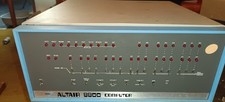
MITS Altair 8800 System Full Provenance and Documentation
$15000.00



 Reply With Quote