

 Reply With Quote
Nobody any idea?


Hi,
I want to start the Knoppix.IOS File with PXE Boot Environment via LAN, but I can't find a step by step howto to realise this. I read something about Clustering and Terminal Services but I need a real Knoppix for service on network computers. If is anybody out there to help or know how to find a solution please answer here. Thanks.
Nobody any idea?
I'm still looking around, but if anyone knows how to do this, I'd LOVE to
get this info.
FYI, I already have a PXE boot environment configured for plain Linux. I just need to know what/how to get the proper Knoppix stuff copied/configured.
It would help if you indicated what you've tried - what worked - what didn't.Originally Posted by vserbe
That way, we'd have some kind of idea/context in which to try to help you.
Simple.
Under the Penguin menu, select services, then Start Knoppix Terminal Server. Then follow the instructions. Since I like using the Realtek cards and have also a VIA Rhine II, it already supports booting to those. I set my computer to boot over the network, and then watch it boot without any media!
Is this what you wanted?
I've tried to pxeboot Knoppix MANY times with no luck.
Tried it on 4 different PCs, both ways, over & over.
Read a short tutorial by: Buddhika Siddhisena and
anything else I can find about it, nothing's working.
ALL the PCs connect with WinBlows98 file shares.
Seems simple doesn't it? Equipment & what I've done.
900mhz Duron server runs Mepis, 160mb ram, 6gb hd.
1.7 ghz Celeron client has nic on mb with netboot bios.
I assume the bios is pxe boot, nothing's said about it.
I'm guessing ALL bios with network boot are pxe boot.
I've tried setting up the terminal server with all types
of arrangements, several tutorial setups, & no boot.
The client says network media is OK & starts counting
to 200 then boots from hd. Is it searching all ports?
It would be nice if at the server end it showed boot
requests so you'd know the client's getting through.
I'd tell you more, but that's about all I can think of.
This has been a LONG running problem for me, HELP!
 Posting Permissions


Kingston 32GB 64GB 128GB 256GB USB 3.0 Flash Drive Thumb Memory Stick Pen lot
$285.90

SK Hynix 32GB 4Rx4 PC4-2133P-LD0-10 HMA84GL7MMR4N-TF TD DDR4 Server Memory RAM
$110.00

TF/SD Card Adapter Camera Reader Android Type-c For iPhone17 Pro Max Plusm lot
$573.98

Micron MTC40F2046S1RC48BA1 DDR5 64GB (1x64GB) 4800MHz RDIMM ECC Server Memory
$2599.99

Lot Of 16 X 16GB ECC DIMM Server Memory SK Hynix HMA42GR7MFR4N-TF PC4-17000 DDR4
$800.00

Intel Optane NMA1XXD128GPS DDR4 2666 4Rx4 ECC 128GB Server Ram
$80.00

LOT OF 5 16GB DDR4 ECC RAM 80GB Hynix Samsung 2133 2400 2666 UDIMM RDIMM
$399.99

USB 3.0 Micro SD SDHC TF Card Reader Memory Adapter for PC Laptop Camera lot
$3.75
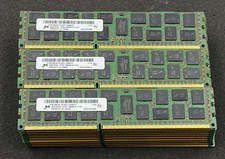
LOT OF 30 8GB 2Rx4 PC3L-10600R-9-11-E2 MT36KSF1G72PZ-1G4M1FF DDR3 Server RAM
$274.99

Lot Of 50 8GB DDR4 RAM PC4-2666V-UA2 DIMM Desktop Memory Mixed Brands TESTED
$1750.00