

 Reply With Quote
AFAIK, the only way to edit /etc/sudoers is with
visudo -f /etc/sudoers


Frustrated with not being able to use sudo to get stuff done? Well, don't worry, here is how to get that power back, without re-installing!
1. Log in as root
2. open kwrite or kate
3. open /etc/sudoers (or sudoer or something like that, I cannot remember right now)
4. copy+paste the root entry, then change username to your username.
5. Enjoy using sudo once again!
AFAIK, the only way to edit /etc/sudoers is with
visudo -f /etc/sudoers
Visudo isn't the only way to edit but it does check the syntax for errors and locks the file while you edit which is nonimportant on a single user desktop. If you want an easier editor than vim you can do: EDITOR=mcedit visudo , or change the default editor with: update-alternatives --config editor . After that just run visudo and mcedit will be used.
For some examples have a look at: man sudoers
 Posting Permissions


Acer Predator Helios Neo 16S AI 16" i9 275HX 2S RTX 5070 Ti 32GB 1TB SSD Refurb
$1671.47

Dell Latitude 14" Laptop Computer Intel i5 Up To 32GB RAM 1TB SSD Windows 11 Pro
$316.61

Samsung 2.5" 870 EVO SSD SATA III 250GB 500GB 1TB Internet Solid State Drive Lot
$90.00

External SSD 1TB 2TB 4TB Portable Hard Drive USB 3.0 Type-C High Speed PC Mac
$19.99

SAMSUNG T7 Portable SSD 1TB Indigo Blue USB 3.2 Gen2 External MU-PC1T0H/AM
$159.99

Netac 2TB 1TB 500GB Internal SSD M.2 NVMe PCIe3.0 Solid State Drive lot
$129.99

Apple iPad Pro 12.9" 5th Gen 128GB 256GB 1TB 2TB Wi-Fi Or Cellular - Good
$489.99

Acer Aspire 14" AI Copilot+PC Laptop Core Ultra 5 226V Gen 4 ARC 16GB 1TB Refurb
$462.74
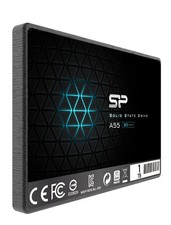
Silicon Power 1TB SSD 3D NAND A55 SLC SATA III 2.5" SSD Laptop XBOX PS3 PC
$119.99

Toshiba DT01ACA100 1 TB 3.5" SATA III 3.5 in Desktop Hard Drive
$24.99