-
Root and KDE
If you try to use X-apps as root you probably get:
root@mrk-fujibox:~# kedit
kedit: cannot connect to X server :0.0
There are several fixes. I usually make a .profile in roots home dir with the following content:
root@mrk-fujibox:~# cat .profile
export DISPLAY=:0.0
You can check the variable with:
markus@mrk-fujibox:~$ echo $DISPLAY
:0.0
To create the file you need to use a console editor like mcedit:
markus@mrk-fujibox:~$ su
Password:
root@mrk-fujibox:/home/markus# cd
root@mrk-fujibox:~# mcedit .profile
-use F2 to save and F10 to quit, tips are at the bottom of the screen.
If you try to login to KDE as root it won't work. You should never login to KDE as root as it's a security risk.
To do root stuff you can use:
- sudo
- su
- sux
- kdesu kedit (or some other app)
If you really, really need to login to KDE as root you can search this forum for the answer, it's here but I'm not posting it in this thread for the simple reason that it shoudn't be used.
-
Re: Root and KDE

Originally Posted by
Markus
If you try to use X-apps as root you probably get:
root@mrk-fujibox:~# kedit
kedit: cannot connect to X server :0.0
There are several fixes. I usually make a .profile in roots home dir with the following content:
root@mrk-fujibox:~# cat .profile
export DISPLAY=:0.0
That's usually not enough - it won't work e.g. if you issue "su -" in a console to open a root shell. You'd have to also enter "xhost +localhost" before you do the "su -" to get permission to connect to the local X server; even better: open the root shell by "kdesu xterm" (or any other X console program); this will transfer the "magic X11 cookie" needed to connect to the X server (that is also the command that you execute, if you open a root shell from the Knoppix menu).
Thomas
-
You're probably right, forgot the following file I have:
markus@mrk-fujibox:~$ cat .kde/Autostart/kufbootstuff.sh
#!/bin/sh
xhost local:
numlockx on
-
As someone pointed out the file permissions also play a role in this:
root@mrk-fujibox:~# ll ~/.profile
-rw------- 1 root root 31 Mar 6 13:54 /root/.profile
markus@mrk-fujibox:~$ ll ~/.kde/Autostart/kufbootstuff.sh
-rwx------ 1 markus markus 284 Dec 16 19:52 /home/markus/.kde/Autostart/kufbootstuff.sh
The filename kufbootstuff.sh can be changed to anything.sh
You can set the executable bit with: chmod u+x ~/.kde/Autostart/filename.sh
You also need to logout and login again for the file under .kde to get loaded, or just do: xhost local:
Similar Threads
-
By Amdmhz in forum Networking
Replies: 4
Last Post: 10-23-2004, 04:21 PM
-
By metroidprime13 in forum General Support
Replies: 1
Last Post: 03-15-2004, 03:13 AM
-
By Alexxx in forum Customising & Remastering
Replies: 0
Last Post: 02-27-2004, 03:31 PM
-
By Snow in forum General Support
Replies: 10
Last Post: 02-03-2004, 03:12 PM
-
By KnoDeb in forum Hdd Install / Debian / Apt
Replies: 2
Last Post: 01-06-2003, 09:47 PM
 Posting Permissions
- You may not post new threads
- You may not post replies
- You may not post attachments
- You may not edit your posts
-
Forum Rules

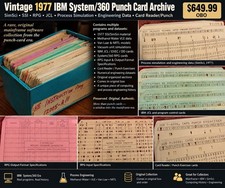
Vintage 1977 IBM System/360 Punch Card Program Archive SimSci SSI RPG Mainframe
$449.99

HP 5060-8359 8K Semiconductor Memory Module 5080-9747 Vintage HP Computer
$157.30

Vintage Intel Mainframe Server MCM CPU Substrate Lot Prototyping PGA Validation
$500.00

HP 13210-60001 Disc Drive Interface PCB HP 7900A 7901A Vintage
$157.93

Computer Tape Reel 1600 BPI 9 Track Vintage Mainframe LOT OF 2 WITH BOX
$89.95

Vintage IBM #192726 Paper Tape Punch Mainframe Computer Programming Tool 1960s
$81.39
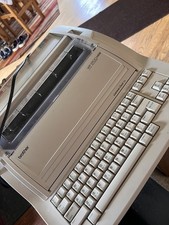
1970s Brother's Printer and Typewriter with Working Floppy Disk
$378.00

Vintage Mainframe Computer Disk Drive Pack Dyson SMD 5 Level Disks
$79.00

Vintage Telex 952003-112 Mechanical Terminal Keyboard IBM 3270 Mainframe DB25
$799.00

IBM 3274-51C Controller 3270 mainframe 8" floppy tested to power on
$500.00



 Reply With Quote