-
Junior Member
registered user
Baja... some advice...
------
A) When you turn your comp on next time, look for something on the original screen that says 'press __ to open BIOS setup' or something before windows starts to load. Once you learn that key, press it before windows loads. The next part is kind of tricky for beginners, considering the BIOS is somewhat dangerous if you use the wrong options, but just look for something that says 'Boot Options' or 'Boot order' and what key that corresponds with and you should be fine (I'm not sure if you're familiar with bios, but you don't use the mouse, just arrow keys and there should be instructions in a small box on the screen telling you movement/selection controls. This sounds complicated but it's really not). All you want to do is change this 'Boot Order" so that your cd rom drive is before the Hard drive.
B) Save these bios settings. Usually theres a key like F10 or F12 or the like on that tiny instruction box that says 'Exit and Save Changes', if not hitting the escape key would probably prompt you for whether you'd like to save or not.
C)After this is done and you've left the bios, windows will automatically load. Put the knoppix cd in the cdrom drive and shut down the system.
D) Power up the system again, and the knoppix screen should appear. Press enter. If it asks you some inane question about the graphics (VGA) mode don't worry about it much, I usually press #3 or #4 out of the options it asks you to choose from.
E) Knoppix will load. There you go, explore knoppix and it's programs. When you're done, shut knoppix down and before the computer automatically turns off (after a text screen) the cdrom drive door will open and the screen will ask you to remove the disk. Do so and close the cdrom drive, and the system will shut down. Next time you start, it will again boot automatically to windows. From now on all you need to do to access knoppix is turn on the machine with that knoppix cd in the drive, and follow the other part of step D if necessary.
Be careful, but this will give you a fair amount of understanding of knoppix, and it's not all that difficult either. The first step is a bit of a leap for some beginners, but once you cross it using knoppix is a piece of cake.
-------
wow, didn't mean for that to turn into a whole guide O_o; . Any way as to your other questions, WINE is an emulator. Emulators pretend to be a program and to work like that program (WINE is inside knoppix and pretends to be windows so that some of your programs in windows work). It takes a bit of configuring before it works, of course, but most of the configuration is very simple, and involves you clicking 'nect' a bunch of times.
As for internet, if you have broadband (which I highly recommend), all you have to do is plug in that internet cable before turning on the computer and loading knoppix, and knoppix should automatically detect it and give you access to the internet. It's worked for me tons of times, most helpfully at hotels.
Anyone, If I said something wrong in this quick step-by-step, please correct me (hopefully I got that all right)
And BajaPorsche, please don't be offended by how...erm, novice-esque I made that tutorial- I have no idea of your knowledge when it comes to windows, the bios, etc. I'm just one of those take-no-chances types 
 Posting Permissions
- You may not post new threads
- You may not post replies
- You may not post attachments
- You may not edit your posts
-
Forum Rules


Samsung MLT-R116 Imaging Unit Xpress M2625 M2675 M2825 M2875 M2885 M3015 OEM NEW
$49.99

Samsung Galaxy Tab Active 3/ 64 gig/WIFI
$85.00

Samsung XE303 C12 Chromebook 11.6 1.7GHz, 2GB Ram, 16GB SSD, working condition
$42.00
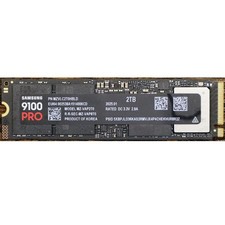
Samsung 2TB 9100 PRO 14,700MB/s PCIe 5.0 x4 NVMe M.2 2280 SSD (MZ-VAP2T0B/AM)
$399.49

Samsung SCXSTP000, SCX-STP000 (Swingline Staple Cartridge - 3 Refills)
$57.99

Magnetic Leather Flip Case with Stand for Samsung Tab S9 S9+ S10+ S10 Ultra
$13.99

Kids Case for Samsung Galaxy Tab A9+/A9 plus 11 Inch 2023 Case, with Strap, Shoc
$27.99

Samsung PC4-2666V 16GB 2Rx8 RAM DDR4 2666MHz M471A2K43CB1-CTD
$59.99

QTY 100 Samsung Galaxy Tab Active 4 Pro 10.1” Case, Black
$500.00

Original for Samsung NP950QCG-K01US LCD Screen Touch Full Top Assembly FHD Blue
$299.00



 Reply With Quote