

 Reply With Quote
Are you doing "sudo knoppix-installer" to start the install?
If you are then maybe you don't have a writable partiton created
for the installer to use. You could use the mandrake cd to
partion your drive if you need to. Good Luck!


When I try to install knoppix I always get the message “Opened disk read only – you have no permission to write” I am new to Linux I have tried mandrake but preferred knoppix. Thanks for any help.
Are you doing "sudo knoppix-installer" to start the install?
If you are then maybe you don't have a writable partiton created
for the installer to use. You could use the mandrake cd to
partion your drive if you need to. Good Luck!
i was using "sudo knx2hd" i tried using QTParted and suscsesfully compleated it and now i get the error when i try to install
"Error: Formatting of failed. som messages from
mkfs.ext3: Usage: mkfs.ext3 [-c:-t:-] fliename] [-b
blocksize] [-f fragment-size]
[-i bites-per-inode] [-j] [-J journal options] [-N
number-of-inodes]
[-m reserved-blocks-percentage] [-0 creator-os] [-g
blocks-per-group]
[-L volume Lable] [-M last-mounted-directroy] [-O
feature[,...]]
[-r fs-revision] [-R raid_opts] [-qvSV] device
[blocks-count]"
Please Help I Am A Linux Newbe and have no idear what is wrong.
Thanks
I don't know what version of knoppix you're trying to install but for recent versions
"sudo knoppix-installer" is the preferred method.
You might try using "cfdisk /dev/hdX" where X is the drive (represented by a letter) you want to partition.
Qtparted sometimes doesn't work correctly ( in my experiance) If you continue to have problems you
might need to list your hardware and be very specific about what exactly what you
have tried so far.
*BUMP*
Im having the exact same problem. knoppix 3.7 english. i boot up, cntl alt F2 , at the prompt sudo knoppix-installer , if i try to partiotion cfdisk says read only, if i just try the install ( drives is already partintioned) it bails out with a mks.3fs error...
any ideas ?
BTW this is a IBM thinkpad A21M , i was running debian 3.0. 10 gig HD. already pationed for 9.5 gig linux 250 swap
Interesting , i do this within X , and it works just fine.
Bug in 3.7 ?
qtparted looks like buggy one... head a necessity to restart it and even restart pc to complete repartitioning - for no obvious reasons
Hi, just tried the same when installing knoppix to hd. Got the same error when I pressed ctrl-alt-F1 (or something like that) and ran 'knoppix-installer'. Didn't get any better when I booted without GUI. But right as I'm writing this, Knoppix is installing happily on my (other) machine. How?:
Booted to KDE -> opened Terminal Program from the panel on the bottom -> typed su -> and then typed 'knoppix-installer'.
I then followed exactly the same procedure as before, but now it didn't complain about anything,no error messages, no nothing, it just started formating my partition and then copying files to it.
By the way, I did a : 'mkfs.ext3 /dev/hda1', after trying two times, then another install, but no luck. After this I gave it a last shot through KDE and it worked.
Hope it helps
Q
 Posting Permissions


Netac DDR4 32GB 16GB DDR4 3200MHz UDIMM C16 Desktop Internal Memory RAM Kit
$99.99

A-Tech 8GB DDR3 1600 PC3-12800 Laptop SODIMM 204-Pin Memory RAM PC3L DDR3L 1x 8G
$21.68

Samsung 8GB DDR4 SO-DIMM PC4-3200AA 260-Pin RAM M471A1G44BB0-CWE Module
$29.25

RAMAXEL Lenovo 32GB LPDDR5X CAMM2 7500MHz Laptop RAM | UNTESTED
$445.00
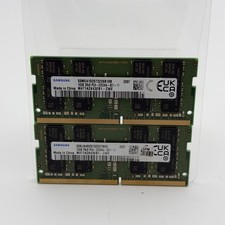
Samsung 32GB DDR4 2x16GB 2Rx8 PC4-3200A SODIMM M471A2K43EB1-CWE
$124.99

Major Brand 16GB (2x8GB) PC3-12800U DDR3-1600MHz DDR3-12800 DESKTOP RAM NON-ECC
$29.99

DDR4 Laptop RAM 4GB 8GB 16GB 32GB 2400 2666 3200 Samsung Hynix
$30.00

MINT Micron Cisco 32GB PC4-2400T DDR4 2Rx4 RDIMM RAM MTA36ASF4G72PZ-2G3 LOT
$159.99
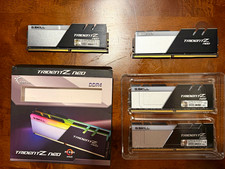
G.SKILL Trident Z Neo 64GB (4x16GB) DDR4-3600 DIMM XMP 2.0
$320.00

16GB ( 4X 4GB ) MEMORY DDR3 PC3-10600 1333MHz FOR DELL OPTIPLEX 790 780 990 980
$39.99