-
su doesn't work correctly
Hello, I hope someone can help me (=newbie) with this problem:
I installed Knoppix on my HD and everything seems to be fine, except the following:
When I'm logged on as a normal user and type "su" in a terminal to become superuser it seems to work. But when I try to start a program like Kate, the program doesn't start, but I get this output:
Code:
root@scully:/home/tim# kate
QPixmap: Cannot create a QPixmap when no GUI is being used
QPixmap: Cannot create a QPixmap when no GUI is being used
Xlib: connection to ":0.0" refused by server
Xlib: No protocol specified

kded: cannot connect to X server :0.0
DCOP aborting call from 'anonymous-1167' to 'kded'
kded: ERROR: Communication problem with kded, it probably crashed.
Xlib: connection to ":0.0" refused by server
Xlib: No protocol specified

kdeinit: Can't connect to the X Server.
kdeinit: Might not terminate at end of session.
Xlib: connection to ":0.0" refused by server
Xlib: No protocol specified

kate: cannot connect to X server :0.0
kate: ERROR: KUniqueApplication: Registering failed!
kate: ERROR: Communication problem with kate, it probably crashed.
root@scully:/home/tim# Mutex destroy failure: Das Gerät oder die Ressource ist belegt
When I log on as root, everything works fine.
-
expected behaviour, not su's fault.
su doesn't have any knowledge about X11, it's simply a command line tool. There are several ways to start X11 programs from the command line as user root:
* before issueing "su" enter "xhost local:" and as user root enter "export DISPLAY=:0"
* open the root shell from the KNOPPIX menu - this will merge the X11 magic cookie (that's needed to connect to the X11 server) into the root shell "environment".
BTW: this has been posted several times. If you'd have searched a little you would have found it and had not to wait for an answer.
Thomas
-
Ok, that works, thank you.
Well, I did a search, but didn't find anything useful.
Is there a way to make this permanent? It's quite unhandy to type this everytime.
I did a search on this and even found a thread about it (http://www.knoppix.net/forum/viewtop...ghlight=su+x11), but that doesn't work.
-
The post in "Tips and Tricks" is supposed to make it permanent. Did you logout and login again after making the file under ~/.kde/Autostart and are you using KDE?
-
Oh, I found out what was wrong: I hadn't tagged the .sh file in the Autostart folder as executable!
Now it works.  Thanks for you post in Tips & Tricks, Markus.
Similar Threads
-
By Astaroth131 in forum Hardware & Booting
Replies: 5
Last Post: 01-09-2006, 08:58 PM
-
By Jbike in forum Hardware & Booting
Replies: 1
Last Post: 12-24-2005, 06:17 PM
-
By servant in forum General Support
Replies: 2
Last Post: 06-13-2004, 05:44 AM
-
By fenriz in forum Networking
Replies: 5
Last Post: 04-22-2004, 10:20 PM
-
Replies: 0
Last Post: 12-21-2003, 06:53 PM
 Posting Permissions
- You may not post new threads
- You may not post replies
- You may not post attachments
- You may not edit your posts
-
Forum Rules

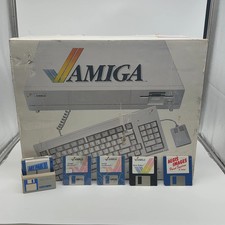
Commodore Amiga 1000 Personal Computer With Original Monitor and Speakers
$1352.99
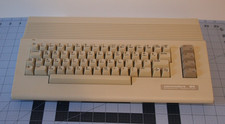
Commodore 64C, Clean, tested and working (SN CA1604583). Box does not match SN.
$110.00
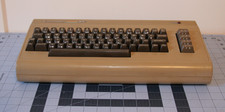
Commodore 64 Keyboard only, clean, tested and working (SN P01188869)
$120.00
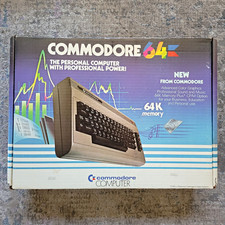
Commodore 64 (C64) Original Box ONLY & Foam Inserts Vintage
$49.99
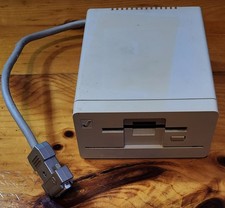
Commodore Amiga 1010 External 3.5” Floppy Drive A500 A1000 A2000 • Untested
$74.99
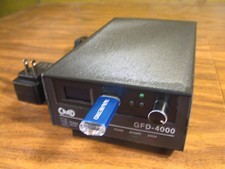
CMD Reproduction GFD-4000 Disk Drive for Commodore 64 C64 C128
$500.00
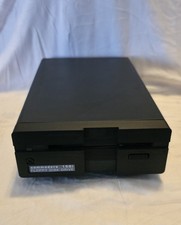
Commodore 1581 Floppy Disk Drive w/ Power Supply, Cable & Disks
$300.00
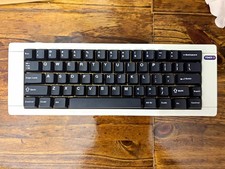
Hammerworks box60 Commodore 64 Mechanical Keyboard built
$77.77

Commodore VIC-20 Diagnostic Cartridge & Test Harness Set - USA seller
$39.99

Commodore OS USB | Bootable LIVE + Install | The Ultimate Gaming Linux OS | NEW
$11.99



 Reply With Quote