

 Reply With Quote
Ok messing about with it i have found out that i need to quit knoppix and do a complete
reboot.
also that it needs to be formatted in ext2 first which then gets converted to ext3 on
installation debian style. hopefully it will al go well now.......


Ok i mange to boot the live cd and type in sudo knoppix-installer.
this runs and says i need to create paritions.
It loads a partioning program. Now i have to create a linux swap and format one partition
as ext2 or 3 (is there a difference; which should i use on an old comp)
Anyway i can only get it to do one. I format a linux swap file but when i try to do something else
it doesnt let me all it allows is to view the property of the partitions. why does it do this?
Ok messing about with it i have found out that i need to quit knoppix and do a complete
reboot.
also that it needs to be formatted in ext2 first which then gets converted to ext3 on
installation debian style. hopefully it will al go well now.......
Whey it installed and booted.....
Unfortunatly the built in mouse type control doesnt work meaning i cannot do anything at all.
The thing is it works perfectly fine when booting as a live CD.
What the hell can i do?
Check /etc/X11/XF86Config-4. It should look something like this (for a PS/2 wheelmouse)Originally Posted by Kumagoro
Code:Section "InputDevice" Identifier "PS/2 Mouse" Driver "mouse" Option "Protocol" "IMPS/2" Option "ZAxisMapping" "4 5" Option "Device" "/dev/psaux" Option "Emulate3Buttons" "true" Option "Emulate3Timeout" "70" Option "SendCoreEvents" "true" EndSection :
sorry i should have been more descriptive.
It is a built in controller. its not exaclty a mouse its like a little stick in the middle of the keyboard
I dont know what t call it.
Ill have another go at copying it from the live cd config over to the HD tomorrow.
im using 3.3 by the way as its setup for my wlan card for kismet and i cant boot from
a CD on this laptop.
thanks for the help.
 Posting Permissions


Intel SRG17 Core i7-9700T Desktop Processor CPU
$74.99
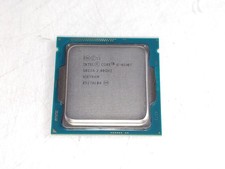
Intel Core i5-4590T 2 GHz 5 GT/s LGA 1150 Desktop CPU Processor SR1S6
$14.99
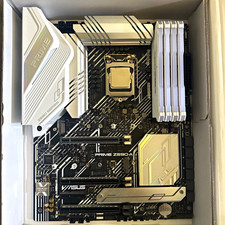
CPU-RAM-MOBO COMBO- 32gb DDR4 3600MHz, i5 CPU, Asus Prime Motherboard
$370.00

GAMING COMBO: ASUS Prime H470M-PLUS MOTHERBOARD + i5-10600KF CPU + 16GB DDR4
$229.95

Intel Core i7-3770K 3.5 GHz Processor
$39.00

Intel Core i7-9700 Octa-Core 3 GHz Desktop Processor LGA 1151
$79.99
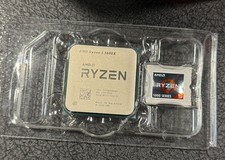
AMD Ryzen 5 5600X Desktop Processor (3.7GHz, 6 Cores, AM4 CPU) 100-100000065
$125.00

Intel Core i5-14600KF Unlocked Desktop Processor
$259.99

PS5 Over Heating Problem Solver 1.5 Grams Liquid metal thermal paste CPU, GPU
$15.99
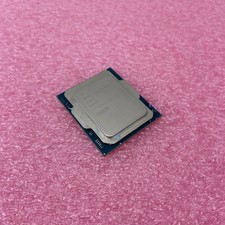
Intel Core Ultra 5 235T SRQES Desktop CPU
$109.99