

 Reply With Quote
you could just run a ftp server on another windows machine and use konq to send the files.
thats the easyest way. netbios doesnt allways go 100% correctly even when all the machines are windows.


I am trying to recover some files from my failed laptop (XP) using KNoppix 3.7 I am able to read the files on the local machine. I connected to a machine share W2k with full permission. I was planning on saving my files to the W2k Share. I mounted the share can view the share, but can't copy files from my xp machine to the share I get access denied cannot create target dir. I feel like I'm so close, but no cigar.
Does anyone know what I am missing, I think there is something I need to do on the Knoppix (XP) machine to allow writing to the mount point
Thanks
you could just run a ftp server on another windows machine and use konq to send the files.
thats the easyest way. netbios doesnt allways go 100% correctly even when all the machines are windows.
how do you use Kong?
KONQ not kong
konquoure is the default kde web / ftp / smb / etc browser
What does your fstab say (with hda1 mounted)?
I can't answer specifically for NTFS partitions, but partitions are mounted read only on purpose. In order to write to a partition, you need to unmount it, then remount it so its writeable.
umount hda1 should unmount it.
First, make sure you have everything closed that was accessing the partition. If you have konqueror open, for example, and were browsing the partition, you'll get an error message that says that the partition can't be unmounted, its in use. Close konqueror (or just the tab that you were browsing the partition with), and you should then be able to unmount. If you still can't unmount, type:
fuser -m /dev/hda1
and that will tell you the process numbers of the applications that are still using the partition. If there aren't any, then try typing:
umount -l hda1
and that should work in a just a couple of seconds.
Once the partition is unmounted, then you mount it, with the writeable flag,
mount -o rw hda1
or
mount -w hda1
may work, or
mount -w -t ntfs hda1
may work.
After trying one of the above, you may be able to write to the partition only while logged on as root. If that is the case, then you need to change the uid, gid, and umask settings in fstab. You can google for the correct settings if that is the case. And if this is the case, your partition is correctly mounted as writeable, you just need to change permissions as indicated in the previous sentence.
I don't have any ntfs partitions, so the above is without warranty, and I'm not responsible if you damage your system. You should wait for someone else to post their solution, as I know there are issues with writing to ntfs (it wasn't even possible in earlier versions of knoppix, or any earlier Linux distros). Always backup first.
Also look at man mount, man unmount. Also, if there are other users on the system, it is possible to change the flag to writeable on a partition without unmounting it, man mount should have that info, I don't know how reliable/safe it is to do so.
 Posting Permissions


HP 2x 10GB OPNsense Quad Core i5-8500 8GB RAM 3Port Gigabit Firewall AES-NI SSD
$199.95

OPNsense Firewall 16-Core Atom C3958 16GB DDR4 RAM 64GB SSD 8x 1Gbe QAT AES-NI
$195.00

Check Point 1590 Firewall & w builtin WiFI and builtin LTE sim slot
$95.99

SonicWall TZ280 Firewall 03-SSC-6933 Advanced Edition 3YR NEW SEALED
$999.99

OPNsense pfSense 8-Core Atom C3758 2.2GHz 8GB DDR4 64GB SSD 8x NIC QAT AES VPN
$115.00

OPNsense pfSense 16-Core Atom C3958 16GB ECC RAM 512GB SSD 8-Port QAT AES-NI VPN
$258.00

Fortinet FortiGate 60F FG-60F UTM UTP License Until 2027 Network Security FW VPN
$229.99
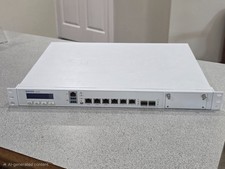
Sophos XG 210 Rev. 3 Firewall Appliance – 8GB RAM / 128GB SSD – Tested & Reset
$149.99

Barracuda NextGen CloudGen Cloud Based Firewall F280 BNGF280a w/ 8.3.1 Firmware
$89.99
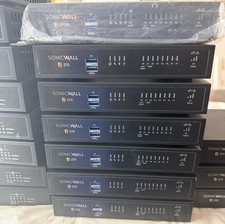
SONICWALL TZ270 Network Security Base Appliance Only (02-SSC-2821) - Open Box
$195.00