-
SUCCESS.....
OKay after reading through a few more threads such as this one http://www.knoppix.net/forum/viewtopic.php?t=19208
this is what I did
1. sudo mii-tool -r
Not sure what this does - I would be really glad if someone could explain what it does
2. netcardconfig (as root) and configured my card to use DHCP and pick up an IP address from my router
3. ran ifconfig to retrieve my IP address and then pinged the IP address from my windows box which worked
4. started samba from the command line as root using sambastart and when prompted enabled all files to be mounted and shared
I went into windows network neighbourhood - clicked on the Knoppix share and entered the Knoppix username and passwoed (not the root ) this gave me access to laptop and all the mounted harddisks, I then simply copied all the files I wanted. Great
I was going to end this post saying that I was a bit dissapointed that I couldn't get a internet connection up as that would be the only thing stopping me from sticking with XP - but guess what - on a whim I just tried a website again in firefox and it worked!!!! Knoppix rocks!!!
Thanks for all your help guys - although I would still like to know a) how to find out what a device is named so I can mount it and b) what that sudo command did and why it all works now!
Similar Threads
-
By rporticio in forum General Support
Replies: 3
Last Post: 05-20-2007, 08:28 AM
-
By okorkie in forum General Support
Replies: 1
Last Post: 05-17-2007, 03:37 PM
-
By fossilnews in forum General Support
Replies: 1
Last Post: 01-12-2007, 05:23 PM
-
By nosirrah in forum Hdd Install / Debian / Apt
Replies: 2
Last Post: 01-10-2005, 12:49 PM
-
By N1N in forum General Support
Replies: 1
Last Post: 11-02-2004, 06:56 PM
 Posting Permissions
- You may not post new threads
- You may not post replies
- You may not post attachments
- You may not edit your posts
-
Forum Rules


Amiga Model 1080 RGB color CRT monitor - Parts Or Repair - Doesn’t Power On
$100.00
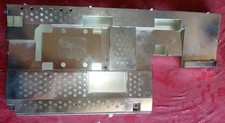
Amiga A1200 Shield Set with plastic insulation - Good condition
$89.51
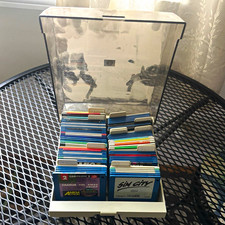
ALS Storage Box with Assorted Amiga Format 3.5" Floppy Disks
$199.00

Microbotics Starboard 2MB + SCSI Sidecar for Amiga 1000 Vintage Computer READ
$329.00
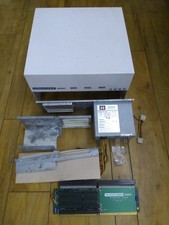
HighFlyer Amiga 4000 Tower & Bus Extender, Expansion Systems A4000T Kit
$888.50

Amiga 1000 Computer w/ Monitor Keyboard Mouse Disc Drive Sidecar Expansion Discs
$895.00

Commodore Amiga 4000 Motherboard Rev B - untested
$225.00

Amiga Emplant Emulator Card For Commodore Amiga 2000 4000 3000
$249.00

RGB2HDMI Amiga 500 UltraLong (Accelerator Friendly) HDMI Games, non-RTG A500
$50.00
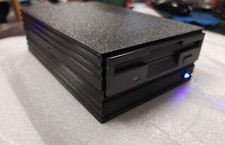
External fully assembled GreaseWeazle 3.5 inch Floppy Drive
$135.00



 Reply With Quote