-
Dial Up Networking Connection
Hi there, I am really new to Knoopix and already I am having problem to connect to the interenet using my DUN connection setting. I try to set manually my ISP setting like you would normally do with Windows but it is not that straight forward with knoppix. Is there any way I can clone my existing DUN setting to use them with knoppix or how do I set them up maually.
In addition knoppix cannot find my modem.
I am running a standard DUN connection with standard 56K data fax modem.
Please help as I am just fade up with XP and would like to ditch it once for all but can't until I can connect to the internet with Knoppix.
-
Check out these items and Tips & Tricks post Cell Phone
First you might have a WIN modem that only works with PCTEL or other WINDOWS only software. Check out for better details.
http://www.linmodems.org/
http://walbran.org/sean/linux/linmodem-howto.html
try these commands
#dmesg | more page through what it says about detecting on power up initialization
#modprobe acm
#lsmod list the loaded modules
#lspci list the PCI bus modules, to see if you have the winmodem card
Read my Cell Phone as USB Modem post This has the settings in the chatscript text files
for earthlink and for sprint dial up. That should give you a starting point I use a 33.6K US an External Robotics Sportser Voice modem that I picked up as used for $10. Check the Goodwill or Thrift Store for external modems or ISA bus style Hayes type modems that have the 16C550 serial port interface. These are easy to setup and get working with Linux.

http://www.knoppix.net/forum/viewtopic.php?t=17964
Post your Script settings here , too. Make sure to XXXout the username and the password!!
/etc/ppp/peers$ cat sprint
# You usually need this if there is no PAP authentication
noauth
# The chat script (be sure to edit that file, too!)
connect "/usr/sbin/chat -v -f /etc/chatscripts/sprint"
# Set up routing to go through this PPP link
defaultroute
# Use remote DNS
usepeerdns
# Default modem (you better replace this with /dev/ttySx!)
/dev/modem
# Connect at high speed
230400
local
# This optionfile was generated by pppconfig 2.1.
#
#
hide-password
noauth
connect "/usr/sbin/chat -v -f /etc/chatscripts/provider"
debug
/dev/ttyS1
115200
defaultroute
noipdefault
user "use_your_name_here"
remotename provider
ipparam provider
usepeerdns
#cd /etc/chatscripts
/etc/chatscripts$ cat sprint
TIMEOUT 5
ABORT '\nBUSY\r'
ABORT '\nERROR\r'
ABORT '\nNO ANSWER\r'
ABORT '\nNO CARRIER\r'
ABORT '\nNO DIALTONE\r'
ABORT '\nRINGING\r\n\r\nRINGING\r'
'' \rAT
TIMEOUT 12
OK ATD#777
TIMEOUT 22
CONNECT ""
/etc/chatscripts$ cat provider
# This chatfile was generated by pppconfig 2.1.
# Please do not delete any of the comments. Pppconfig needs them.
#
# ispauth PAP
# abortstring
ABORT BUSY ABORT 'NO CARRIER' ABORT VOICE ABORT 'NO DIALTONE' ABORT 'NO DIAL TONE' ABORT 'NO ANSWER' ABORT DELAYED
# modeminit
'' ATZ
# ispnumber
# OK-AT-OK ATDT4258161416
OK-AT-OK ATDT4744492
# ispconnect
CONNECT \d\c
# prelogin
# ispname
# isppassword
# postlogin
# end of pppconfig stuff
Fred Finster 
fredfinster (AT) netscape (DOT) net
Similar Threads
-
By mune in forum Networking
Replies: 1
Last Post: 01-26-2007, 10:25 AM
-
By rrfish72 in forum General Support
Replies: 3
Last Post: 08-30-2004, 05:09 AM
-
By waynejkruse10 in forum General Support
Replies: 8
Last Post: 10-25-2003, 11:50 PM
-
By raid517 in forum Networking
Replies: 1
Last Post: 05-30-2003, 08:41 PM
-
By shadowcAt in forum The Lounge
Replies: 1
Last Post: 04-21-2003, 05:44 PM
 Posting Permissions
- You may not post new threads
- You may not post replies
- You may not post attachments
- You may not edit your posts
-
Forum Rules


Vintage Brother DP-525CJ Word Processor Typewriter PARTS/REPAIR PLEASE SEE VIDE
$265.00
Vintage Memorex Telex 122-Key AT Terminal Keyboard 96550264
$100.00
Vintage Retro Cyrix 6x86 133mhz 32mb RAM Floppy Combo
$299.00
Vintage Educational Laptop Computer By National Encyclopedia Corp W/box & Insert
$99.99
Rare Vintage Nec Mobile Gear II MC R430 Computer Japanese Windows Ce
$299.99
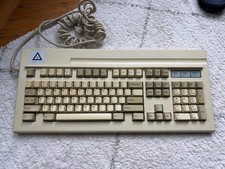
Leading Edge DC-3014 Blue Alps SKCM Keyboard Rare Vintage
$350.00
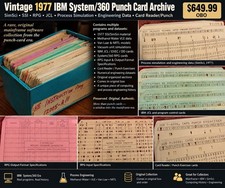
Vintage 1977 IBM System/360 Punch Card Program Archive SimSci SSI RPG Mainframe
$449.99
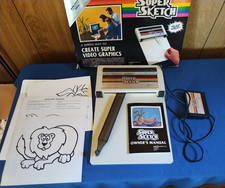
Vintage PPI Super Sketch G2400 for Texas Instruments TI99/4A
$150.00

Vintage HP 21MX 1000 M-Series Minicomputer Chassis Backplane Parts AS-IS
$228.19
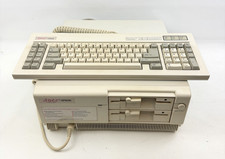
Vintage Epson Apex Plus AP3001A Dual 360K Disk Drives PC w/ Epson Apex Keyboard
$249.95



 Reply With Quote