

 Reply With Quote
Check the downloading faq http://www.knoppix.net/wiki/Downloading_FAQ
If you have a bittorrent client I recommend using it since it tends to give cleaner downloads


I am a newbie here so bare with me. I am trying to download and then burn the knopixx iso .
when i got to the ftp site i found it gives 5 knoppix iso files to download.
the first one I have downloaded, but not burned yet. there is a zip file on the desktop and the the iso images are in a folder i selected.
Question 1 Do i need to download the other iso files that are grouped with it???
12/09/2004 12:31PM 732,942,336 KNOPPIX_V3.7-2004-12-08-EN.iso
12/09/2004 12:39PM 65 KNOPPIX_V3.7-2004-12-08-EN.iso.md5
12/09/2004 12:39PM 408 KNOPPIX_V3.7-2004-12-08-EN.iso.md5.asc
12/09/2004 12:55PM 73 KNOPPIX_V3.7-2004-12-08-EN.iso.sha1
12/09/2004 12:55PM 416 KNOPPIX_V3.7-2004-12-08-EN.iso.sha1.asc
12/09/2004 01:36PM 832 README
Do i download all of those? and also Can i put it on dvd? or it must go on cd?
how do i get it all on cd?? The first file seems to large for 1 cd, but that is the one I have downloaded and it is sittin on pc. what next??? i read the FAQ, but newbie doesnt understand all of it.
thanks in advance
Check the downloading faq http://www.knoppix.net/wiki/Downloading_FAQ
If you have a bittorrent client I recommend using it since it tends to give cleaner downloads
I doubt very much that there is a zip file. I suggest that you make sure that windows does not hide extensions from you, it's a "feature" that should always be turned off. You only need one ISO, one that ends in EN for Englisg or DE for German. If you are not using Bittorrent than you really need the md5 file too and to check the md5 sum before burning. And, if you are asking these questions, it's likely that you will burn it wrong unless you read the downloading faq.Originally Posted by ArticWhite
Ok, Lets see I did already download this file to its own folder and I can see the ISO file.
I have printed directions how to burn it..
12/09/2004 12:31PM 732,942,336 KNOPPIX_V3.7-2004-12-08-EN.iso
One question is do I need the other 4 ISO files listed underneath the first one?
I have read the FAQ but it is a bit foreign to me.
not sure what bitternoerent is, but will search it now
I got the file already above, so now what??
so to speak.. I think I am ready to burn it using the printed directions
but I was confused as to why there was zipped files on desktop.. but now I realize
anytime i download a zip file, the file is there twice.(1 with zipper, 1 plain folder)
dont know why, it just does it.
Thanks
If you follow the Get Knoppix link at the top of the page you will find out about Bittorrent. If you already have the ISO you may not need to use it this time, but it will be handy in the future. Since you apparently did not get the iso by bittorrent, you really do need to do the md5 step. If you can't be bothered then maybe you shouldn't even use Linux.
Are you really sure that you have zipped files from Knoppix that you downloaded? None of the official mirrors have zipped files that I know of. Are you really seeing a zip extension, or just an icon that you think means it is a zipped file? If you are letting Windows hide the extension from you, you should certainly turn this "feature" off.
ok well , since i knew that only the first file would fit on a cd i did just burn it to a CD. how do I check if that worked? I have not done the other 4 downloads yet. If I must do them then will the four of them fit on one cd?? There is a icon folder on desktop with zipper on it. the second folder with iso extension is in the folder i created and sent it to on download. I always seem to get double folders
anyway I am not even 100% sure what knoppix is.. i read that if your pc crashed you could boot off this to save files etcc...... so just trying to learn stuff and it is not a bother.. I am just trying to learn and somethings are so foreign. No pc expert here, a newbie
You have been told where to find the important instructions on how to burn the iso properly. You elected not to do so. I can tell you right now that what you made will not work.
Why do you ask for help, then not accept it when it is offered? Markus even gave you the link to the information that you need.
Which doesn't make it a zip file. Turn off Windows "feature" to hide file extensions in the file explorer. If it is a zip file then you likely got it from an unofficial site, and it could contain anything, a virus, a program to delete all of your files, or who know what. It might even be a real copy of Knoppix, which you could confirm by a md5 file check with an md6 file from one of the official mirrors (not with the md5 file that you got from the site that gave you the supposed "zip").
Trying to learn things is commendable and supported here. Learning in advance rather than after you have trashed your Windows system and in a panic to recover is even more so commendable. We like and help new people here. But why do you seem to not accept the information that you are given to try to help you?
The about link at the top of the page will tell you more about what Knoppix is, although if you're not going to follow a link that Markus give you enbeded right in his reply then I don't expect you to read the about information either.
I think Harry pretty much summed this up.Only one of these is the iso file, the md5 file is used to validate whether the file is corrupted or not (sometimes when downloading from a server there can be a screw-up and the file can become corrupt, the md5 file is used in a program that makes sure the file you downloaded is not corrupt). I don't recall what the others are for, but like harry said, read the info on using md5 and the instructions on how to burn it. ISO files are exact copies of a disc, sort of like a zip file version of a cdrom, with all the files/folders the original cd had. You need to use a special program to uncompress and burn the files just how they were on the original (and even give the cd the same name). The instructions help alot with much of this.
All one needs is the ISO and the MD5. The md5.asc is just an ascii version of the md5, which is kind of redundant since the md5 file is ascii anyway. The sha1 and sha1.asc files are alternate check files based on Secure Hasing Algorithm. But the md5 check is quite enough to prevent corrupt files. Not that it would hurt to look at the readme file, but that seems to be too much to hope for in this case.
HARRY,
I think that your comments are RUDE and Uncalled for. I asked a very direct question and got answers that were not so direct. I may have dyslexia or ADD or whatever. I stated in the first post that I read the FAQ and did not understand them. Is that sooooo hard for you to understand???
I will find my answers elsewhere.
for your information I did order and pay for a copy but was merely trying to teach myself something.
have a great life and hope you dont treat everyone with such disrespect.
please feel free to remove me from your forum as I dont want to read such rude
comments from the likes Of you.

 Posting Permissions

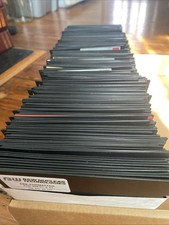
Vintage 1980s 1990s Lot of 175 Used PC Computer 5.25" Floppy Disks IBM
$175.00

Vintage HP 21MX 1000 M-Series Minicomputer Chassis Backplane Parts AS-IS
$228.19

Ast Advantage Adventure 4050D Vintage Retro Computer Great Condition
$199.99
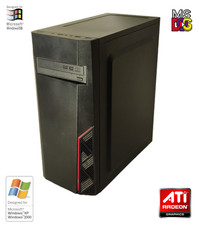
NEW* AMD Athlon 4850e 4GB ATI X1050 Win98 XP DOS Multiboot Retro PC w/ 50 Games
$389.00

Vintage Gray AC Power Cable Cord 3-Prong Plug to 3-Prong 3-Slot Connector
$50.00
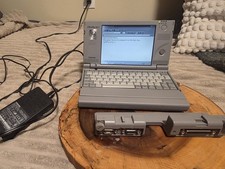
Vintage Toshiba Libretto 70CT Mini Notebook with Port Replicator and 32MB Memory
$320.00
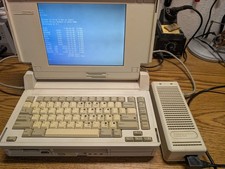
Vintage Compaq SLT/386s/20 laptop Boots to DOS, power supply, CMOS dead working
$345.00
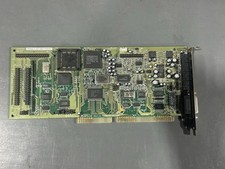
Vintage Creative Labs CT2230 Sound Blaster 16 ISA Sound Card - Working READ
$64.99

Lot of 2 Vintage Plextor PX-43CS SCSI CD-ROM Caddy Drives + 4 Caddies Used
$55.99
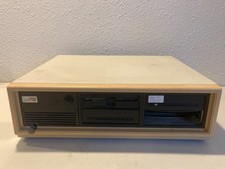
Vintage Compaq Deskpro 286 AT PC Computer Complete w/Drives Powers On
$189.99