-
Administrator
Site Admin-

Originally Posted by
ArticWhite
..... I asked a very direct question and got answers that were not so direct. ..... I stated in the first post that I read the FAQ and did not understand them. Is that sooooo hard for you to understand??? ....
You said you read the faq, but there are a multitude of FAQs, you didn't say which one it was that you read. Markus pointed you at a very good faq to start with, but if you did read that faq you certainly never asked anywhere near direct questions about anything that they said that you might have had questions about. Indeed your post saying
Originally Posted by
ArticWhite
..... i did just burn it to a CD. how do I check if that worked? .....:
implies that you didn't read the faq, or it's not likely that you would have either "just burnt it to a CD" or asked what to do next. You can keep calling yourself a newbee, but it's not reasonable to expect that one line to result in people rewrting all of the help documentation just for you when you don't make it clear what is confusing you. This site is very new user friendly. I honestly was trying to help you (as wes Markus).
I could care less that you ordered and paid for something. Most of us here, including myself, didn't pay anything for Knoppix. It's free software. I'm not at all sure why you wanted to state that you paid for it.
-
Harry Kuhman might be a tad blunt sometimes but he's also correct and helps a lot of people here. The thing is that most of us prefer to help people to help themselves instead of spoon feeding the information. Hence links to informative pages instead of straight answers. This way you can learn more especially since I have a tendency to forget some part of an answer  .
.
The downloading faq really has all the information needed.
How to download (ftp, bittorrent)
Where from (mirrors, torrent tracker)
How to check the downloaded data (md5sum)
How to burn (software, commands)
Just take your time and read through it. If you don't understand something, tell us the part of the faq which was unclear and what you already tried instead of just saying you didn't get it.
Linux requires you to read up a lot, so if you want to use linux, now is the time to start reading.
-
Administrator
Site Admin-
Originally Posted by
Markus
Harry Kuhman might be a tad blunt sometimes......
Yea, Markus, looking over the posts and sleeping on it I can see that I was getting frustrated, but you and I both pointed this guy to the information he needed, you even pasted the link in your message for him. I mentoned several times the importance of checking the MD5 sum. I tried to get him to enable seeing file extensions, couldn't give him exact steps since he didn't post which version of Windows he was using, but he never asked any questions about it. He just kept posting back that he was new, and then that he had just written the iso to a CD and what should he do next, without any acknowledgement of what we had written to him and no questions if there were any points he wanted more information on. I'm not surprised that my frustration came through.
-
Don't worry about it, as I already said you were correct about this. Impossible to help someone who won't accept your help.
Similar Threads
-
By Herald in forum General Support
Replies: 1
Last Post: 01-31-2006, 05:54 PM
-
By robbiw in forum Networking
Replies: 3
Last Post: 09-20-2004, 07:17 PM
-
By Debbie Danger in forum General Support
Replies: 4
Last Post: 06-11-2004, 05:43 PM
-
By TRANCEMoDe in forum General Support
Replies: 1
Last Post: 04-27-2004, 01:23 AM
-
By eriixblaike in forum Ideas
Replies: 3
Last Post: 08-10-2003, 11:04 AM
 Posting Permissions
- You may not post new threads
- You may not post replies
- You may not post attachments
- You may not edit your posts
-
Forum Rules


INTEL XEON E5-2680V4 SR2N7 2.40GHZ CPU
$11.00

Dell EMC PowerEdge R440 Xeon silver 4215 2.5GHz 16 GB ram 2x 550W PSU No HDD
$275.00

Intel Xeon Phi 5110P 60-Core 1.053GHz Coprocessor
$50.00

Dell Precision T7820 2x Xeon Silver 4114 2.20GHz 950W No RAM GPU HDD 4x SATA
$350.48

Dell Precision T5820 Workstation 3.70GHz W-2135 No RAM/ GPU/ HDD/ OS
$179.98

Intel Xeon E5-2699 V4 2.20GHz 55M 22-CORES LGA2011-3 Server Processor 145W SR2JS
$84.49

Lenovo ThinkStation P520c Intel Xeon W-2133 6-Core 3.60GHz -NO RAM/ HDD/ GPU/ OS
$127.54

Intel Xeon E5-2690 v4 SR2N2 14 Core 2.6GHz 35MB LGA2011-3 CPU *km
$15.99

Dell Precision Tower 7810 Xeon E5-2630 v3 @ 2.40GHz , 32GB Ram, NO HDD, NO OS
$239.99
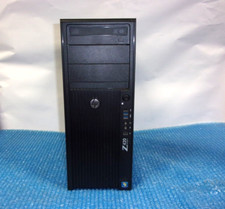
HP Z420 Tower Workstation Xeon E5-1620 3.60GHz, 4GB Ram, NO HDD, NO OS
$140.00



 Reply With Quote