-
Senior Member
registered user
Lexar 256MB Jumpdrive working but need help
I have a Lexar 256 MB jumpdrive [USB] and got it semi-working in my ver. 3.7 KNOPPIX on laptop. I can only access the drive through the Konsole. I cannot get to it from Konqueror, and if I try I get "Acess denied" message! Even if I try doing "chmod -R 777 /mnt/usb" or "chown bob /mnt/usb" it still will not let me access the drive from Konqueror, only Konsole! If I try to chown, it still says it wont let me change ownership!!! Whatsup??? If I try to log on at logon screen at bootup , I have 2 choices I made when I installed, the 2 choices are "bob" and "root" and if I try to log on as "root" a message box comes up saying "root logins not allowed!" I never remember that happening before with earlier versions.
Could it be the entry in /etc/fstab that is prohibiting me from accessing drive from Konqueror? Please help! bob
-
What's your line in fstab, something like this?
/dev/uba1 /pen vfat noauto,users,exec,noatime,umask=000 0 0
And the mountpoint:
markus@mrk-fujibox:~$ ll -d /pen
drwxrwx--- 2 root users 4096 Feb 28 16:35 /pen
Also check this:
markus@mrk-fujibox:~$ la /pen
total 8
drwxrwx--- 2 root users 4096 Feb 28 16:35 .
drwxr-xr-x 26 root root 4096 Mar 5 17:37 ..
Try changing the permissions when the stick is unmounted.
The root login thingy in kdm is for security reasons as you shouldn't log into kde as root.
-
Senior Member
registered user
jumpdrive woes
Hi Markus....I was able to do:
chown bob /dev/usb
Chmod -R 777 /dev/usb and this time NO ERRORS came up. I did this with the USB DRIVE NOT CONNECTED.
Here is my fstab:
/dev/sda1 /mnt/usb auto rw,user,noauto 00
However I still get "ACCESS DENIED" when i go into Konqueror andtry to get into /dev/usb
The mount point is /mnt/usb Thats the instructions that I got off the web. It said to make a mount point in /mnt and call it usb. Then edit /etc/fstab like above.
If I do the following: ll -d /mnt/usb I get: drwxr--r-- 10 root root 16384 Dec 31 1969 /mnt/usb
If I do the following: la /mnt/usb I get:
total 104
drwxr--r-- 10 root root 16384 Dec 31 1969 .
drwxr--xr-x 7 root root 4096 Mar 8 09:01 ..
-rwxr--r-- 1 root root 85 Oct 7 11:47 Autorun.inf
drwxr--r-- 5 root root 4096 Feb 6 21:31 JDSecuredrwxr--r-- 11 root root 4096 Feb 6 21:37 Photos
drwxr--r-- 3 root root 4096 Mar 3 06:49 Program Files
drwxr--r-- 5 root root 8192 Feb 6 22:33 Recycled
drwxr--r-- 8 root root 4096 Feb 6 21:31 System Volume Information
-rwxr--r-- 1 root root 44544 Mar 1 21:17 Thumbs.db
drwxr--r-- 12 root root 4096 Mar 1 21:19 bob_cd
drwxr--r-- 20 root root 4096 Feb 27 11:46 mainpics
drwxr--r-- 13 root root 4096 Feb 7 06:44 work
That looks like the contents of the drive, cause I see my folders.......and I notice the double "root root" in there which looks like the permissions were not changed.....What can you make of this? Why would I be restricted access to this drive ONLY WHEN USING KONQUEROR and not the Konsole???? Please help!!!! bob
-
Change the line in fstab from this:
/dev/sda1 /mnt/usb auto rw,user,noauto 00
to this:
/dev/sda1 /mnt/usb auto rw,users,noauto,noatime,umask=000 0 0
note also the space between the zeros at the end
noatime will prolong your sticks life a bit since access time is not written
umask=000 will give users access to it
Unmount the usb stick and do:
su
chgrp users /mnt/usb
cd /mnt/usb
chgrp users .
chmod 770 .
However I still get "ACCESS DENIED" when i go into Konqueror andtry to get into /dev/usb
Not sure if that's a typo but you should browse to /mnt/usb instead.
If it doesn't work post the output of "ll -d /mnt/usb" when the stick is unmounted.
-
Senior Member
registered user
usb drive
OK Markus, I did as you suggested....restarted computer....here is the unmounted "ll -d" results:
drwxrwx--- 2 bob users 4096 Mar 6 21:56 /mnt/usb
And here we go........ 
It's WORKING! Great! I guess that did the trick.........I am now able to access files in Konsole and Konqueror.
Thank you so much for your patience and time! I saved these procedures in case I need to do this again.....bob
-
Similar Threads
-
By AsianGuyJTran in forum Hardware & Booting
Replies: 0
Last Post: 12-07-2005, 01:40 AM
-
By GaTk in forum The Lounge
Replies: 2
Last Post: 06-21-2005, 12:56 PM
-
Replies: 9
Last Post: 03-08-2005, 05:32 PM
-
By bob58 in forum Hardware & Booting
Replies: 3
Last Post: 02-13-2005, 03:30 AM
-
By DukeLeto in forum Customising & Remastering
Replies: 4
Last Post: 07-14-2003, 01:52 PM
 Posting Permissions
- You may not post new threads
- You may not post replies
- You may not post attachments
- You may not edit your posts
-
Forum Rules

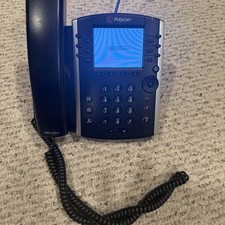
Polycom VVX 411 12-Lines Desktop VoIP Phone (2200-48450-025)
$20.00

Grandstream WP810 Portable Cordless Wi-Fi IP Phone
$54.99
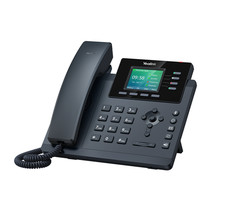
YEALINK T34W PHONE & 2 MONTHS OF PHONE SERVICE
$65.00

NEW Cisco IP Phone 7841-K9 4-Line VoIP Gigabit PoE CP-7841-K9
$49.95
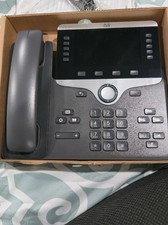
Cisco CP-8861-K9 8861 VoIP IP Corded Phone Charcoal New 9 available
$118.00

Cisco/Linksys SPA2102 VoIP Phone Adapter Router 2FXS (Unlocked)
$17.99
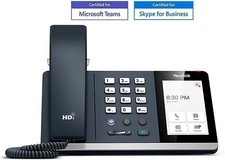
*New* Yealink MP54-Teams Smart Business IP Phone, PoE, Touch Screen
$75.00

Cisco / Linksys SPA2102 VoIP 2FXS Phone Adapter with Router (unlocked)
$18.99

Grandstream HT801 v2 1 FXS, 1 Fast Ethernet New Version
$34.99

Lot of 35 Polycom VVX 300 & VVX400 IP Phones
$150.00



 Reply With Quote