-
help me understand the symlinks on /ramdisk
Hi all,
When booting knoppix from CD, I see a line that says:
Code:
Creating directories and symlinks on /ramdisk...Done
But I can't find that step in the init scripts anywhere.
I want to build a box that will boot from the hard drive, but basically treat the hard drive like a read-only filesystem (just like the CD). It should mount /dev/hd? as ro, so the system coudl be used (and abused) and then be recovered with a reboot.
Can anybody give me a hint on how the root filesystem and all the symlinks on the ramdisk are created when bootinf from CD, so I can mimick it with a hard drive install?
Thanks!
Al
-
Senior Member
registered user
Knoppix loads the kernel and mini root partition from /KNOPPIX-CD-ROOT/boot/isolinux. If you use the 2.4 kernel on knoppix then the kernel loaded is linux24 and the mini root is minirt24.gz. If you use the 2.6 kernel on knoppix then the kernel loaded is linux26 and the mini root is minirt26.gz. You can view the mini root by copying it to another location, unziping it, and loop mounting it.
Code:
cd $HOME
cp /KNOPPIX-CD-ROOT/boot/isolinux/minirt24.gz ./
mkdir foobar
gunzip minirt24.gz
sudo mount -t ext2 -o loop minirt24 ./foobar
Inside the minirt you will find a executable script named linuxrc. This linuxrc script is init script for Knoppix.
#!/static/sh
#
# KNOPPIX General Startup Script
# (C) Klaus Knopper (
[email protected])
#
#
# This script needs some of the builtin ash commands (if, test, ...)
# mount/umount, insmod/rmmod are also a builtin in ash-knoppix
#
Line at about line 612 to 618 is where the symlinks get created.
I hope this helps.
James
-
Senior Member
registered user
UnderScore
I think this will help me solve my issue also. I am trying to start vdr from withen my CD. vdr requires a folder called /video. I copied this folder to my remaster sources folder. After compression it became /KNOPPIX/video so vdr was not able to see it. So, I want to create a symilink /video to /KNOPPIX/video at start up. I have done several things using the above as follows but all failed:
1- I added a line in linuxrc with code: ln -s /KNOPPIX/video /video
2- I added a line in linuxrc with code: ln -s /KNOPPIX/video /
3- I created a folder /video in ./foobar and made the above similink, but the system ignored that folder.
4- I created a similink at ./foobar to /KNOPPIX/video and same thing it was ignored.
I tried many other thing.
Can you sugesst any thing else?
Similar Threads
-
By armanso in forum Hardware & Booting
Replies: 3
Last Post: 03-14-2007, 02:29 PM
-
By csodabogar in forum Networking
Replies: 4
Last Post: 06-27-2006, 08:29 PM
-
By lytieulongcon in forum Hdd Install / Debian / Apt
Replies: 2
Last Post: 11-09-2004, 12:07 PM
-
By estranged in forum Customising & Remastering
Replies: 2
Last Post: 09-25-2003, 09:39 PM
-
By malone in forum General Support
Replies: 2
Last Post: 01-21-2003, 03:22 PM
 Posting Permissions
- You may not post new threads
- You may not post replies
- You may not post attachments
- You may not edit your posts
-
Forum Rules


USB 3.0 Flash Drive 32GB 64GB 128GB Memory Stick Thumb Stick Lot Pack
$826.09

Critical BIOS ROM HPE ProLiant DL160 DL180 Gen9 (U20) U20_3.40_08_29_2024+iLO4
$7.99

Critical BIOS ROM HPE ProLiant BL460cWS46 Gen9 (I36) I36_3.40_08_29_2024+iLO4
$7.99

Critical BIOS ROM HPE ProLiant DL560 Gen9 (P85) P85_3.40_08_29_2024+iLO4
$7.99

USB Type-A Flash Drive Metal Memory Stick High Speed USB Drive 128GB 256GB 512GB
$8.47
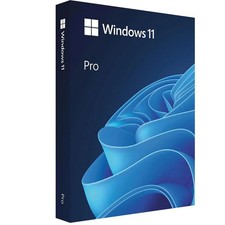
Microsoft Windows 11 Pro 64-Bit USB Flash Drive Sealed with Product Key Card
$39.99
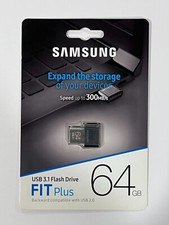
New Samsung FIT Plus 64GB USB 3.1 Flash Drive MUF-64AB/AM
$34.95

Microsoft Windows 11 Pro 64bit - New Sealed – Flash USB 1 PC
$49.99
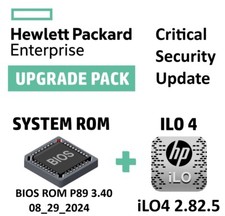
Critical BIOS ROM HPE ProLiant DL580 Gen9 (U17) U17_3.40_08_29_2024+iLO4
$7.99

Zero Trace Pen: All-in-one Tor Network Anonymous Drive + Cryptocurrency Wallet
$147.00



 Reply With Quote