-
I need the Knoppix root password to access my PCMCIA slot
When I try to use my PCMCIA slot with my Linksys Wireless PC Card it asks for the root password. Does anyone have the password? If not is there a work-around for this??
CaptainN
-
Hit the "K" , go to the KNOPPIX menu, and click on root console and you will now have root access
root by default has NO password, so either use the root console under the KNOPPIX menu, or use a virtual terminal (ctrl+alt+f2)
(ctrl+alt+f5 to get back to kde)
-
Senior Member
registered user
-
That was a pretty basic question for knoppix that has been answered about 1000 times
good point rickenbacherus 
-
Ok. Now how do I get it to see the card?? Sorry if I'm acting like an idiot, but this is the first time I've used any form of linux / unix in my life.
CaptainN
-
I'm not sure i'm following you, when i used my dads linksys pcmcia wireless card I had to do nothing. It automatically detected it and used dhcp to get an ip address and i was online at bootup.
What are you trying to run that needs root access.
-
I just simply want to get on the internet with it. I have the card in the slot when I boot into Knoppix. Then when I go to click on Mozilla and type ina url it says the url I typed in can't be found.
CaptainN
-
Senior Member
registered user
You could always try
netcardconfig
from a terminal.
-
Do you have a dhcp server setup that will give you an ip address. At my dads house, he has a small home router connected to his cable modem that will use dhcp and assign the card an ip address and such. You can have the card configured correctly hardware-wise, but if you don't have an IP address and a gateway setup, you wont get online. This is more networking issues than a knoppix problem.
-
Yes my router is set to give automatic ip addresses. Is there something that I'm doig wrong. I also tried netcardconfig several times and each time it failed.
CaptainN
Similar Threads
-
By papwilly in forum Hdd Install / Debian / Apt
Replies: 4
Last Post: 01-20-2005, 02:04 PM
-
By jaykay in forum General Support
Replies: 1
Last Post: 06-07-2004, 08:01 PM
-
By MrWizard in forum General Support
Replies: 3
Last Post: 12-01-2003, 10:14 PM
-
By swamishriji in forum General Support
Replies: 2
Last Post: 04-08-2003, 01:55 AM
-
By swamishriji in forum General Support
Replies: 1
Last Post: 04-07-2003, 04:02 AM
 Posting Permissions
- You may not post new threads
- You may not post replies
- You may not post attachments
- You may not edit your posts
-
Forum Rules


Dell T7910 Workstation Tower Homelab AI Server PC - Xeon CPU - NO HDD/RAM/GPU
$279.99

Lenovo ThinkStation P520c Intel Xeon W-2133 6-Core 3.60GHz -NO RAM/ HDD/ GPU/ OS
$127.54

Dell Precision Tower 7810 Xeon E5-2630 v3 @ 2.40GHz , 32GB Ram, NO HDD, NO OS
$239.99

Dell Precision T1700 Workstation Intel Xeon 16G Ram 256GG SSD Nvidia 600 Win 10
$109.99

Intel Xeon E5-2680 V2 2.8GHz 10-Core 25MB 8GT/s SR1A6 LGA2011 B Grade Server CPU
$7.95

Intel Xeon E5-2699 V4 2.20GHz 55M 22-CORES LGA2011-3 Server Processor 145W SR2JS
$84.49
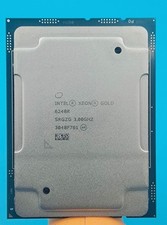
Intel Xeon Gold 6248R 3.0GHz 24-Core SRGZG 35.75MB LGA3647 Server CPU Processor
$269.99
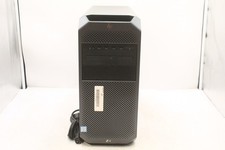
HP Z4 G4 WORKSTATION | INTEL XEON W-2245 3.9GHZ | 512GB | 16GB | NO OS
$299.99

For Parts - Lenovo ThinkServer TS460 Part Number: 70TT-0020UX
$149.99

Intel Xeon Phi 5110P 60-Core 1.053GHz Coprocessor
$50.00



 Reply With Quote