-
modem and soundcard problems
I've been encountering some problems in using KPPP to dial up. It seems to recognize it fine, but when I go to dial up, Knoppix says it can't find it.
The second problem is my soundcard. Whenever I go to play something, a box always pops up and says to make sure it's configured correctly, no programs are blocking the card, and to check the drivers. I've tried all the drivers and nothing works.
Thanks for your time.
Knoppix 3.6 lspci -v output:
0000:00:00.0 Host bridge: Intel Corp. 82845G/GL[Brookdale-G]/GE/PE DRAM
Controller/Host-Hub Interface (rev 01)
Subsystem: Dell: Unknown device 0160
Flags: bus master, fast devsel, latency 0
Memory at e8000000 (32-bit, prefetchable) [size=128M]
Capabilities: [e4] #09 [1105]
0000:00:02.0 Display controller: Intel Corp. 82845G/GL[Brookdale-G]/GE Chipset
Integrated Graphics Device (rev 01)
Subsystem: Dell: Unknown device 0160
Flags: fast devsel, IRQ 16
Memory at e0000000 (32-bit, prefetchable) [disabled] [size=128M]
Memory at feb80000 (32-bit, non-prefetchable) [disabled] [size=512K]
Capabilities: [d0] Power Management version 1
0000:00:1d.0 USB Controller: Intel Corp. 82801DB/DBL/DBM (ICH4/ICH4-L/ICH4-M)
USB UHCI Controller #1 (rev 01) (prog-if 00 [UHCI])
Subsystem: Dell: Unknown device 0160
Flags: bus master, medium devsel, latency 0, IRQ 16
I/O ports at ff80 [size=32]
0000:00:1d.1 USB Controller: Intel Corp. 82801DB/DBL/DBM (ICH4/ICH4-L/ICH4-M)
USB UHCI Controller #2 (rev 01) (prog-if 00 [UHCI])
Subsystem: Dell: Unknown device 0160
Flags: bus master, medium devsel, latency 0, IRQ 19
I/O ports at ff60 [size=32]
0000:00:1d.2 USB Controller: Intel Corp. 82801DB/DBL/DBM (ICH4/ICH4-L/ICH4-M)
USB UHCI Controller #3 (rev 01) (prog-if 00 [UHCI])
Subsystem: Dell: Unknown device 0160
Flags: bus master, medium devsel, latency 0, IRQ 18
I/O ports at ff40 [size=32]
0000:00:1d.7 USB Controller: Intel Corp. 82801DB/DBM (ICH4/ICH4-M) USB 2.0 EHCI
Controller (rev 01) (prog-if 20 [EHCI])
Subsystem: Dell: Unknown device 0160
Flags: bus master, medium devsel, latency 0, IRQ 23
Memory at ffa80800 (32-bit, non-prefetchable) [size=1K]
Capabilities: [50] Power Management version 2
Capabilities: [58] #0a [2080]
0000:00:1e.0 PCI bridge: Intel Corp. 82801 PCI Bridge (rev 81) (prog-if 00
[Normal decode])
Flags: bus master, fast devsel, latency 0
Bus: primary=00, secondary=01, subordinate=01, sec-latency=32
I/O behind bridge: 0000d000-0000dfff
Memory behind bridge: fd000000-feafffff
Prefetchable memory behind bridge: f0000000-f7ffffff
0000:00:1f.0 ISA bridge: Intel Corp. 82801DB/DBL (ICH4/ICH4-L) LPC Bridge (rev
01)
Flags: bus master, medium devsel, latency 0
0000:00:1f.1 IDE interface: Intel Corp. 82801DB/DBL (ICH4/ICH4-L) UltraATA-100
IDE Controller (rev 01) (prog-if 8a [Master SecP PriP])
Subsystem: Dell: Unknown device 0160
Flags: bus master, medium devsel, latency 0, IRQ 18
I/O ports at <ignored>
I/O ports at <ignored>
I/O ports at <ignored>
I/O ports at <ignored>
I/O ports at ffa0 [size=16]
Memory at feb7fc00 (32-bit, non-prefetchable) [size=1K]
0000:00:1f.3 SMBus: Intel Corp. 82801DB/DBL/DBM (ICH4/ICH4-L/ICH4-M) SMBus
Controller (rev 01)
Subsystem: Dell: Unknown device 0160
Flags: medium devsel, IRQ 17
I/O ports at efe0 [size=32]
0000:01:04.0 VGA compatible controller: nVidia Corporation NV34 [GeForce FX
5200] (rev a1) (prog-if 00 [VGA])
Subsystem: PROLINK Microsystems Corp: Unknown device 1152
Flags: bus master, 66MHz, medium devsel, latency 64, IRQ 16
Memory at fd000000 (32-bit, non-prefetchable) [size=16M]
Memory at f0000000 (32-bit, prefetchable) [size=128M]
Expansion ROM at fea00000 [disabled] [size=128K]
Capabilities: [60] Power Management version 2
0000:01:05.0 Modem: Broadcom Corporation BCM4212 v.90 56k modem (rev 02)
(prog-if 00 [Generic])
Subsystem: Dell: Unknown device 0001
Flags: bus master, fast devsel, latency 64, IRQ 17
Memory at fe9fd000 (32-bit, non-prefetchable) [size=4K]
I/O ports at dfa0 [size=16]
Capabilities: [40] Power Management version 2
0000:01:06.0 Multimedia audio controller: Creative Labs [SB Live! Value]
EMU10k1X
Subsystem: Creative Labs: Unknown device 1003
Flags: bus master, medium devsel, latency 64, IRQ 18
I/O ports at dfe0 [size=32]
Capabilities: [dc] Power Management version 2
0000:01:06.1 Input device controller: Creative Labs [SB Live! Value] Input
device controller
Subsystem: Creative Labs: Unknown device 1003
Flags: bus master, medium devsel, latency 64
I/O ports at df98 [size=8]
Capabilities: [dc] Power Management version 2
0000:01:09.0 Ethernet controller: Broadcom Corporation BCM4401 100Base-T (rev
01)
Subsystem: Dell: Unknown device 8127
Flags: bus master, fast devsel, latency 64, IRQ 17
Memory at fe9fe000 (32-bit, non-prefetchable) [size=8K]
Expansion ROM at fea00000 [disabled] [size=16K]
Capabilities: [40] Power Management version 2
-
Senior Member
registered user
0000:01:05.0 Modem: Broadcom Corporation BCM4212 v.90 56k modem (rev 02)
(prog-if 00 [Generic])
Subsystem: Dell: Unknown device 0001
Flags: bus master, fast devsel, latency 64, IRQ 17
Memory at fe9fd000 (32-bit, non-prefetchable) [size=4K]
I/O ports at dfa0 [size=16]
Capabilities: [40] Power Management version 2
0000:01:06.0 Multimedia audio controller: Creative Labs [SB Live! Value]
EMU10k1X
Subsystem: Creative Labs: Unknown device 1003
Flags: bus master, medium devsel, latency 64, IRQ 18
I/O ports at dfe0 [size=32]
Capabilities: [dc] Power Management version 2
0000:01:06.1 Input device controller: Creative Labs [SB Live! Value] Input
device controller
Subsystem: Creative Labs: Unknown device 1003
Flags: bus master, medium devsel, latency 64
I/O ports at df98 [size=8]
Capabilities: [dc] Power Management version 2
To the modem problem do "pppconfig" as root at a terminal and go through the set up program.
If you are using kppp in KDE make sure that your modem is actually selected NOT /dev/modem
BUT the actual device e.g /dev/ttyS0 ( well an internal pci modem won't be S0 it will be ttyS?
where ? is whatever the slot # is) See if that works for you.
For sound you could try "alsaconfig" or just the control center>sound and multimedia>sound system
check to see that sound is enabled and you should be able to check what card is being used too
You can also test sound from there-good luck
-
sound card and modem
I found the PCI slots for my modem and sound card. However, when I tried to put select the correct slot for the sound card in the Control Center, it gave me an error message saying the sound driver couldn't be initialized. I did a sndconfig which confirmed that. With the modem, I tried all 4 PCI slots and they all said the modem was busy even though no one happened to be using the phone at the time.
-
Senior Member
registered user
I'm going to leave the sound problem alone for now.
The message modem busy, in this case, indicates that the correct device isn't selected
and/or the modem parameters are not correct.
Did you try using "pppconfig"?
-
I tried pppconfig and started an account, but when I went to use KPPP I still couldn't dial-up. pppconfig created a file with all the info, but I didn't see a way to load that into KPPP.
-
Senior Member
registered user
Unfortunately you do have to configure kppp too.
You have to enter set up, select your modem and enter your isp,
name, phone# and anything else it needs to work.
There is a place to query modem too and that's key
because if it can't find the modem after you've completed the
kppp modem info then something is wrong.
Some people here don't like kppp.
You can also try ( at a terminal ) "pon the_account_you _created"
if that works "poff" will close the connection. Good luck
As a last resort you could also look at minicom type "man minicom"
at a terminal to check it out.
-
Yeah, I also tried querying the modem and it seemed to find it, but got hung up on initializing the modem. Has anybody ever encountered that?? I'll try pon though.
-
pon didn't seem to work. I tried "pon <account>" and got nothing; just back to a prompt.
-
Senior Member
registered user

Originally Posted by
lvraab
Yeah, I also tried querying the modem and it seemed to find it, but got hung up on initializing the modem. Has anybody ever encountered that?? I'll try pon though.
If you enable the debug option in kppp and then copy and paste the output here
someone may be able to provide some answers.
If you get a specific error status code you can also check "man pppd" to find out
what it means.
Similar Threads
-
By lucas91 in forum Hardware & Booting
Replies: 0
Last Post: 02-17-2006, 05:24 AM
-
By drakegta in forum MS Windows & New to Linux
Replies: 5
Last Post: 11-21-2005, 08:55 PM
-
By oceans11 in forum General Support
Replies: 5
Last Post: 05-25-2005, 06:59 AM
-
By aquaxpillx108 in forum Hardware & Booting
Replies: 4
Last Post: 01-24-2005, 08:24 PM
-
By empro in forum General Support
Replies: 2
Last Post: 12-12-2004, 09:17 PM
 Posting Permissions
- You may not post new threads
- You may not post replies
- You may not post attachments
- You may not edit your posts
-
Forum Rules


Commodore 128 C128 Computer FOR PARTS / REPAIR Untested Missing Key No Cords
$149.99

TeensyROM+ TR+ v0.4 Cartridge for C64/128 - w/ Case & 32GB SD Preloaded
$89.50

Pi1541 Zero with Epyx Fastload Hat, Case & 16gb SD for Commodore 64 and 128
$79.99

Commodore OS USB | Bootable LIVE + Install | The Ultimate Gaming Linux OS | NEW
$11.99

Commodore 64 Serial Cable 6PIN DIN 1541 1571 C64 128 C128 Disk Drive Printer USA
$10.49

Commodore 64 PC with Model 1541 Diskette Drive and Flight Simulator II *READ*
$199.99

Commodore 1541 Emulator PI1541 HAT with ROTARY, OLED screen, USA Seller
$29.99
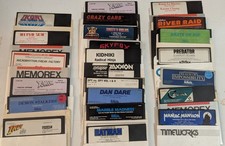
Commodore 64/C64 23 Original Games (Untested /As Is ,no returns )Maniac Mansion
$115.00

Commodore 64 Dead Test & Diagnostic Cartridge & Test Harness Set - USA seller
$39.99
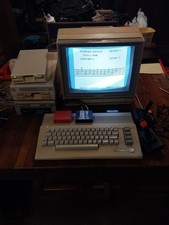
Commodore 64c Computer System
$550.00



 Reply With Quote