

 Reply With Quote
AFAIK, the only way to edit /etc/sudoers is with
visudo -f /etc/sudoers


Frustrated with not being able to use sudo to get stuff done? Well, don't worry, here is how to get that power back, without re-installing!
1. Log in as root
2. open kwrite or kate
3. open /etc/sudoers (or sudoer or something like that, I cannot remember right now)
4. copy+paste the root entry, then change username to your username.
5. Enjoy using sudo once again!
AFAIK, the only way to edit /etc/sudoers is with
visudo -f /etc/sudoers
Visudo isn't the only way to edit but it does check the syntax for errors and locks the file while you edit which is nonimportant on a single user desktop. If you want an easier editor than vim you can do: EDITOR=mcedit visudo , or change the default editor with: update-alternatives --config editor . After that just run visudo and mcedit will be used.
For some examples have a look at: man sudoers
 Posting Permissions

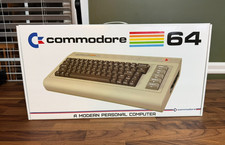
Commodore USA 64x Mini-ITX Barebones w/ Slot Load Blu-ray, Memory Card Reader ++
$449.99

Vintage 1983 Commodore 1702 Color Video CRT Monitor. Tested.
$350.00

TeensyROM+ TR+ v0.4 Cartridge for C64/128 - w/ Case & 32GB SD Preloaded
$89.50

Commodore VIC-20 Diagnostic Cartridge & Test Harness Set - USA seller
$39.99
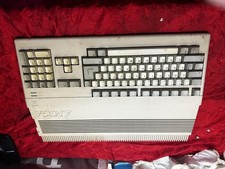
Amiga Commodore A500 - Untested-For Parts or Repair - Vintage
$200.00
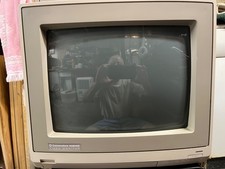
Commodore 1084S-D 14" CRT Monitor For Amiga / C128/64, 1084 Docs, Works
$355.00

Commodore 128 C128 Computer FOR PARTS / REPAIR Untested Missing Key No Cords
$149.99
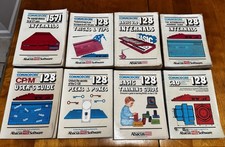
Abacus Software Commodore 128 C-128 Book Lot 8 BASIC 7.0 CP/M CAD Manuals
$500.00

Commodore 64 Dead Test & Diagnostic Cartridge & Test Harness Set - USA seller
$39.99

Commodore 64 Drive Alignment & Utility Diskette
$9.99