

 Reply With Quote
anyone?


Hey,
I need a template /etc/init.d/rc script to mess around with. I had a package dependency issue that I thought I could resolve by deleting this file (not realising that it's a critical part of the boot up process). Now I need to code it up from scratch, and a template would be uber useful. could someone throw up their /etc/init.d/rc file, please???
thanks
anyone?
Well, since no one with knoppix answered, try this from Kanotix BH5
root@mrk-fujibox:~# cat /etc/init.d/rc
Code:#! /bin/sh # # rc This file is responsible for starting/stopping # services when the runlevel changes. # # Optimization feature: # A startup script is _not_ run when the service was # running in the previous runlevel and it wasn't stopped # in the runlevel transition (most Debian services don't # have K?? links in rc{1,2,3,4,5} ) # # Author: Miquel van Smoorenburg <[email protected]> # Bruce Perens <[email protected]> # # Version: @(#)rc 2.78 07-Nov-1999 [email protected] # # Un-comment the following for debugging. # debug=echo # # Start script or program. # startup() { case "$1" in *.sh) $debug sh "$@" ;; *) $debug "$@" ;; esac } # Ignore CTRL-C only in this shell, so we can interrupt subprocesses. trap ":" INT QUIT TSTP # Set onlcr to avoid staircase effect. stty onlcr 0>&1 # Now find out what the current and what the previous runlevel are. runlevel=$RUNLEVEL # Get first argument. Set new runlevel to this argument. [ "$1" != "" ] && runlevel=$1 if [ "$runlevel" = "" ] then echo "Usage: $0 <runlevel>" >&2 exit 1 fi previous=$PREVLEVEL [ "$previous" = "" ] && previous=N export runlevel previous # Is there an rc directory for this new runlevel? if [ -d /etc/rc$runlevel.d ] then # First, run the KILL scripts. if [ $previous != N ] then for i in /etc/rc$runlevel.d/K[0-9][0-9]* do # Check if the script is there. [ ! -f $i ] && continue # Stop the service. startup $i stop done fi # Now run the START scripts for this runlevel. for i in /etc/rc$runlevel.d/S* do [ ! -f $i ] && continue if [ $previous != N ] && [ $previous != S ] then # # Find start script in previous runlevel and # stop script in this runlevel. # suffix=${i#/etc/rc$runlevel.d/S[0-9][0-9]} stop=/etc/rc$runlevel.d/K[0-9][0-9]$suffix previous_start=/etc/rc$previous.d/S[0-9][0-9]$suffix # # If there is a start script in the previous level # and _no_ stop script in this level, we don't # have to re-start the service. # [ -f $previous_start ] && [ ! -f $stop ] && continue fi case "$runlevel" in 0|6) startup $i stop ;; *) startup $i start ;; esac done fi # eof /etc/init.d/rc
 Posting Permissions


Seagate ST6000NM0115 6TB 256MB 7200RPM 3.5" SATA 6.0Gb/s Enterprise Hard Drive
$159.99

Seagate Exos X14 10TB 7200RPM 3.5" SAS 12Gb/s Hard Drive HDD ST10000NM0528
$165.00

Seagate 14TB Exos X14 7200RPM SATA 6Gb/s 256MB 3.5" Enterprise HDD ST14000NM0408
$354.99

Seagate Exos X16 ST10000NM010G 10TB 7200RPM SAS 12Gb/s 3.5" 512e/4Kn HDD
$199.00

Western Digital WD Blue WD10EZEX 1 TB 3.5" SATA III Desktop Hard Drive
$23.99

Dell ST91000640SS 1TB 2.5" 6Gb/s 64MB 7.2K RPM SAS Hard Drive Dell P/N: 0VXTPX
$16.99

HGST HUS724040ALA640 4TB 7200 RPM SATA 3.5" Internal Desktop Drive 100% Health
$78.00

Seagate Barracuda 3TB 3.5" HDD 7200RPM 64MB SATA 6Gb/s ST3000DM001 Tested
$49.99
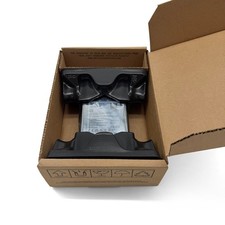
SEAGATE ST4000LM024 4TB 2.5" SATA 5400RPM 128MB HDD LAPTOP HARD DRIVE
$169.00

MG08SCA16TE Toshiba 16TB 7.2K SAS 12gb/s 512e 3.5inch HDD HDEPN10GEA51 NEW
$454.44