-
create a permanent swap
I am running Knoppix 3.7 en with the 2.4 kernel. Two drives. hda is format with nothing. hdb1 has my network save settings. hdb2 is a place where I can save my settings when I am testing new stuff. hdb3 is my perm home dir and I am using the entire part. works perfectly.
I would like to take hda1 and part some space dedicated for swap and use the rest for whatever comes up. My problem is that I have no idea how to tell knoppix that I have a perm swap dev during boot. I would like to dedicate like 1024 to swap at least, but if there is no way to have knoppix use this then it's pointless.
Is this possible, and if so, then how?
-
Knoppix will automatically mount any swap partition it finds while booting.
In fact, you have to tell it not to mount swap partitions
if you are doing forensics or disk imaging with knoppix.
Use your partioning software of choice to partition hda.
As root
"mkswap /dev/hda1"
"swapon /dev/hda1"
Knoppix will use your swap partition now. If you reboot,
knoppix will automatically mount it as swap.
-
Junior Member
registered user

Originally Posted by
ghaze
Knoppix will automatically mount any swap partition it finds while booting.
In fact, you have to tell it not to mount swap partitions
if you are doing forensics or disk imaging with knoppix.
Why do you not want to be running swap if you are doing "disk imaging"?
(I.e., what exactly are you referring to when you say "disk imaging"?)
-
Why do you not want to be running swap if you are doing "disk imaging"?
(I.e., what exactly are you referring to when you say "disk imaging"?)
You might want to copy one hard drive to another.
dd if=/dev/hda of=/dev/hdb
or
dd if=/dev/hda of=/dev/hdb1/hda.img
You can restore the image by reversing the command.
dd if=/dev/hdb1/hda.img of=/dev/hda
It wouldn't work very well with the swap on hda mounted and active.
If you are creating the image to preserve evidence of a crime, or for forensic
work, you don't want knoppix to make any changes at all to the disk.
Generally, when playing with partitions, it is better not to have any mounted on that disk.
YMMV
-
Junior Member
registered user
Originally Posted by
ghaze
Why do you not want to be running swap if you are doing "disk imaging"?
(I.e., what exactly are you referring to when you say "disk imaging"?)
(A bunch of "Unix 101 stuff" - snipped)
It wouldn't work very well with the swap on hda mounted and active.
If you are creating the image to preserve evidence of a crime, or for forensic
work, you don't want knoppix to make any changes at all to the disk.
Generally, when playing with partitions, it is better not to have any mounted on that disk.
YMMV
Of course. But that doesn't have anything to do with swap partitions, per se. I.e., of course, you don't want anything active on the partition you are working on, but you could certainly have swap partitions active in other areas while you are working there.
-
Gazelle,
You've certainly ot'd this thread. I mentioned the fact that you had to
tell knoppix not to mount swap partitions if they were available so the
other poster would understand that knoppix mounts swap automatically.
To answer your point, if you are making a direct disk to disk copy, or
creating a hard drive image, you don't want swap active and mounted,
on that drive.
If your box swaps out while running dd, the imaging will take awhile,
to say the least.
As far as forensics goes, type
forensics noswap knoppix
into a google search box to find out why mounting a swap partition on a drive
you are trying to preserve might not be a good idea.
If you are using qtparted on your disk, you might have a hard time resizing
your partitions if a swap partition on that drive is mounted. Maybe not, depending
on what you are trying do.
unix 101, huh? Might not be a bad idea for some of us.
Have a Nice Day

Similar Threads
-
By Ham13 in forum Hardware & Booting
Replies: 15
Last Post: 01-20-2007, 07:31 PM
-
By Ham13 in forum MS Windows & New to Linux
Replies: 0
Last Post: 09-05-2006, 01:09 AM
-
By finferflu in forum General Support
Replies: 5
Last Post: 05-12-2006, 01:53 PM
-
By jariep in forum General Support
Replies: 2
Last Post: 04-04-2005, 06:57 PM
-
By bongski55 in forum General Support
Replies: 3
Last Post: 05-06-2003, 05:50 PM
 Posting Permissions
- You may not post new threads
- You may not post replies
- You may not post attachments
- You may not edit your posts
-
Forum Rules

Lot of 32 Samsung 64GB DDR4 LRDIMM Server RAM M386A8K40CM2-CTD7Y (Hitachi VSP)
$7999.00

MICRON MTA36ASF4G72PZ-2G6E1 | 32GB PC4-2666V ECC RDIMM Server RAM
$184.95

SMART(Micron)SafeStor 32GB(1X32GB) 1RX4 NN4-3200AA(DDR4) HPE Server Memory
$159.98
Samsung 16 Gb Ddr 4-3200 Laptop Memory
$50.00

Kingston 32GB 64GB 128GB 256GB USB 3.0 Flash Drive Thumb Memory Stick Pen lot
$285.90

USB 3.0 Flash Drive 32GB 64GB 128GB Memory Stick Thumb Stick Lot Pack
$826.09
10 LOT 8GB PC4-2666V Desktop Computer PC Memory DDR4 RAM Mixed Brands TESTED
$274.99
Samsung (8X32GB) 256GB 2Rx4 PC4-2933Y-RB2-12 Registered ECC Memory DDR4
$1649.99

x4 Intel 128GB NMB1XXD128GPS Optane Memory 200 Series PMEM Module 3200 DDR4 RAM
$329.99
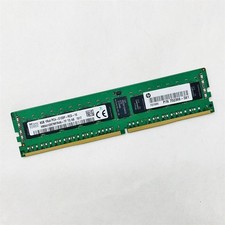
SK Hynix 8GB 1RX4 PC4-2133P-RC0-10 Registered Server RAM HMA41GR7MFR4N-TF TD AB
$34.99



 Reply With Quote