

 Reply With Quote
At first glance, this looks like you didn't burn the .iso as an image, but rather burnt a data CD with the iso on it. Any error messages? Can you try with the other boot devides disabled in the bios?


Hello - I'm brand new to Knoppix, so please bear with me!
I have Knoppix 3.7.1 on Live CD. Just running the CD in the CR-ROM drive brings up the html welcome page, and all the links work fine.
However, when I try to boot from the Live CD, the CD simply isn't being recognised by the CD-ROM drive. The full hierarchy seems to be on the CD - the Boot folder contains an Isolinux folder which in turn contains 3.97Mb. The KNOPPIX folder is 694Mb and contains and Images folder and several other files, of which KNOPPIX is the main one.
I have set up my bios to show the CD-ROM drive as the 1st bootable device. The computer does spend several seconds looking for a bootable record on the CD-ROM before passing on and booting up in Windows 2000 Professional as usual.
I'm using an ATAPI 24x CD-ROM drive.
Any help or guidance appreciated.
Many thanks.
At first glance, this looks like you didn't burn the .iso as an image, but rather burnt a data CD with the iso on it. Any error messages? Can you try with the other boot devides disabled in the bios?
Thanks for coming back.
I didn't actual burn th CD myself - I bought it ready-cooked!
There are no error messages - the CD is simply ignored.
I have tried with the HD as the 3rd bootable source (behind Floppy/CD & CD/Floppy), but was a little nervous of attempting to boot with no source designated other than the CD-ROM. What would be the consequence of booting with no source selected if the CD refused to respond?
Cheers.
There are some PCs with CDROMs & BIOSs that will not boot a Knoppix greater than version 3.3 beacause the CDROM boot initialization code was changed. Please let us know your PCs specs to the best of your ability. If it turns out that your PC is one of those non-working PCs, then http://btmgr.webframe.org/ Smart Boot Manager can help. It is a boot floppy that allows you to choose boot non-conforming CDROMs.
I hope this helps.
James
No, the fact that it causes the autorun file to be evoked when inserted into Windows shows that it was burnt properly. I would suspect the BIOS or a need to use SBM.Originally Posted by fingers99
Thanks, James/Harry –
Hopefully this info will give you some idea of my system.
Windows 2000 Professional Service Pack 4 (build 2195)
267 MHz Intel Pentium II
ATAPI CD-ROM DRIVE-24X
3.5" Floppy drive
384 Mb RAM
I’ve had a look at Smart Boot Manager – I’m sure it’s excellent and easy to work with, but at the moment it all looks double-dutch to me. Maybe I’m a bit thick, but even the Simple User Guide seemed anything but “simple”!
If it comes to it, do I download a binary file with addons or a “main package” and addons? Can you tell from my system info which way I should go?
I’m gathering from what I’ve seen on the SBM site that I would load the SBM floppy AND my KNOPPIX 3.7.1 CD-ROM into their respective drives, then use the floppy to fire up the CD. Is that a reasonable overview of the procedure?
Any thoughts very welcome – sorry to be so vague about all this…
Basically with SBM you have to options:
- 1) The safest is to make a SBM floppy. You download the installed, RUN it from a "DOS" command shell (under Windows is fine) and pass it a few switches to write a floppy (run it without any switches for a list of switch options). Then you can boot that floppy and use it to boot any bootable CD, Knoppix or anything else.
2) The easiest way is to just install SBM to your hard drive's MBR. Done exactly as above, just change one of the switches used. After that when you boot the hard drive you get a SMB menu and can pick to boot a hard drive partition or a CD drive (or even a floppy).
The SBM menu is a little knunky and ugly, but it works. Some thing a lot nicer looking and with a lot more features is XOSL. I like to install XOSL to it's own small partition (the author's recommendation to install it to the Windows partition can be safely ignored). Either XOSL or SBM should do what you need.
I'm sorry - I know it must be me - but I really don't understand any of the above.
What does "You download the installed, RUN it from a "DOS" command shell (under Windows is fine) and pass it a few switches..." mean?
Essentially, I guess I want to know which of the SBM files I download to floppy? Then, having done that, do I just use the floppy to boot the KNOPPIX 3.7.1 CD? I'd like to think it was that simple.
Thanks in anticipation - remember, you're really dealing with Dumbo at this end!
You do not download it to a floppy. What you download is an installer that makes a bootable floppy for you. To make the floppy you need to pass the program a few switches (aka command line options), so you don't just click on it in Windows (if you do you'll just see a quick flash and nothing will seem to happen). You need to bring up a command prompt, DOS shell, or whatever it's called in 2000 (I don't use 2000 and MS calls it different things in different versions of Windows)
Thanks ever so much for all the help, guys.
I think I'm going to have to leave it awhile until I'm a little more experienced!
 Posting Permissions


Vintage Apple II Avant-Garde Creations Super Shape Draw And Animate 1981
$295.00

Vintage Apple Monitor IIc 9" Green Monochrome 06/1985 A2M4090 October 1984 Stand
$275.00

Rare Vintage Macintosh Apple Wooden Disk Storage Box Dovetailed
$69.95

LARGE LOT Vintage Apple Macintosh Mouse Cables Accessories SCSI etc - UNTESTED
$80.00

Vintage Apple Macintosh 128K 512K Carrying Case Rainbow Logo Excellent Cond
$140.00
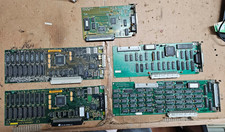
5x Vintage Apple Macintosh II NuBus Cards 630-4179 NI GPIB DIO Asante Ethernet
$239.95
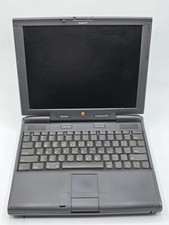
Apple PowerBook 3400c TFT LCD RARE Vintage Laptop untested
$139.99
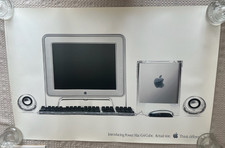
Vintage Apple Power Mac G4 Cube Poster (2000) 36 x 24 - Think Different
$29.99

Vintage Apple Multiple Scan 15av Display Monitor M4681
$299.99
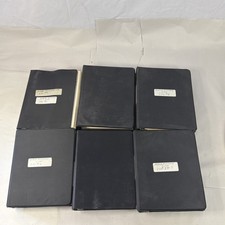
Vintage Apple Assembly Line Newsletter Vol: 1,2,3,4,5,6,7 From 1984
$179.99