-
Administrator
Site Admin-

Originally Posted by
TrevorM
Thanks ever so much for all the help, guys.
I think I'm going to have to leave it awhile until I'm a little more experienced!
It's not really that hard, and you get experience by doing. If you think you are too green then I would suggest that you could stay away from he MBR install as well as XOLS (although I have talked friends through an XOSL install over the phone, even when they didn't follow the instructions and got "creative"). But there is no risk with a floppy install. If you ask I'll be glad to try to answer your questions, I just don't know what more to tell you.
-
Junior Member
registered user
OK guys, so here’s where I’m at.
I downloaded sbootmgr.dsk (it’s SBM 3.7.1 – coincidence!) from http://linux.simple.be/tools/sbm , and saved it to floppy as an image using a little utility called Diskwriter, which I found at http://www.daansystems.com/freestuff/
The result was great, so far as Smart Boot Manager was concerned. When I booted up with the floppy in place, SBM kicked in and I could get all the screens shown on SBM’s own “Screen Shots” page. So, I knew I was on the right track.
The problem was – it didn’t work! When trying to boot my KNOPPIX 3.7.1 CD, SBM came up with the red message “Disk error! 0x01”.
I’m getting a little worried about two aspects of my CD.
First, is it actually an image? When I explore it, the root directory is as follows:
boot
KNOPPIX
autorun.bat
autorun.inf
autorun.pif
cdrom.ico
index.html
The boot folder contains the isolinux folder with the following contents & file sizes:
boot.cat 2,048
boot.msg 139
boot-en.msg 139
f2 1,532
f2-en 1,532
f3 1,675
f3-en 1,675
german.kbd 256
isolinux.bin 9,404
isolinux.cfg 2,569
linux24 1,018,412
linux26 1,458,313
logo.16 10,048
memtest 86,980
minirt24.gz 803,216
minirt26.gz 769,909
The KNOPPIX folder itself contains an image folder -
knoppix-header.gif 11,143
knoppix-logo.gif 15,227
rule.gif 317
sidefill.gif 898
topleft.gif 8,369
topright.gif 4,615
and these files:
background.png 912,227
index.html 8,869
index_dk.html 10,811
index_en.html 8,404
index_es.html 12,068
index_fr.html 9,852
index_it.html 10,625
index_jp.html 10,815
index_nl.html 10,672
index_ru.html 13,368
KNOPPIX 727,172,362
knoppix-cheatcodes.txt 9,946
KNOPPIX-FAQ.txt 10,354
KNOPPIX-FAQ-EN.txt 9,339
KNOPPIX-FAQ-ES.txt 9,741
KNOPPIX-FAQ-FR.txt 11,000
KNOPPIX-FAQ-IT.txt 10,751
KNOPPIX-FAQ-NL.txt 9,735
knoppix-version 15
LICENSE.txt 18,487
md5sums 2,666
README_Security.txt 2,207
Are these files showing up as they should on a disk image? Or is this actually just a data CD?
The second thing is, I’m a little bit worried about the integrity of my CD.
I thought I might use Nero to try a re-burn as a disk image. However, I found that I couldn’t burn direct from my KNOPPIX 3.7.1 CD; it hung on the main KNOPPIX file with about 10 per cent still to go, flagging up “invalid MS-DOS function”.
I’ve even tried using XCOPY to copy the contents of the KNOPPIX CD onto my Hard Drive – I thought maybe I could burn from there - but even XCOPY couldn’t complete the transfer of the big KNOPPIX file.
So, do I have a faulty CD?
I guess that has to be my last question for the moment. Sorry to have gone on at such length, and thanks again for your time.
-
Senior Member
registered user
no by the looks of it your cd is correct. if you was to burn it incorrectly (data disk) then the cd would just have the iso file on it.
burning it as a image uncompresses the iso and creates them files. i have never used smb so i can not help you with that sadly. but im sure harry or another member of the forum will beable to help you.
-
Senior Member
registered user
have you checked the md5sum?
if not do so.
-
Junior Member
registered user
Sorry, what's the md5sum?
-
Senior Member
registered user
here you find a good description of md5sum ad how to use it.
http://www.knoppix.net/wiki/Download...O_CD_images.3F
hope it clears things up. if something is wrong with the iso it is likely to show up.
disks can be md5summed aswell (not all it depends some HOW they where burned), it is worth a shot.
-
Junior Member
registered user
Thanks OErian, I'll give it a try.
-
Junior Member
registered user
OK, I've downloaded md5sum, and run it on my KNOPPIX 3.7.1 CD. The results are interesting, though I'm not sure how to interpret them.
Asking the program to generate on all files (including KNOPPIX/md5sums) gives me the green light, with one exception; KNOPPIX/KNOPPIX itself.
It isn't that I get a red error icon; the program stops generating on KNOPPIX/KNOPPIX at 95% and never comes off orange (processing). From there, all I can do is Ctl/Alt/Del to redress the situation, because the prog's "Cancel" button doesn't work.
Where does this leave me? Does it indicate that I have a corrupt CD?
Oh Boy....
-
Senior Member
registered user
no you check the md5sum of the iso not the burned cd.
-
Junior Member
registered user
Sorry, pureone - where's the iso?
Similar Threads
-
By nosmo_king in forum Hardware & Booting
Replies: 1
Last Post: 05-09-2007, 03:07 PM
-
By ocho in forum Hardware & Booting
Replies: 1
Last Post: 04-19-2007, 08:33 PM
-
By pterandon in forum Hardware & Booting
Replies: 1
Last Post: 06-05-2006, 08:56 PM
-
By Naomi in forum General Support
Replies: 1
Last Post: 02-29-2004, 05:00 PM
-
By wfb in forum General Support
Replies: 0
Last Post: 08-31-2003, 06:26 AM
 Posting Permissions
- You may not post new threads
- You may not post replies
- You may not post attachments
- You may not edit your posts
-
Forum Rules


Netac DDR4 32GB 16GB DDR4 3200MHz UDIMM C16 Desktop Internal Memory RAM Kit
$105.99
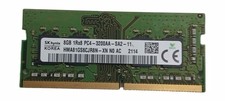
Sk Hynix 8GB PC4-3200AA PC4-3200 260-Pin SO-DIMM Laptop RAM
$31.99
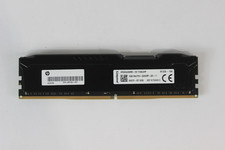
Kingston 16GB 2Rx8 PC4 HP26D4U9D8ME-16X 2666MHz (PC4-21300) DDR4 Desktop RAM
$99.99
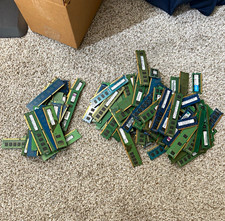
100 Desktop RAM Memory 14 8gb rams 3 1g rams 59 4gb rams and 24 2gb
$1300.00

Corsair CMK32GX4M2B3000C15 Vengeance LPX DDR4 3000mhz Memory Kit - 32GB (2x16GB)
$164.95

RAMAXEL Lenovo 32GB LPDDR5X CAMM2 7500MHz Laptop RAM | UNTESTED
$445.00
Corsair Vengeance RGB Pro 32GB (2x16GB) RAM 3200 mhz
$160.00

Corsair Vengeance DDR3 8GB 16GB 32GB 1866MHz PC3-14900 Desktop RAM Memory DIMM
$43.00
Samsung 8GB DDR4-2666MHz PC4-2666V Registered ECC Server RAM M393A1K43BB1-CTD6Y
$30.00

Crucial 16GB (2x 8GB) Kit DDR3 1600MHz PC3-12800 UDIMM Desktop 240-Pin CL11 RAM
$41.00



 Reply With Quote