-
Senior Member
registered user
Howdy ssj2kite,
Your certainly hanging in there with this.
>>
Well I tried it, but when either of them were just primary by themselves, it just didn't load anything. Instead of where the error was supposed to be, nothing appeared
>>
I'm not quite sure what your saying there.
There __both__ primary partitions, evey thing in the main boot sector is. They will just fulfill different purposes as per their "id" field. And thats just there so that any sw that deals with the table will know for what purpose that partition is to be used.
Normally, the main bootstrap will just sequence through the 4 possible records, looking for one that has its' first bytes top bit set. Which makes it show up as 0x80. When it finds that record, it will go to the first sector of that partition and load whatever it finds there into low ram, and give execution/control to it. Thats where the first stage loading basically starts.
So you should really only have one of those partitions "active". And, normally i would have thought it would need to be the "second" one.
After all, that is your Windows C:\ drive ???, is it not ?
So one would expect thats where the first stage loader would be found.
Assuming there is no __error__ in the edit you made using my dump. As you haven't revealed a lot about what you actually did, i can't be fully sure. That file certainly wont be liking any "carriage returns" or "new line" characters imbedded in it. Which could well be the case if it started as a text file. It really wants to start out as a copied image first, in order to avoid that possibility. And we are only talking of the first 446 bytes. And the two byte field at the end of that whole sector "55AA" also __must__ exist.
But then, i am saying "normally" ...
The "Del Utility" typing on that first partition, and the fact that both had active flags set worries me.
WHAT IS THE DEL UTILITY doing !!!!!!!
That needs to be found out. I have a very strong instinct that something is happening there that relates to all of this.
Untill that is discovered. Copy out the first sector, the full 512 bytes, of that second partition to a zeroed floppy. And try booting with that.
The idea being, that, that is normally the eventual purpose of the bootstrap process anyway. So, for convenience , as that stage is proving to be a problem, bypass it and go straight to the main loader. It works on my system !. But then, i don't have a "Del Utility" partition lurking mysteriously at the front of my drive !
Don't copy the full 512 bytes to your disk, of course, you'll wipe ouy your table.
>>
And I don't have any free space, because I deleted hb2 (my former knoppix partition) and resized my hda2 (Windows XP partition) back to full size at the same time with Acronis Partition Expert
>>
I will assume by "hb2" you actually mean "hda3". Otherwise were talking two different disks  .
.
Acronis Partition Expert -->
I don't trust those gizmos very much at all. As long as they are the very latest versions. Which they will need to be to be fully aware of "ntfs" systems. ntfs is designed to be difficult to manipulate without MS's licencencing.
>>
it just didn't load anything. Instead of where the error was supposed to be, nothing appeared.
>>
Could you elaborate a little. I find it very vague.
No error/message output at all ?
Just blank ?
Try the floppy boot, and get some handle on that Del Utility thing. It really dosen't make sense ... (it should be working)
Don't use any more tools like "Acronis Partition Expert" untill it's soughted as to just whats going on too. They can't be totally ruled out of the picture to easily.
jm
 Posting Permissions
- You may not post new threads
- You may not post replies
- You may not post attachments
- You may not edit your posts
-
Forum Rules


Samsung 2.5" 870 EVO SSD SATA III 250GB 500GB 1TB Internet Solid State Drive Lot
$90.00

Samsung 860 EVO 250GB SSD MZ-76E250 2.5" SATA III Solid State Drive
$39.99

Samsung New SSD 970 EVO Plus 2TB 1TB 500GB 250GB NVMe M2 Internal Hard Drive Lot
$79.99
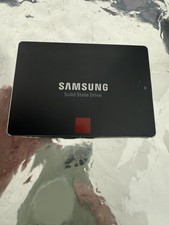
Samsung 850 PRO 512GB 2.5" SATA SSD MZ-7KE512 MZ7KE512
$65.00

Crucial MX500 1TB 2.5" SATA III Internal SSD CT1000MX500SSD1
$102.99

Netac 2TB 1TB 512GB 256GB Internal SSD 2.5inch SATAIII Solid State Drive lot
$549.00

2 PACK 128 GB SSD M.2 2280 SATA Solid State Drive Major Brands, Samsung, LiteON
$28.80

Fanxiang 1/2/5/10Pcs 2.5'' SATA SSD Lot 1TB 2TB 4TB 512GB 256GB TLC Internal SSD
$129.99

Micron MTFDDAK256TBN 256 GB, Internal ,2.5" SSD
$23.00

SSD 2.5" SATA Hard Drive for Laptop Desktop Windows 10 pro 64 Pro Pre-installed
$42.00



 Reply With Quote