-
I just remembered the why of me having a 99 99 99 error
it was the 80 pin cable on a semi ata66 hdd.
some hdd's, post ata33 and not really done proerly up to ata100 drives, don't report their stats correctly to BIOS when the 80 pin cable is used.
also, an ata33 with an ata66 drive ont he same cable can show weird results.
putting the newer drive on an older system back onto a 40 pin cable fixed the 99 99 99 error.
and it was "d'oh, wish I'd thought of that 5 hours ago!" time
-
Senior Member
registered user
Howdy marhleet
I guess you must mean, that the 66 hdd was backward compat with the 33, but the 33 wasn't forward compat with the 66 ... thus, having to use the 40 cable for both ...
Handy, i have to copy a whole lot of stuff over from an ATA33 drive to a new WD ATA100 drive this week. I was going to stick the 33 on the 100's cable.
I think you may have just saved me a lot of friggin around there marhleet,  , thanks
jm
-
i think it's a bug in the older motherboard bios actually.
i've used 33 and 66 drives together, and even ata66 and cd-roms together.
but I've seen probs, at times, with the seagate 10gb drives (off ebay) (ex-xbox?) these drives behave weirdly.
possibly short changed internally by seagate as they were 'supposed' to be for a specific use and not generally for sale.
so the problem shouldn't have arrived.
but modders are a strange lot.
-
Senior Member
registered user
Hi marhleet
Ok, seems bargains arn't always so. Yes, iv'e got mixed drives at the moment with out any problems, but i tend to frett over anything new, for a whileat least anyway (grin).
Related, but a little off thread ... Something to watch out for ... I had a ata33 with a ata66, flashed back to ata33, just to stop windows from going into compatability mode, on a ata33 board. Linux would set them at udma2 at boot, but i also had a some script in /etc/init.d/local that was run at the end of boot which used hdparm to set dma settings. At the time i though it was a good idea, but it's not really neccessary. The kernel does it fine. But ... then i got a new maxtor ata133. The kernel matched it to the boards controller at boot with a udma2 setting, but then hdparm, via the script, reset it to it's highest value, 4 or 5 i think. It would be ok for a period, but once i started to do transfers ... bang, Total scramble. I had to reset to recover. The eventual result was a stuffed up disk (grin).
Always best to watch out for that with new drives i think
>>
don't report their stats correctly to BIOS when the 80 pin cable is used.
>>
I guess you mean, going by your later post, that, thats really to do with your buggy bios and funny disks at the time, rather than as a policy.
I believe the 80pin cable just provides for better earthing, and so, less emf/harmonic line interference in the cable during transferes.
It's a curious thing, isn't it , even though the "99 99 99 99" Lilo message is saying it can't find it's secondary boot file(s), in a way it was quite correct !. Just that the most common reason wasn't.
What bios were you using at the time.
jm
Code:
  -:  -:-  If the system is the answer, then the question
                      must have been really stupid  -:  -:-
-
mine was in an existing smoothwall hdd, (p120) moved it to a new computer (pii) and hoped it would work fine with no action.
leaving the BIOS at defaults, on boot it had the 99 99 99 during boot phase.
then re-building from scratch didn't work either.
wasn't til later with either clocking it back in bios or using the 40 pin cable that it fixed itself and the lightbulbs over the head started going off 

-
Senior Member
registered user
Howdy,
Sounds like the bios was probably old, but probably not the culpret. Just the cables
 Posting Permissions
- You may not post new threads
- You may not post replies
- You may not post attachments
- You may not edit your posts
-
Forum Rules


(New) AMD Ryzen 7 5700X 8 Core 16 Thread AM4 Unlocked 3.4 GHz CPU OEM Tray
$174.99

HP ZBook Firefly 14" G8 Mobile Workstation i5 11th Gen 16GB RAM 256 GB SSD No AC
$184.99

SGIN 17.3" Laptop Intel Quad-Core Up to 2.4 GHZ 8GB RAM 256GB SSD HD
$229.99
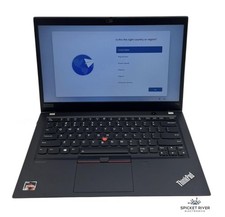
Lenovo ThinkPad T14S Gen 1 8-Core Ryzen 7 Pro 4750U 512GB SSD 16GB RAM FAIR BATT
$225.00

Intel Xeon E5 - 2667V2 / SR19W 3.30GHz 25MB 8-Core CPU Socket LGA2011
$30.00

AMD Ryzen 7 9800X3D 8-Core 16-Thread AM5 CPU Processor Brand New Unused
$395.95

AMD FX 8350 8-CORE 4.00GHz CPU FD8350FRW8KHK SOCKET AM3+ *QTY
$39.99

AMD Ryzen 7 9700X 8-Core 16-Thread 40MB Cache Socket AM5 9000 Series Processor
$245.99

Dell T7810 Workstation 8-Core 2.40GHz E5-2630 v3 No RAM GPU HDD OS
$259.98

Home Assistant Server | 8GB RAM | 128GB SSD | Intel i5 Quad-Core | Dell OptiPlex
$159.99



 Reply With Quote