-
dd is VERY slow for Knoppix - HELP !!!!!
Hello,
I am trying to use Knoopix dd to backup a partition to an image file (simulate GHOST.exe to backup my partition). It takes about 2 hours and also exceeds 2GB limit even I use gzip and unix pipe line | . Please see my command as follows :
1) dd if=/dev/hda1 bs=10M | gzip -9 | dd of=/mnt/hda5/drivec.zip bs=10M
{ hda1 is FAT; hda5 is linux ext2 partition }
2) I cannot use mknod (tried to use unix piped line) :
mknod drivec.imp p (it gives an error : Applet NOT found)
Questions : Can anyone help !!!! :
1) How can I improve the method (I used ghost.exe under DOS - it takes only 10min) ?
2) How can I solve the problem for mknod ?
3) /mnt/hda1 is 5GB, but the system occupies 3.5GB ony - how can I use dd or other commands to skip unused data to speed up the backup process ?
Regards,
Bruce
-
Hi,
guessing in the wild:
* 10M surely isn't an optimal block size for running gzip; try feeding smaller blocks (try 1M or even smaller)
* gzip -9 compresses good but is slow; try running without parameter
* you should also adjust the block size of the output command - your HD surely doesn't use blocks of 10M
On the mknod command: from the error message it doesn't seem to be produced from any mknod program
I know of  - what does type mknod say?
On your third remark: you are trying to back up a whole partition including all unused (and ever used) blocks;
you can't expect dd to distinguish between used and unused blocks. And there's also no guarantee that
the unused block contain no data (and thus are compressable to next to nothing). My advice would be to use
a "real" backup program - for the start even "tar" might be appropriate.
Last remark: your output data extension is ".zip"; not that it's important, but more appropriate would be ".gz" -
don't expect any ZIP program to be able to open your backup data file.
Ciao,
Thomas
-
Senior Member
registered user
Re: dd is VERY slow for Knoppix - HELP !!!!!
' man partimage ' 
--Also: try this corrected commandline:
' hdparm -c1 -d1 /dev/hda ' == Turn on DMA and 32-bit
' time dd if=/dev/hda1 bs=10M |gzip -9 > /mnt/hda5/drivec-backup-20050314.gz '
--I dunno what you're trying to do with mknod; that's only for making device(s) manually.

Originally Posted by
bruceleung
Hello,
I am trying to use Knoopix dd to backup a partition to an image file (simulate GHOST.exe to backup my partition). It takes about 2 hours and also exceeds 2GB limit even I use gzip and unix pipe line | . Please see my command as follows :
1) dd if=/dev/hda1 bs=10M | gzip -9 | dd of=/mnt/hda5/drivec.zip bs=10M
{ hda1 is FAT; hda5 is linux ext2 partition }
2) I cannot use mknod (tried to use unix piped line) :
mknod drivec.imp p (it gives an error : Applet NOT found)
Questions : Can anyone help !!!! :
1) How can I improve the method (I used ghost.exe under DOS - it takes only 10min) ?
2) How can I solve the problem for mknod ?
3) /mnt/hda1 is 5GB, but the system occupies 3.5GB ony - how can I use dd or other commands to skip unused data to speed up the backup process ?
Regards,
Bruce
Similar Threads
-
By LiLdEmOnDoG in forum General Support
Replies: 3
Last Post: 12-19-2005, 06:32 AM
-
By ismxray in forum Hdd Install / Debian / Apt
Replies: 3
Last Post: 08-19-2005, 10:03 PM
-
By Gringorious in forum General Support
Replies: 2
Last Post: 08-03-2005, 01:16 AM
-
By RickyJaff in forum Knoppix DVD
Replies: 2
Last Post: 11-19-2003, 01:24 PM
-
By ool in forum Hdd Install / Debian / Apt
Replies: 3
Last Post: 03-28-2003, 07:03 PM
 Posting Permissions
- You may not post new threads
- You may not post replies
- You may not post attachments
- You may not edit your posts
-
Forum Rules


G.Skill Trident Z Royal DDR4 RAM 3000MHz 64GB Kit (4 x 16GB) Silver
$650.00
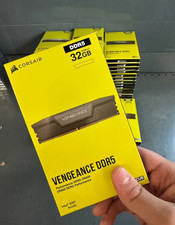
Corsair Vengeance DDR5 32GB (2x16GB) 6000MHz Desktop RAM Kit – New Sealed
$349.95
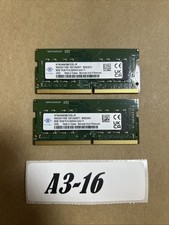
Nanya 16GB (2x8GB) DDR4 3200MHz SODIMM PC4-3200AA 1Rx8 Laptop RAM NT8GA64D88CX3S
$49.99

DDR4 Laptop RAM 4GB 8GB 16GB 32GB 2400 2666 3200 Samsung Hynix
$66.00

RAMAXEL Lenovo 32GB LPDDR5X CAMM2 7500MHz Laptop RAM | UNTESTED
$445.00

NEW Kingston 8GB DDR4 2666MHz Desktop RAM KCP426NS8/8 PC4-21300
$26.00

Crucial DDR3L 16GB 2 x 8GB 1600 MHz PC3L-12800 Laptop RAM Sodimm Memory 1.35V
$41.00
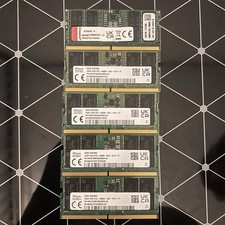
16gb ddr5 4800mhz Sodimm Laptop ram Sk Hinyx & Kingston
$149.00

Lot Of 50 8GB DDR4 RAM PC4-2666V-UA2 DIMM Desktop Memory Mixed Brands TESTED
$1750.00

Samsung 16GB DDR4 2666MHz PC4-21300 SODIMM RAM M471A2K43CB1-CTD Tested Working
$70.99



 Reply With Quote