-
thanks thomas.
i tried this, i followed all the nfs advice and guidelines i could find on the internet and was (finally!) able to get an exported folder on the client.
however the main snag i hit was that the folder was read only, even though i used all the rw options and tricks i could find.
i think it was down to the exports file entries and having to remove old ones using exportfs -u however i looked down another route in the end.
in the end i hit on a way to do this, i simply accessed my samba shares (these shares are from a liunx box and designed to be accessed by windows clients) by doing smb://host_name from konqueror and then seeing the folders i needed access to, then entering a line in my /etc/fstab file like this...
//host_name/share_name /mount/point smbfs user,auto 0 0
and now i can add a device to the desktop and access the shares like i wanted to.
i know there are going to be nfs experts and purists out there going "oh my god, he did what?" and i have read how samba is only for windows etc, however i only need it for my lan, security isn't an issue, its a very simple network model and it works and nfs isn't without its issues either from what i can gather on the net.
also time is a premium to me.
the main reason i never used this solution before and tried getting my head around nfs in the first place is because if you only do the first part (smb://host_name from konqueror) then when you access a file in the share it downloads it first to a tmp folder before playing, in the case of a video that can take some time, however once i added the line in fstab and made the device then i could access the share like a normal windows share and the file is played from the share rather than a tmp folder.
i guess this is down to it being mounted.
anyway, thanks for the help, onwards and upwards.
steve.
Similar Threads
-
By skitzojase in forum Customising & Remastering
Replies: 1
Last Post: 03-06-2006, 07:56 AM
-
By Jakykong in forum The Lounge
Replies: 2
Last Post: 12-14-2005, 08:36 AM
-
By istoleapig in forum Hardware & Booting
Replies: 2
Last Post: 02-19-2005, 09:28 AM
-
By mpeden in forum MS Windows & New to Linux
Replies: 2
Last Post: 12-11-2004, 12:09 AM
-
By Lame_Duck in forum Customising & Remastering
Replies: 0
Last Post: 02-08-2004, 05:19 PM
 Posting Permissions
- You may not post new threads
- You may not post replies
- You may not post attachments
- You may not edit your posts
-
Forum Rules


Fujinet 1.7.1 Atari 400 800 800XL 130XE 65XE XEGS Assembled, Tested, Working
$99.99

DEFECTIVE Atari 810 Vintage Computer Disk Drive powers on Unit Only Boo G3D
$55.24
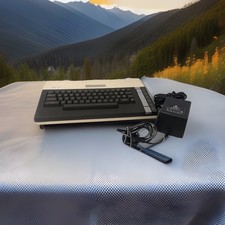
ATARI 800 XL 8-Bit Computer w/ Power Supply
$169.00

UNOCART-2600 SD card Multi Rom Cartridge for ATARI 2600 with CASE
$34.25
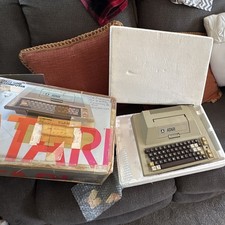
Atari 400 Vintage Home Computer System w/ Original Box MPN Atari 400
$175.00
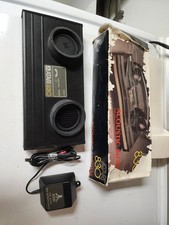
Untested Powers On Atari 830 Acoustic Phone Modem w/ Power Cord & Cable & Box
$139.00
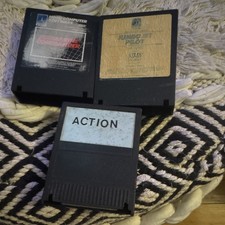
Atari Jumbo Jet Pilot Vintage Floppy Disk Software Lot w/ 2 Disks
$29.99
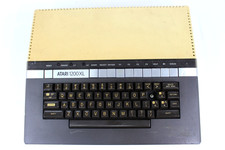
VTG Atari 1200XL Home Computer System 1200 XL ** Tested ** Parts or Repair
$248.75

Atari 400 Computer System console with Power Supply TESTED and Working
$160.00
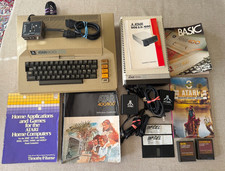
Vintage Atari 800 Computer + 1050 Disk Drive Manuals Games Software Cables Power
$449.00



 Reply With Quote