

 Reply With Quote
could i get the full output from dmesg? there should have beeb a detection of the drive, but it might have failed...


And will contain a dvd writer in future.
After looking through the forums, i couldn't find anything that might help me. although i do have some stuff here that might help anyone who'd help me ^_^
dmesg|grep ub&&dmesg|grep sd
uname -aCode:ACPI: Subsystem revision 20040326 SCSI subsystem driver Revision: 1.00 usb.c: registered new driver hub hub.c: USB hub found hub.c: 2 ports detected hub.c: USB hub found hub.c: 2 ports detected hub.c: USB hub found hub.c: 2 ports detected hub.c: USB hub found hub.c: 2 ports detected Attached scsi disk sda at scsi1, channel 0, id 0, lun 0 Attached scsi disk sdb at scsi1, channel 0, id 1, lun 0 Attached scsi disk sdc at scsi1, channel 0, id 2, lun 0 Attached scsi disk sdd at scsi1, channel 0, id 3, lun 0 Attached scsi disk sde at scsi1, channel 0, id 4, lun 0 Attached scsi disk sdf at scsi1, channel 0, id 5, lun 0 Attached scsi disk sdg at scsi1, channel 0, id 6, lun 0 Attached scsi disk sdh at scsi1, channel 0, id 7, lun 0 SCSI device sda: 312581808 512-byte hdwr sectors (160042 MB) sda: sda1 sda2 < sda5 sda6 sda7 > sdb : sector size 0 reported, assuming 512. SCSI device sdb: 1 512-byte hdwr sectors (0 MB) sdb: I/O error: dev 08:10, sector 0 sdc : sector size 0 reported, assuming 512. SCSI device sdc: 1 512-byte hdwr sectors (0 MB) sdc: I/O error: dev 08:20, sector 0 sdd : sector size 0 reported, assuming 512. SCSI device sdd: 1 512-byte hdwr sectors (0 MB) sdd: I/O error: dev 08:30, sector 0 sde : sector size 0 reported, assuming 512. SCSI device sde: 1 512-byte hdwr sectors (0 MB) sde: I/O error: dev 08:40, sector 0 sdf : sector size 0 reported, assuming 512. SCSI device sdf: 1 512-byte hdwr sectors (0 MB) sdf: I/O error: dev 08:50, sector 0 sdg : sector size 0 reported, assuming 512. SCSI device sdg: 1 512-byte hdwr sectors (0 MB) sdg: I/O error: dev 08:60, sector 0 sdh : sector size 0 reported, assuming 512. SCSI device sdh: 1 512-byte hdwr sectors (0 MB) sdh: I/O error: dev 08:70, sector 0 Info fld=0x412e3, Current sd0b:00: sns = f0 3
lspciCode:Linux Knoppix 2.4.27 #2 SMP Mo Aug 9 00:39:37 CEST 2004 i686 GNU/Linux
cat /etc/fstabCode:0000:00:00.0 Host bridge: Intel Corp. 82865G/PE/P DRAM Controller/Host-Hub Interface (rev 02) 0000:00:01.0 PCI bridge: Intel Corp. 82865G/PE/P PCI to AGP Controller (rev 02) 0000:00:1d.0 USB Controller: Intel Corp. 82801EB/ER (ICH5/ICH5R) USB UHCI #1 (rev 02) 0000:00:1d.1 USB Controller: Intel Corp. 82801EB/ER (ICH5/ICH5R) USB UHCI #2 (rev 02) 0000:00:1d.2 USB Controller: Intel Corp. 82801EB/ER (ICH5/ICH5R) USB UHCI #3 (rev 02) 0000:00:1d.3 USB Controller: Intel Corp. 82801EB/ER (ICH5/ICH5R) USB UHCI #4 (rev 02) 0000:00:1d.7 USB Controller: Intel Corp. 82801EB/ER (ICH5/ICH5R) USB2 EHCI Controller (rev 02) 0000:00:1e.0 PCI bridge: Intel Corp. 82801 PCI Bridge (rev c2) 0000:00:1f.0 ISA bridge: Intel Corp. 82801EB/ER (ICH5/ICH5R) LPC Bridge (rev 02) 0000:00:1f.1 IDE interface: Intel Corp. 82801EB/ER (ICH5/ICH5R) Ultra ATA 100 Storage Controller (rev 02) 0000:00:1f.3 SMBus: Intel Corp. 82801EB/ER (ICH5/ICH5R) SMBus Controller (rev 02) 0000:00:1f.5 Multimedia audio controller: Intel Corp. 82801EB/ER (ICH5/ICH5R) AC'97 Audio Controller (rev 02) 0000:01:00.0 VGA compatible controller: nVidia Corporation NV34 [GeForce FX 5200] (rev a1) 0000:02:05.0 Ethernet controller: Marvell Technology Group Ltd. Yukon Gigabit Ethernet 10/100/1000Base-T Adapter (rev 13) 0000:02:0a.0 Communication controller: Rockwell International HSF 56k Data/Fax/Voice Modem (rev 01) 0000:02:0c.0 RAID bus controller: Integrated Technology Express, Inc. IT/ITE8212 Dual channel ATA RAID controller (PCI version seems to be IT8212, embedded seems (rev 11)
fdisk -lCode:/proc /proc proc defaults 0 0 /sys /sys sysfs noauto 0 0 /dev/pts /dev/pts devpts mode=0622 0 0 /dev/fd0 /mnt/auto/floppy auto user,noauto,exec,umask=000 0 0 /dev/cdrom /mnt/auto/cdrom auto user,noauto,exec,ro 0 0 /dev/cdrom1 /mnt/auto/cdrom1 auto users,noauto,exec,ro 0 0 # Added by KNOPPIX /dev/sda1 /mnt/sda1 vfat noauto,users,exec,umask=000,uid=knoppix,gid=knoppix 0 0 # Added by KNOPPIX /dev/sda5 /mnt/sda5 vfat noauto,users,exec,umask=000,uid=knoppix,gid=knoppix 0 0 # Added by KNOPPIX /dev/sda6 /mnt/sda6 vfat noauto,users,exec,umask=000,uid=knoppix,gid=knoppix 0 0 # Added by KNOPPIX /dev/sda7 /mnt/sda7 vfat noauto,users,exec,umask=000,uid=knoppix,gid=knoppix 0 0 # Added by KNOPPIX /dev/hda1 /mnt/hda1 vfat noauto,users,exec,umask=000,uid=knoppix,gid=knoppix 0 0 # Added by KNOPPIX /dev/hda2 /mnt/hda2 ntfs noauto,users,exec,ro,umask=000,uid=knoppix,gid=knoppix 0 0 # Added by KNOPPIX /dev/hdb1 /mnt/hdb1 vfat noauto,users,exec,umask=000,uid=knoppix,gid=knoppix 0 0 # Added by KNOPPIX /dev/hdb5 /mnt/hdb5 vfat noauto,users,exec,umask=000,uid=knoppix,gid=knoppix 0 0 # Added by KNOPPIX /dev/hdb6 /mnt/hdb6 vfat noauto,users,exec,umask=000,uid=knoppix,gid=knoppix 0 0
Note: In my usb enclousure i have a 80 gig segate driveCode:Disk /dev/sda: 160.0 GB, 160041885696 bytes 255 heads, 63 sectors/track, 19457 cylinders Units = cylinders of 16065 * 512 = 8225280 bytes Device Boot Start End Blocks Id System /dev/sda1 * 1 5838 46893703+ c W95 FAT32 (LBA) /dev/sda2 5839 19457 109394617+ f W95 Ext'd (LBA) /dev/sda5 5839 10605 38290896 b W95 FAT32 /dev/sda6 10606 15373 38298928+ b W95 FAT32 /dev/sda7 15374 19457 32804698+ b W95 FAT32 Disk /dev/hda: 13.6 GB, 13662609408 bytes 255 heads, 63 sectors/track, 1661 cylinders Units = cylinders of 16065 * 512 = 8225280 bytes Device Boot Start End Blocks Id System /dev/hda1 * 1 997 8008371 b W95 FAT32 /dev/hda2 998 1661 5333580 7 HPFS/NTFS Disk /dev/hdb: 61.4 GB, 61492838400 bytes 255 heads, 63 sectors/track, 7476 cylinders Units = cylinders of 16065 * 512 = 8225280 bytes Device Boot Start End Blocks Id System /dev/hdb1 1 3738 30025453+ c W95 FAT32 (LBA) /dev/hdb2 3739 7476 30025485 f W95 Ext'd (LBA) /dev/hdb5 3739 5607 15012711 b W95 FAT32 /dev/hdb6 5608 7476 15012711 b W95 FAT32
i hope this is all you need to help me. thanks in advance.
>Simon
could i get the full output from dmesg? there should have beeb a detection of the drive, but it might have failed...
sorry to watse your time. i decided to install the hdd into my system using a free slot on my ide expansion card. but guess what? it messed up my window's drive settings (win9. so i guess its either linux, or windows... not too hard a choice eh? now if only i could repoint these symlinks, i'll be happy......
 Posting Permissions


NETGEAR ProSafe 5-port Gigabit Switch GS105v5
$9.99

Cisco Catalyst 2960-48TT-L 48-Port Fast Ethernet Managed Rackmount Switch
$46.99

TP-Link 5-Port Gigabit Unmanaged Ethernet Switch Network Expansion TL-SG105
$19.95

5Ports Gigabit Network Switch w/ 4 PoE+ Ports Total 52W each port 30W Plug&Play
$31.99

TP-Link TL-SG2210P 10-Port Gigabit Smart Switch w/ 8-Port PoE+ NO AC SKU 25597
$39.99
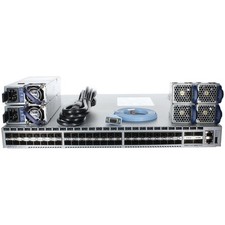
Arista DCS-7050SX-64-R 48P 10GbE SFP+ 4P 40GbE QSFP+ RA Switch
$125.00

Linksys 8-Port Managed Gigabit PoE+ Switch 110W w/ 2 Uplink Gigabit - LGS310MPC
$49.00
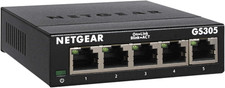
NETGEAR 5-Port Gigabit Ethernet Unmanaged Network Switch (GS305)
$19.73

NETGEAR 5-Port Gigabit Ethernet Unmanaged Switch (Gs305) - Desktop Quiet Fanless
$22.00

10-Port Gigabit PoE Network Switch with 8 PoE+ Ports with 2 Combo SFP Slots 125W
$39.99