-
Senior Member
registered user
This is from the bottom of the page of the knoppix cheatcodes:
" Caution: X-Screensaver: Don't start xlock or any screensaver that
requires a password. There are no default passwords on KNOPPIX,
i.e. all accounts are LOCKED unless you explicitly set a password.
See also README_Security.txt about this issue.
If you accidentially hit the screensaver button in KDE,
switch to one of the textconsoles by Control-Alt-F1 and kill
the screensaver (or just set a password for the knoppix user).
If you would like to edit your X-Server configuration manually
(/etc/X11/XF86Config-4 for XFree86 V4.x), use "knoppix 2" to boot
into runlevel 2 (textmode only) and, after changing the X
configuration, start the X environment with "init 5". Note that
you can always leave the graphical environment with "init 2", and
restart it later with "init 5"."
I included the 2nd paragraph because you may need to redo your xserver.
Perhaps somehow you set a lock on the desktop/screensaver and that's why the mouse doesn't
bring back your desktop. It's my best guess. Read that 2nd paragraph to restart x or do "startx"
Good luck.
Similar Threads
-
By bluekylin in forum Other Live CDs
Replies: 2
Last Post: 05-09-2006, 02:32 PM
-
By vegetto in forum Hdd Install / Debian / Apt
Replies: 1
Last Post: 04-14-2005, 12:40 AM
-
By Crenn in forum Hardware & Booting
Replies: 25
Last Post: 04-04-2005, 11:02 PM
-
By fm78 in forum Hdd Install / Debian / Apt
Replies: 13
Last Post: 03-13-2003, 09:44 AM
-
By bret in forum Hdd Install / Debian / Apt
Replies: 2
Last Post: 03-03-2003, 07:40 PM
 Posting Permissions
- You may not post new threads
- You may not post replies
- You may not post attachments
- You may not edit your posts
-
Forum Rules


SFP TO RJ45 TRANSCEIVER SFP MODULE COPPER SFP OPTICAL PORT TO RJ45 ETHERNET PORT
$7.99

Cisco Meraki MA-SFP-1GB-SX Network Tranceiver Module
$89.00

NEW Sealed Cisco SFP-10G-LR 10GBASE-LR SFP+ 1310nm 10km *US Shipping*
$24.00
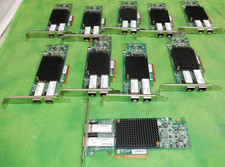
HP 557SFP+ ETHERNET 10GB 2 PORT 792834-001 788991-001 HIGH LOT OF 10
$70.00

Genuine Cisco SFP-10G-SR 0-2415-03 10 Gigabit Transceiver
$5.40
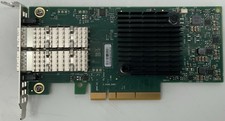
Dell Mellanox ConnectX-4 Lx CX4121C Dual 25GbE SFP28 LP | 20NJD
$25.00

HP 560SFP+ 10GB 2-port PCIe NIC Ethernet ADAPTER 669279-001 w/ (2) 10GB SFP+
$16.99

Dell Intel X710-DA2 5N7Y5 Dual-Port 10GbE SFP+ PCIe 3.0 x8 Network Adapter
$27.50

HPE 560SFP 2x 10Gb SFP+ PCIe Both Profile Network Card 669279-001 665247-001
$14.90

Extreme Networks 10GE X440-G2-24P-10GE4 16533 24Plus-Ports POE+ Switch UP
$127.00



 Reply With Quote