-
You'll have to edit your /etc/X11/XF86Config-4 file and add the following entries:
Search for the ModeLine settings in the "Monitor" section and add the following line:
ModeLine "1200x800" 90.00 1200 1232 1384 1520 800 803 806 827
You might have to adjust the settings somewhat (esp. the 90.00 frequency might be
too high or too low - depends on your display characteristics; for an explanation see
man XF86Config-4 or google around a little)
Further, in the "Screen" section, "Display" subsection add the newly defined mode to
the list of existing modes:
Modes "1200x800" "1024x768" "800x600" "640x480"
The first mode is the default mode used for your display.
You can use the "xvidtune" utility to fine tune the settings.
Ciao,
Thomas
Similar Threads
-
By abrand888 in forum Hardware & Booting
Replies: 0
Last Post: 06-01-2005, 07:27 PM
-
By fingers99 in forum Hardware & Booting
Replies: 1
Last Post: 03-10-2005, 06:36 PM
-
By Semantic in forum Networking
Replies: 1
Last Post: 07-17-2004, 06:47 PM
-
By Jwizzman in forum Customising & Remastering
Replies: 4
Last Post: 01-24-2003, 03:07 PM
-
By Guest in forum Customising & Remastering
Replies: 1
Last Post: 12-22-2002, 04:49 PM
 Posting Permissions
- You may not post new threads
- You may not post replies
- You may not post attachments
- You may not edit your posts
-
Forum Rules


Commodore 128 C128 Computer FOR PARTS / REPAIR Untested Missing Key No Cords
$149.99
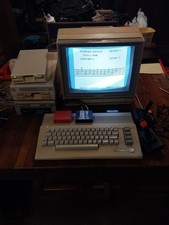
Commodore 64c Computer System
$550.00

Pi1541 Zero with Epyx Fastload Hat, Case & 16gb SD for Commodore 64 and 128
$79.99

TeensyROM+ TR+ v0.4 Cartridge for C64/128 - w/ Case & 32GB SD Preloaded
$89.50

Commodore 64 PC with Model 1541 Diskette Drive and Flight Simulator II *READ*
$199.99
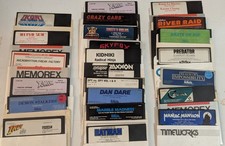
Commodore 64/C64 23 Original Games (Untested /As Is ,no returns )Maniac Mansion
$115.00

Commodore 64 Serial Cable 6PIN DIN 1541 1571 C64 128 C128 Disk Drive Printer USA
$10.49
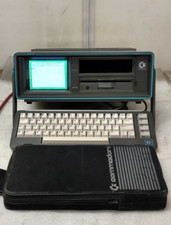
Commodore SX-64 Personal Computer
$600.00

Commodore 64 Dead Test & Diagnostic Cartridge & Test Harness Set - USA seller
$39.99
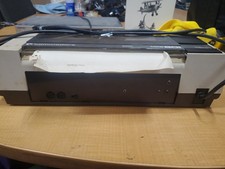
RARE Commodore MPS801 Printer - 1st printer for the 64 - powers on
$70.00



 Reply With Quote